

Only 34% of companies finish projects on time and on budget. For electrical, plumbing, HVAC, and roofing contractors, that number should alarm you. The role of project management software in trades isn't just about staying organized. It's about knowing where your money is going before a job closes, catching scope creep before it eats your margin, and getting your foreman's daily data into the system without a phone call at 5 p.m. Most specialty trade businesses are running jobs on spreadsheets, email threads, and gut instinct. This guide explains what better looks like, and how to get there.
Table of Contents
- Why the role of project management software in trades gets ignored
- Core features of project management software tailored to trades
- Choosing the right project management software for your trade business
- Maximizing project profitability through integrated software workflows
- Common pitfalls and pro tips for adopting project management software in trades
- Why specialty trade contractors must rethink project management software strategies
- Streamline your specialty trade projects with Sub Ascent
- Frequently asked questions
Key Takeaways
| Point | Details |
|---|---|
| Specialty trade needs | Specialty trades require project management software tailored to their unique workflows and financial tracking needs. |
| Integration is critical | Integrating field data with cost and schedule management enables better project control and margin protection. |
| Feature focus | Look for granular job costing, change order management, real-time scheduling, and mobile data capture features. |
| Choose wisely | Select software balanced for your team size and project complexity to ensure usability and value. |
| Adoption matters | Successful implementation requires user involvement, training, and incremental adoption steps. |
Why the role of project management software in trades gets ignored
Let's start with the honest version. Most electrical and plumbing shops don't run dedicated project management tools because the tools built for construction don't fit how they actually work. GC-facing platforms assume you're managing the whole job. You're not. You're managing your scope, your crew, your submittals, and your slice of the budget.
The result is a patchwork system that looks like this:
- Bid invitations land in someone's inbox and get missed or forgotten
- Estimates live in Excel workbooks that get rebuilt from scratch every time
- Change orders are tracked in a separate spreadsheet, or worse, a sticky note
- Job cost reports come out of QuickBooks two weeks after the fact
- Foremen call in daily hours instead of logging them in a field app
Every one of those gaps costs money. A missed bid due date means zero revenue from that opportunity. A late change order means you absorb the cost. A job cost report that's two weeks old means you find out a job is losing money when it's too late to fix it.
"For specialty contractors, tools designed for general contractors force the use of spreadsheets and disconnected portals, losing critical data visibility." Source
Subcontractor management software built specifically for trades solves a different problem than GC software. It connects your field operations to your financials in one place, not across three tabs and two portals.
Pro Tip: Before evaluating any software, write down every place your team currently stores job data. Count the systems. If you hit five or more, you have a data fragmentation problem, not a workload problem.
Adopting effective budgeting and scheduling practices also becomes dramatically easier once your data lives in one place instead of scattered across inboxes and shared drives.
Core features of project management software tailored to trades
Not all software is built the same. A platform designed for a framing contractor managing 12 active jobs has different requirements than one built for an enterprise GC. Here's what actually matters for specialty trades.
Granular job costing. You need to see labor hours, material costs, and subcontract spend by phase, not just by job. UK-focused infrastructure trade platforms like F0CUS specifically emphasize that granular job costing connected to site data eliminates off-system spreadsheets and builds confidence in work-in-progress tracking. That's the standard to hold any platform to.
Real-time scheduling and resource allocation. Static Gantt charts are close to useless in specialty trades. You need a scheduler that lets you drag and drop crew assignments when someone calls in sick, automatically notifies affected tasks, and shows you where you're double-booked across jobs.
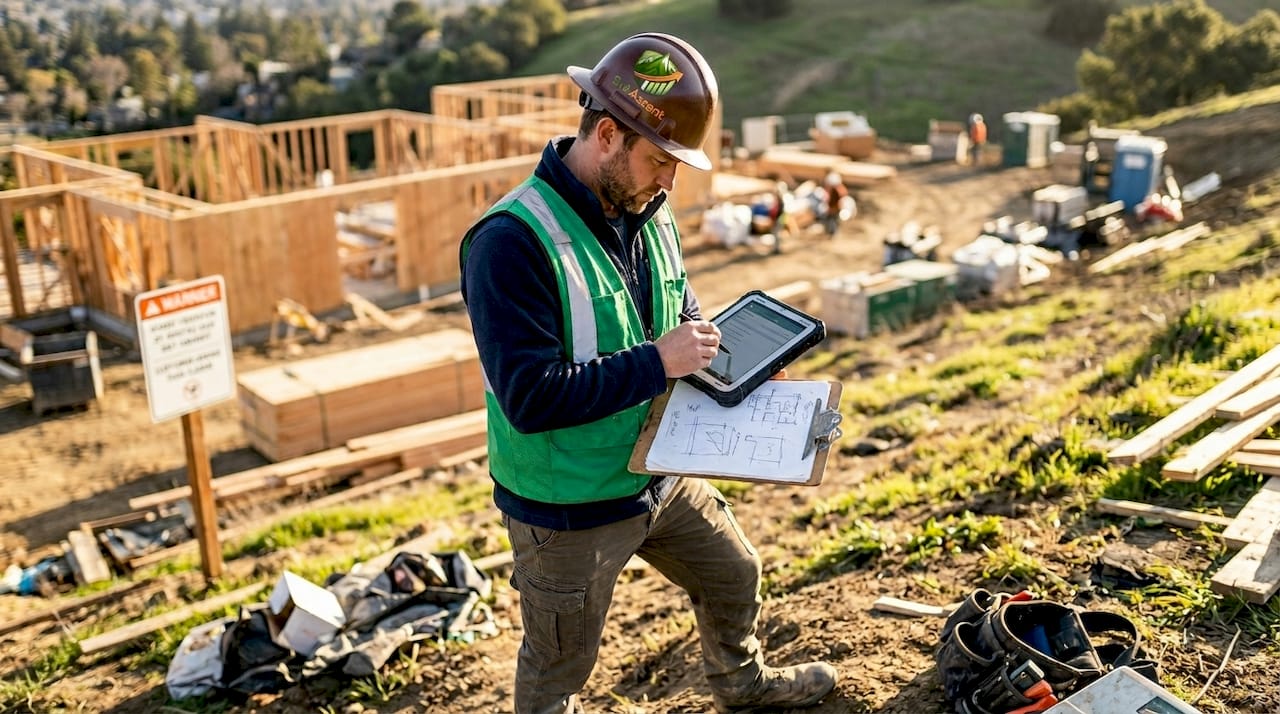
Mobile field data capture. If your foremen are still calling in hours or texting photos, you're losing time and accuracy every single day. The right platform puts a simple mobile interface in their hands, no laptop required. Daily reports, photos, and timecards get submitted from the job site.
Change order and RFI management. Every plumbing and HVAC contractor has eaten a change order they forgot to document. Software that ties change order requests directly to cost codes and contract values stops that from happening.
Dashboards that show what matters. Job-level profit margins, open invoices, outstanding RFIs, and bid pipeline should all be visible in one view. Not buried in reports you have to run manually.
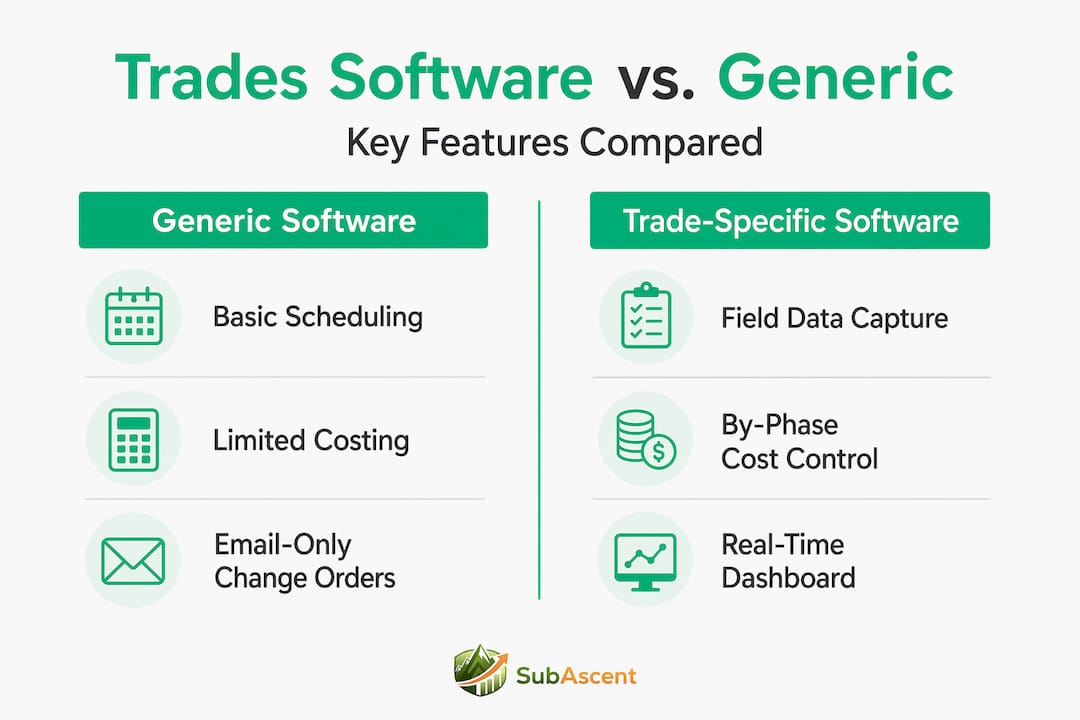
Here's a quick comparison of what trade-specific software offers versus generic tools:
| Feature | Generic software | Trade-specific software |
|---|---|---|
| Job costing by phase | Limited | Built-in, tied to field data |
| Change order tracking | Manual or add-on | Native workflow |
| Mobile field data capture | Basic | Offline-capable, photo logs |
| RFI and submittal management | Not included | Purpose-built |
| QuickBooks sync | Often manual | Two-way, real-time |
| Bid pipeline visibility | None | Integrated |
Pro Tip: When demoing any platform, ask them to show you how a change order flows from the field to the invoice. If it takes more than three clicks, your foremen won't use it consistently.
Subcontractor bid and job management tools built around these workflows give specialty trade businesses a real advantage over competitors still managing jobs from email.
Choosing the right project management software for your trade business
The best project management software balances ease of use with the depth of control your team needs. That balance shifts depending on your business size and project complexity.
Here's a practical process for making the right call:
- Audit your current pain points. Is it bid tracking? Job costing? Field data? Start with the problem that costs you the most money or time, not the flashiest feature.
- Match software depth to your project complexity. A drywall contractor running 20 small residential jobs needs different visibility than a fire protection contractor managing a 14-month commercial fit-out.
- Prioritize trade-specific features. Look for change order tracking, bid management, submittals, and cost codes that map to your trade. Generic task managers won't have these.
- Test with your actual team. Put it in front of your PM and one foreman before you buy. If either of them struggles in the demo, adoption will be a battle.
- Plan a phased rollout. Don't try to migrate everything at once. Start with one active job, get the workflows right, then expand.
- Define your ROI benchmark. What does success look like after 90 days? Fewer missed bids, faster invoicing, better job cost visibility. Write it down before you go live.
Project management software selection is one of the highest-leverage decisions an owner-operator makes. The wrong choice wastes money. The right one changes how you run every job.
Pro Tip: Ask any vendor for references from businesses your size in your trade. A five-person insulation contractor and a 40-person mechanical contractor need very different things. Get proof it works for your situation, not just their biggest client.
Maximizing project profitability through integrated software workflows
This is where the real return on investment lives. Not in the software itself, but in what happens when your field data, your cost tracking, and your change order process all talk to each other.
Here's the practical picture. Your electrician logs three extra hours on a circuit modification at 4 p.m. That entry automatically updates the labor cost on that job in your system. Your PM sees the budget variance before the end of day, not at month-end closeout. If that modification was supposed to be a change order, it gets flagged immediately. The invoice goes out the same week. That's how field work connects to financials in real time, surfacing margin issues early instead of after the fact.
The financial impact across a typical specialty trade business looks like this:
| Workflow area | Without integrated software | With integrated software |
|---|---|---|
| Change order capture rate | 60-70% | 90%+ |
| Invoice cycle time | 14-21 days | 3-7 days |
| Job cost report frequency | Monthly | Daily or weekly |
| Bid tracking visibility | Email/spreadsheet | Centralized pipeline |
| Budget vs. actual variance | Discovered at closeout | Flagged in real time |
Bid tracking is another area where integrated tools pay for themselves fast. When your estimator has a clear pipeline view showing which bids are due, which are pending GC award, and which have been won or lost, you stop chasing work blindly. You start being selective, targeting jobs that match your crew's capacity and your margin targets.
When you connect bid data to job cost data, you can start answering the question most specialty trade owners never get to ask: which type of job actually makes us money?
Integrated project financial management gives you that answer. And it changes how you bid the next job.
Common pitfalls and pro tips for adopting project management software in trades
Software only works if your team actually uses it. That sounds obvious, but it's where most rollouts fail. Here's what gets in the way, and how to get ahead of it.
Pitfalls to avoid:
- Trying to configure everything before going live. Perfection kills adoption. Start simple.
- Choosing software your office loves but your foremen won't touch. Field adoption is non-negotiable.
- Skipping the "why" conversation with your crew. If they don't understand how it helps them, they'll revert to texting you.
- Migrating all historical data at once. It slows everything down. Move forward, not backward.
- Measuring success too early. Give it 60 to 90 days before judging results.
Strong planning tools, reporting, and usability ease team adoption, while overly complex or generic solutions actively slow it down. That's not opinion. It's the consistent finding when PMs evaluate what actually gets used versus what gathers digital dust.
What works:
- Involve your foremen and PM in the selection process. Ownership drives usage.
- Run weekly check-ins for the first month to catch friction early.
- Use the vendor's onboarding support. Most platforms offer it. Few customers take full advantage.
- Automate the repetitive tasks first, daily reports, timecard reminders, change order notifications. Show the team what they're not doing anymore.
Project management implementation tips for specialty trades almost always come back to the same thing: change management is harder than software configuration. Get your people right, and the tool handles itself.
Pro Tip: Assign one person internally as your "software champion." Not IT, not ownership. The PM or lead estimator who will live in the system daily. Their enthusiasm is contagious.
Why specialty trade contractors must rethink project management software strategies
Here's the uncomfortable truth most people in this industry won't say out loud: the reason many electrical, HVAC, and roofing businesses run on spreadsheets isn't because the software doesn't exist. It's because ownership doesn't want to deal with change.
That reluctance made sense ten years ago when trade-specific software was genuinely limited. It doesn't hold up anymore. The platforms available now are built for your workflows, not a GC's. They're mobile-first. They sync with QuickBooks. They track bids, change orders, and job costs in the same place.
The businesses gaining ground in this market aren't necessarily the ones with the best crews. They're the ones with the best visibility. They know their margin on every active job by Wednesday morning. They don't miss bid deadlines. They get invoices out within days of completion, not weeks.
That visibility is a competitive advantage. Not a luxury.
The contractors who treat software as an operational expense, something to minimize, will keep operating on thin margins and gut feel. The ones who treat it as a management tool, the way they treat their trucks and their tools, will build businesses that are actually controllable.
One more point worth making: the project management tools available for specialty trades in 2026 are moving toward AI-assisted features. Margin forecasting, automated RFI responses, predictive scheduling based on historical job data. That gap between early adopters and late adopters is going to widen faster than most owners expect.
The time to build that foundation isn't when you're overwhelmed on six jobs. It's now.
Specialty trades project management insights from contractors who've made the shift consistently point to the same outcome: once you have real data, you make better decisions. And better decisions build better businesses.
Streamline your specialty trade projects with Sub Ascent
If this article resonated, it's because you already know the spreadsheets aren't cutting it. Sub Ascent is built specifically for specialty trade contractors, electrical, plumbing, HVAC, roofing, and more, to manage bids, jobs, and financials from one platform.

Sub Ascent project management software gives your team real-time job cost visibility, a centralized bid pipeline, mobile field data capture, and dashboard reporting that shows you where every job stands before it's too late to act. No GC bloat. No features you'll never use. Just the tools specialty trades actually need to run profitable jobs. Start with a free trial and see what changes when your data finally lives in one place.
Frequently asked questions
What makes project management software different for specialty trades compared to general contractors?
Specialty contractor software integrates field data with financial controls specific to trades like electrical or plumbing, reducing reliance on spreadsheets and improving real-time cost visibility. GC platforms are built around managing the full project, leaving specialty trade workflows like change orders and submittals either missing or poorly adapted.
How can project management software improve profitability in trades?
By connecting daily field work with cost tracking, change orders, and bid management, software helps you catch margin issues early enough to act on them. Faster invoicing and better change order capture directly improve cash flow and net margin on every job.
What features should I prioritize when selecting project management software for my trade business?
Prioritize granular job costing connected to site data, real-time scheduling, change order management, and mobile field data capture. These four capabilities address the highest-cost gaps in how most specialty trade businesses run jobs today.
Is project management software worth the investment for small specialty trade businesses?
Yes. The best project management software is sized for teams of 5 to 50 people and pays for itself quickly through fewer missed bids, faster invoicing, and earlier detection of jobs that are running over budget.
How can I ensure successful adoption of new project management software in my trade business?
Involve your foremen and PM in the selection process, start with core functions rather than full configuration, and check in weekly during the first month to catch friction before it becomes habit. Adoption is a people problem, not a technology problem.