

Coordinating schedules, managing materials, and tracking compliance using separate tools often leaves subcontracting businesses working from conflicting information. Many subcontractor management software solutions either require per-seat licenses that drive up costs for growing crews or lack features built specifically with subs’ day-to-day needs in mind. This comparison gives you a side-by-side look at pricing, feature sets, and specialty workflows across five platforms so you can pick one that matches your operations without overpaying or reconfiguring your entire process.
Table of Contents
Buildertrend
At a Glance
Buildertrend advertises configurable plans that bundle project management, financials, and client portals into a single product for residential builders and remodelers. The pitch is an integrated toolset for scheduling, job costing, and client communication that aims to replace several point tools.
Core Features
Project controls include schedules, change orders, and punch lists that follow a single project record. Financial features cover job costing, forecasting, and billing so your estimator and PM work from the same numbers.
Client portals give homeowners real-time status and document access. Document management organizes plans, permits, and files in one place for quick retrieval on the office desktop or the jobsite.
Key Differentiator
Buildertrend positions itself around tying financials and client communication directly to project workflows. That connection lets project managers show owners up-to-date budgets while keeping change orders and schedules linked to the same job record.
Pros
-
Strong document management: plans, permits, and photos store against a job so you stop emailing versions back and forth.
-
Field collaboration tools help foremen and office staff exchange photos, RFI notes, and progress updates without separate apps.
-
Solid job costing and billing features let estimators reconcile budget to actuals and produce invoices from the same cost lines.
-
Client communication portal reduces call volume by giving homeowners a single place for status, approvals, and selections.
-
Consolidates multiple workflows into one product which can cut the number of systems your office supports.
Cons
-
Mobile usability issues reported by crews make data entry slower on phones and tablets. That affects trades that live on site all day.
-
No autosave for daily logs or to-do lists. Losing a typed log if the app closes is a real risk on slow connections.
-
Steeper learning curve. Expect training time before estimators and PMs use the system efficiently.
-
Dependence on subcontractor cooperation. If subs do not adopt mobile updates the platform’s value drops.
When It May Not Fit
If your crew needs a lightweight mobile-first solution that runs smoothly on older phones, Buildertrend's mobile limits could slow field adoption. Small one or two person specialty shops may find the setup and training overhead greater than the benefit.
If you rely on timecards captured by foremen on the fly, the lack of autosave for daily logs is a workflow risk.
Notable Integrations
Buildertrend connects with QuickBooks and Xero for accounting sync, which matters if you invoice quickly and keep job cost live in QuickBooks. Integrations with Procore and CompanyCam let larger offices link existing plan and photo workflows rather than rip everything out.
Who It's For
Mid-sized to large residential builders, remodelers, and specialty trades that need an all-in-one project and financial record. Works for electrical, plumbing, HVAC, framing, drywall, roofing, and similar trades that run multiple simultaneous projects and want budgets tied to schedules.
Real World Use Case
A custom home builder uses Buildertrend to schedule trades, track budgeted cost lines, and publish weekly progress to clients. Change orders get logged against the same budget. The office closes billing faster because invoices generate from tracked costs.
Pricing
Buildertrend is sold via custom quotes with features bundled into tailored plans. Expect vendor sales to size your plan by project count and feature set rather than a simple per-user sticker price.
Website: https://buildertrend.com
SubBase
At a Glance
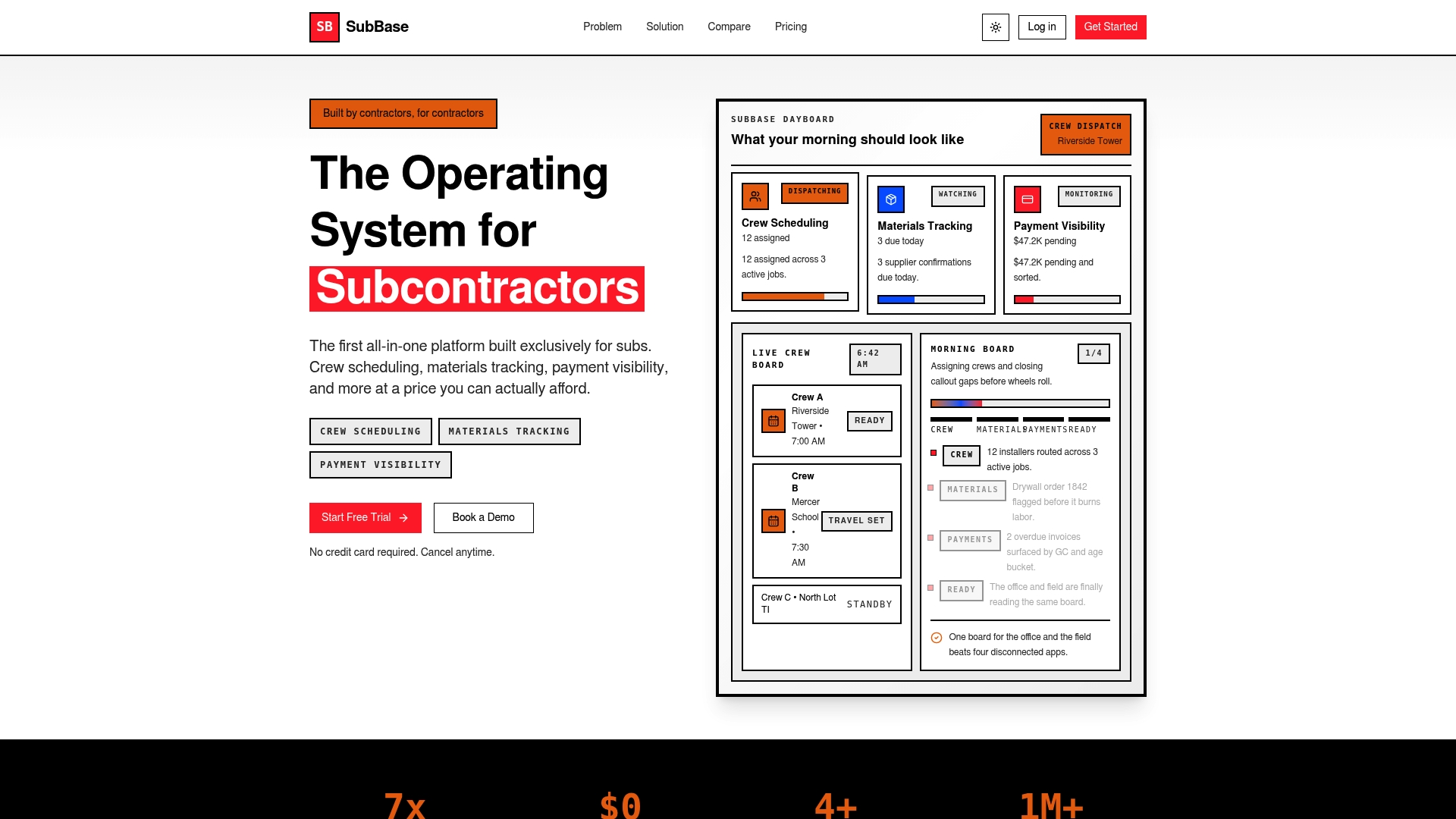
SubBase includes a free public marketplace that lists subcontractors without extra fees, making discoverability part of the core product rather than an add on. The platform bundles crew scheduling, materials alerts, bid tracking, and profitability into a single monthly plan.
Core Features
- Crew scheduling with a drag and drop interface that keeps foremen and office staff aligned on daily assignments and travel windows.
- Materials tracking with order by dates and lead time alerts so purchasing decisions and just in time delivery are visible before they block work.
- Payment visibility and overdue invoice tracking to chase AR without switching tools.
- Bid management with win loss recording and a simple pipeline to follow invitations and due dates.
- Compliance tools and automated certification delivery to GCs plus document storage for submittals and RFIs.
Key Differentiator
Built specifically for subcontractors, SubBase pairs standard project controls with materials intelligence and delay attribution. Those two features plus the free marketplace are the product signals that separate it from generic construction tools aimed at general contractors.
Pros
- Built by people who have subcontracted work, so common sub workflows are present out of the box rather than shoehorned in.
- No per seat charges and flat monthly pricing remove the quarterly seat math for growing crews.
- Materials lead time alerts and delay attribution make it easier to assign responsibility for downstream schedule impact.
- The free marketplace can produce inbound leads for small electrical, plumbing, HVAC, framing, and drywall shops that do not have a dedicated estimator.
- Real time job profitability tracking gives estimators and owners early visibility on margin erosion as change orders and extras come in.
Cons
- There are no detailed third party user reviews available yet, which limits independent insight into day to day reliability.
- Comparison data against other tools is limited, so risk assessment requires a deeper pilot than usual.
- The feature set may be less comprehensive for very large scale GC style projects with complex earned value or heavy resource leveling needs.
When It May Not Fit
If you run enterprise scale projects with multi month resource smoothing, or you need widely published user feedback before committing, SubBase may not match your needs. The limited external reviews make proof of long term scale harder to assemble.
Who It's For
Owners and estimators at small to mid sized subcontracting businesses who need a single place for schedules, buyout, bids, and compliance. Works well for trades like electrical, plumbing, HVAC, masonry, concrete, roofing, and fire protection.
Real World Use Case
A mid sized electrical subcontractor uses SubBase to publish crew assignments, track material ETA exceptions, mark invoices overdue, and capture bid outcomes. The office stops copying data between spreadsheets and the shop foremen get clearer assignment sheets.
Pricing
Plans start at $149/month for Starter, $249/month for Professional, and $399/month for Business. The pricing is advertised as flat monthly rates with no hidden add ons or per seat charges.
Website: https://usesubbase.com
SubBase
At a Glance
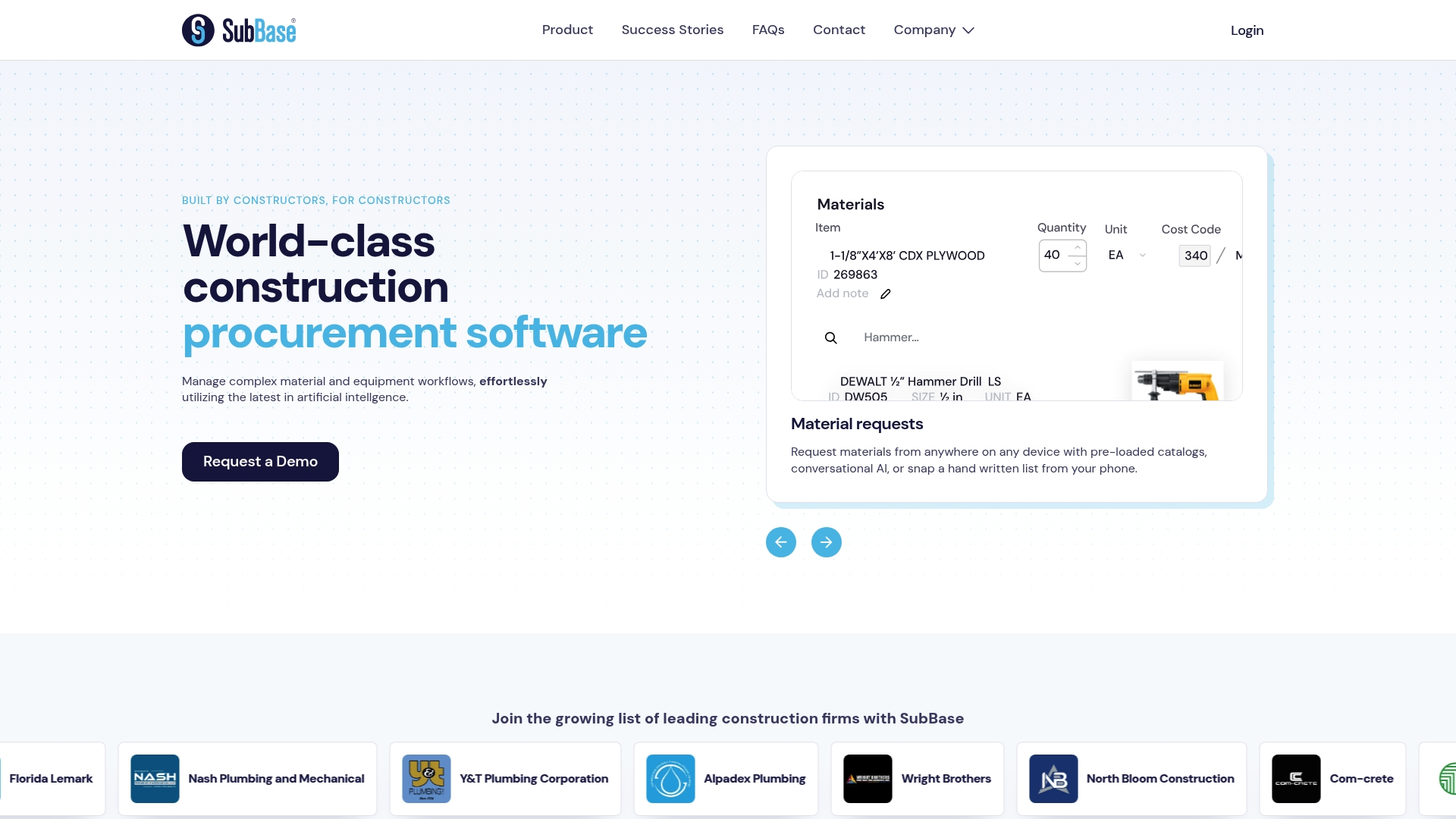
SubBase's marketing materials describe an AI-based conversation interface that drives material requests, RFQs, and purchase order creation from within the same workflow. The vendor positions the product as a single place to compare vendor pricing, split orders, and reconcile invoices for construction projects.
Core Features
- Material requests preloaded with catalogs plus an AI chat style interface to speed the request-to-RFQ step.
- RFQ with real-time price comparisons across vendors so estimators see alternatives before committing to a PO.
- Purchase order creation that supports order splitting and vendor management for multi-trade sites.
- Delivery tracking with automated issue detection and invoice reconciliation using auto-matching workflows tailored for construction accounting.
Key Differentiator
The vendor advertises that SubBase uses advanced artificial intelligence to automate decisions across procurement, delivery, and invoicing. That AI claim is the explicit differentiator here: the workflow ties material requests to pricing and POs through conversational prompts rather than only form-based inputs.
Pros
-
Efficient procurement flow. The combination of a cataloged request system and conversational input reduces the manual back-and-forth between field teams and procurement staff.
-
Better pricing visibility. Real-time RFQ comparison gives estimators line-item choices before orders are placed which helps protect margin during bid build and buy phases.
-
Strong accounting touch points. Invoice reconciliation with auto-matching reduces AP noise and helps PMs spot invoice delivery mismatches earlier.
-
Cross-team collaboration. Vendor management, delivery tracking, and inventory tools are built so procurement, site superintendents, and office staff can work from the same record.
-
Integrations matter. Built connectors to common systems mean fewer manual exports for accounting and project tracking.
Cons
-
Independent user reviews are not available publicly so real world reliability and adoption details are limited outside vendor materials.
-
Integration work can be nontrivial. Dependence on setup for systems like ERPs and PM tools means an implementation partner or in-house IT time is usually required.
-
A few documentation pages return errors according to the vendor site which suggests some features or help content may still be under development.
When It May Not Fit
If your firm runs very small projects with minimal buy volume a full procurement platform may add administrative overhead rather than reduce it. If you lack a technical resource to handle ERP or PM integrations the setup time could offset early benefits. Also, if you require vendor-sourced independent case studies before buying, public references appear limited.
Notable Integrations
SubBase lists integrations with standard construction accounting and project systems including:
- Acumatica
- CMIC
- Excel
- Foundation
- Procore
- QuickBooks
- Sage
- Viewpoint
These connectors are relevant for accounting sync, PO lifecycle tracking, and passing delivery or invoice events back into the job costing system.
Who It's For
Procurement teams, construction project managers, and operations staff at medium to large contractors that manage frequent material buys, multiple vendors, and require tighter invoice to delivery matching. Suits trade groups where centralized purchasing and ERP sync are priorities.
Real World Use Case
A general contractor automates RFQs through SubBase so estimators issue simultaneous vendor requests, compare quotes, and push a split PO to two vendors when lead times differ. Deliveries are tracked and invoices auto-matched which shortens the payment cycle and clarifies cost-to-date on active jobs.
Pricing
The vendor does not publish standard pricing. SubBase appears to use custom pricing or quoted plans tailored to project scale and integrations. Expect enterprise or tiered quotes rather than a per-seat public plan.
Website: https://subbase.io
Choosing the Right Subcontractor Management Software
In the landscape of subcontractor management software solutions described, each product presents distinct features catering to varied professional needs. Here we evaluate these options, comparing them across key dimensions and identifying notable strengths that suit different business requirements.
Support for Core Workflows
SubAscent distinguishes itself with a suite of features deliberately tailored for subcontractors' operational demands, incorporating systems that integrate various steps of subcontractor workflows, from bid tracking to real-time profitability monitoring. Meanwhile, Buildertrend emphasizes linking financial data to project workflows, enabling project managers to maintain accurate and integrated oversight regarding budgets, no matter the project stage. SubBase, by providing an AI-driven procurement approach, reduces manual efforts in material requests and purchasing, thereby supporting procurement-heavy scenarios effectively.
Flexibility and Scalability
SubBase offers flat-rate pricing with no additional per-seat fees, making it appealing for growing teams where unpredictable costs can hinder budget planning. Conversely, Buildertrend employs a customized pricing approach where plans scale according to project sizes and required features, providing specific configurations aimed at larger firms with diverse operational needs. SubAscent's feature-enriched architecture is well-suited for firms needing a deeply integrated solution designed solely for subcontractors, where ease of navigation and immediate onboarding are priorities.
Best Fit Scenarios
- SubAscent is ideal for subcontractors who prioritize an integrated, specialized platform explictly addressing a broad range of operational needs.
- Buildertrend serves best for companies that focus on residential building or remodeling and require simultaneous management of multiple workflows and consolidated financial systems.
- SubBase benefits small- and medium-sized subcontractors emphasizing procurement efficiencies or looking to reduce administrative complexity through flat-rate pricing.
Our Pick
SubAscent.com offers a uniquely subcontractor-focused environment that delivers both real-time workflow synchronization and scalability without compromising use-specific functionality. However, businesses primarily focused on significant or singular procurement tasks might find SubBase a superior match due to its AI-supported RFQ and purchase order features.
Subcontractor Management Software Comparison
Choosing the right subcontractor management software involves evaluating solutions based on features tailored to subcontractors, usability, and integration options.
| Product | Core Feature | Key Differentiator | Best For | Pricing | Notable Limitation |
|---|---|---|---|---|---|
| Subascent | Workflow-based materials tracking and bids | Free subcontractor marketplace and alerts | Small to mid-sized subcontractors | Not disclosed | Limited third-party user reviews |
| Buildertrend | Job costing and client portals | Integrated financials and communications | Residential building professionals | Custom quote | Steep learning curve and mobile usability |
| SubBase | AI-driven procurement and invoice matching | Automated materials and RFQ handling | Medium to large contractors | Not disclosed | Integration setup requires technical resources |
Why Subascent Is The Right Choice For Specialty Trade Subs
When comparing usesubbase.com alternatives, many electrical, plumbing, HVAC, and other specialty trade subcontractors find that generic solutions miss key sub-specific workflows like tracking bid invitations, managing PDF takeoffs, and handling AR with QuickBooks sync. Subascent was built by subs for subs to solve these exact pain points with tools made for owners, estimators, and project managers who need accurate bids and tighter job profitability controls.
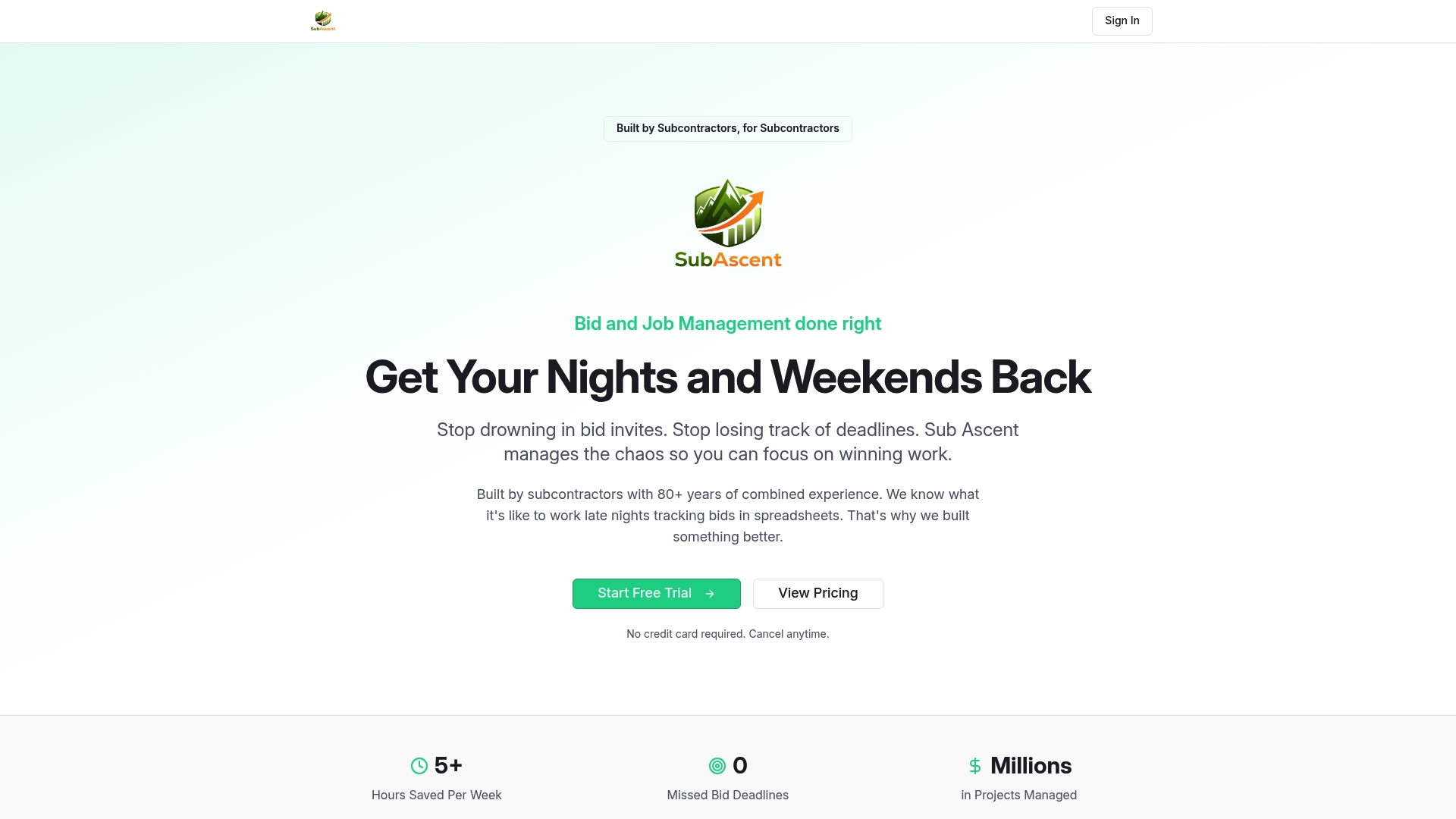
Discover how Subascent helps you stop guessing on margins and stay ahead of bid due dates without rebuilding spreadsheets. Visit Subascent now and import your existing estimates to see your project profitability instantly. Take control of your workflow designed just for trades like drywall, roofing, and fire protection today.
Frequently Asked Questions
What features set Subascent apart from other subcontractor management tools?
Subascent offers a suite of features specifically designed with subcontractors in mind, including efficient crew management and real-time budget tracking. Built by subs for subs, it incorporates the actual workflow needed in the industry to maximize efficiency. Utilizing these features allows subcontractors to streamline operations effectively.
How does Subascent compare to Buildertrend for managing subcontractor-specific needs?
Buildertrend is known for its strong document management and financial controls aimed at residential builders. In contrast, Subascent has been developed specifically for subcontractors, enhancing functionalities such as materials tracking and crew scheduling, which could be more beneficial for specialized workforce management. Subascent might excel in scenarios where the intricacies of subcontractor workflows are prioritized.
What pricing options does Subascent offer compared to its competitors?
Subascent provides a flat monthly rate without per-seat charges, making it financially predictable for growing teams. This pricing structure is intended to alleviate the complexities seen with competitors that may charge per user, thereby making it easier for subcontracting businesses to scale without budgetary surprises.
Can Subascent support compliance tracking for subcontractors?
Yes, Subascent includes compliance tools and automated certification delivery for general contractors. These features ensure that subcontractors can maintain necessary documentation and certifications, making it easier to meet industry regulations and standards.
Is there a learning curve associated with using Subascent?
Some users might experience a learning curve when adopting Subascent, particularly if they're transitioning from another software that has different functionalities. However, Subascent's design aims to simplify the learning process by focusing on the workflows that are most important to subcontractors.
How does the bidding process work in Subascent compared to other platforms?
Subascent features integrated bid management tools, allowing real-time tracking of bids and win-loss recording. While other platforms may offer similar functionality, Subascent's user interface is tailored for ease of use specifically for subcontractors, enabling faster decision-making in the bidding process.