

For US specialty trade subcontractors, the three tools that consistently earn their place are Subascent (job-level QuickBooks sync built for subs), Bill (Bill.com) (broadest payment method coverage with verified accounting integrations), and Upflow (collections automation with a clean customer payment experience). The single reason these three stand out: they handle the trade-specific primitives — retainage, change orders, and job-level invoice matching — that generic AR platforms skip entirely.
Expected first-90-day impact based on industry positioning and vendor claims:
- DSO reductions of 10–25 days for firms that complete job-level mapping before go-live
- 5–10 hours per week reclaimed from manual follow-up and reconciliation
- Faster cash conversion when a self-serve customer portal replaces PDF-email invoicing
Table of Contents
- What are the best AR invoicing tools for trade firms?
- Vendor notes: what the shortlisted tools actually do for a trade sub
- How do you choose an AR invoicing tool for a trade contracting firm?
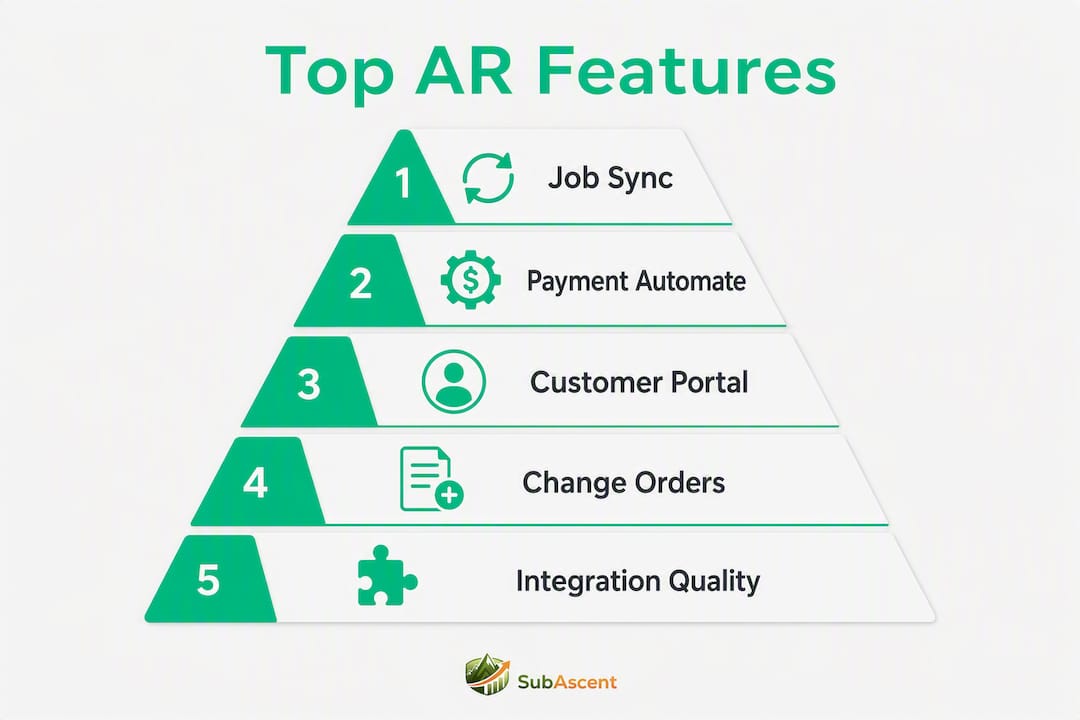
- Why integration quality determines your AR results
- Key Takeaways
- What trade AR actually looks like from the inside
- Subascent is built for the way trade subs actually bill
- Sources and further reading
What are the best AR invoicing tools for trade firms?
The table below covers all 33 tools evaluated. Columns reflect what actually matters to a plumbing, electrical, HVAC, or masonry sub: job-level support, QuickBooks integration, payment methods, and whether the platform supports retainage.
Vendor integration claims are noted where independently verified (e.g., BILL's QuickBooks connector); all other integration notes reflect vendor-published feature claims.
| Tool | Best for | Core automation | Integrations | Payments | Customer portal | Pricing model | Implementation | Trade-specific support |
|---|---|---|---|---|---|---|---|---|
| Subascent | Specialty trade subs (1–50 employees) | Job-level invoicing, change-order workflows, QuickBooks sync | QuickBooks Online/Desktop, mobile crew app | ACH, card (via QBO) | Job-level self-serve | Subscription (Starter/Scale) | Low IT; ~1–2 weeks | Retainage, change orders, job-level matching, PDF takeoff-to-invoice |
| Upflow | B2B companies needing collections automation | Automated reminders, dunning, reconciliation | QuickBooks, ERPs, Stripe | ACH, credit card | Yes | Subscription | Low-moderate | Limited trade-specific primitives |
| Bill (Bill.com) | SMB/mid-market needing payment breadth | Invoice automation, reminders, bank sync | QuickBooks, Xero, NetSuite, Dynamics, Sage Intacct | ACH, credit card, virtual card, check, lockbox | Yes | Subscription/transaction fees | Low; ~30 min QBO connect | Basic job coding; no retainage |
| HighRadius | Mid-market to enterprise AR | AI cash application, credit, dunning | ERPs (SAP, Oracle, NetSuite) | ACH, card, lockbox | Yes | Enterprise contract | High; staged rollout | Limited construction-specific |
| Tesorio | Cash-flow forecasting + AR | Predictive collections prioritization | NetSuite, Salesforce, ERPs | ACH, card | Limited | Subscription | Moderate | No trade-specific |
| Invoiced (by Flywire) | Automated dunning + payment plans | Dunning, payment plans, reminders | QuickBooks, NetSuite | ACH, card, eInvoice | Yes | Subscription | Moderate | Payment plans; limited retainage |
| Quadient AR (YayPay) | Consolidated AR reporting | Automated reminders, analytics | ERPs, QuickBooks | ACH, card | Yes | Subscription | Moderate | No retainage |
| Chaser | SMBs needing low-cost follow-up | Email reminders, dunning | QuickBooks, Xero | ACH, card | Limited | Low-cost subscription | Very low | No trade-specific |
| Gaviti | High-volume B2B receivables | Centralized inbox, prioritization | ERPs, QuickBooks | ACH, card | Yes | Subscription | Moderate | No retainage |
| Billtrust | Enterprise billing scale | Multi-channel billing, payment options | ERPs, EDI | ACH, card, lockbox, eInvoice | Yes | Enterprise contract | High | No construction-specific |
| Versapay | Customer collaboration on invoices | Dispute workflows, collaboration | ERPs, QuickBooks | ACH, card | Strong | Subscription | Moderate | No retainage |
| Kolleno | Dispute routing + automation | Reminders, dispute routing | ERPs, QuickBooks | ACH, card | Yes | Subscription | Low-moderate | No retainage |
| Growfin | Mid-market collections analytics | Workflow-driven collections | Salesforce, ERPs | ACH, card | Limited | Subscription | Moderate | No trade-specific |
| Melio | Small business bill pay | Invoice payments, vendor pay | QuickBooks, Xero | ACH, card, check | Limited | Free/transaction fees | Very low | No trade-specific |
| Xero | SMBs wanting accounting + invoicing | E-invoicing, bank feeds, automation | QuickBooks (limited), banks | ACH, card, eInvoice | Yes | Subscription | Low | No retainage |
| BlackLine | Enterprise reconciliation | Reconciliation automation, controls | SAP, Oracle, ERPs | N/A (accounting only) | No | Enterprise contract | High | No trade-specific |
| Zenskar | Subscription/recurring billing | Recurring billing, payment automation | Stripe, ERPs | ACH, card | Yes | Subscription | Moderate | No trade-specific |
| Forwardly | Midsize collections workflow | Collections workflow automation | QuickBooks, ERPs | ACH, card | Limited | Subscription | Moderate | No trade-specific |
| QuickBooks Online | Small trade firms, combined accounting | Invoicing, job-class tracking, reminders | Native; broad ecosystem | ACH, card | Limited | Subscription | Very low | Job classes; no retainage module |
| Sidetrade | Enterprise AI-driven collections | AI prioritization, revenue management | SAP, Oracle | ACH, card | Yes | Enterprise contract | High | No trade-specific |
| Paddle | SaaS/subscription billing | Subscription billing, tax handling | Stripe, ERPs | Card, ACH | Yes | Transaction fees | Low | No trade-specific |
| Lunos | All-in-one AR automation | End-to-end AR workflows | ERPs, QuickBooks | ACH, card | Yes | Subscription | Moderate | No trade-specific |
| Centime | Mid-market revenue + AR | Revenue insights, AR automation | QuickBooks, ERPs | ACH, card | Yes | Subscription | Moderate | No trade-specific |
| Payt Software | Payment plan flexibility | Payment plans, digital invoicing | ERPs | ACH, card | Yes | Subscription | Moderate | No trade-specific |
| Notify.nl | Automated payment messaging | Reminders, notifications | ERPs | ACH, card | Limited | Subscription | Low | No trade-specific |
| Debitan | SMB/midsize dunning automation | Dunning, follow-up cadence | ERPs | ACH, card | Limited | Subscription | Low | No trade-specific |
| Hiver | Shared-inbox collections | Shared inbox, workflow automation | Gmail, ERPs | N/A | No | Subscription | Very low | No trade-specific |
| Onguard | Medium/large collections | Scalable collections infrastructure | ERPs | ACH, card | Yes | Enterprise contract | High | No trade-specific |
| Esker | Order-to-cash + e-invoicing | Document capture, invoice processing | SAP, ERPs | ACH, card, eInvoice | Yes | Enterprise contract | High | No trade-specific |
| Nuvo | B2B collections + payments | Collections automation, payment optimization | ERPs, QuickBooks | ACH, card | Yes | Subscription | Moderate | No trade-specific |
| Credit-IQ | Credit-risk-driven collections | Credit intelligence, prioritization | ERPs, QuickBooks | ACH, card | Limited | Subscription | Moderate | No trade-specific |
| Invoiced (Flywire/Invoiced) | Automated dunning + payment plans | Dunning, payment plans | QuickBooks, NetSuite | ACH, card, eInvoice | Yes | Subscription | Moderate | Limited retainage |
| Eskerc | Not publicly detailed | Not publicly listed | Not publicly listed | Not publicly listed | Not publicly listed | Not publicly listed | Not publicly listed | Not publicly listed |
Vendor notes: what the shortlisted tools actually do for a trade sub
The tools below earned a closer look specifically because of how they handle the friction points that kill cash flow on trade jobs: retainage, change orders, and the gap between field data and accounting.
Subascent
Built from the ground up for specialty trade subs — electrical, plumbing, HVAC, masonry, roofing, and the rest. The QuickBooks sync operates at the job level, meaning a change order on a drywall job updates the invoice and flows into QuickBooks without a manual export. Retainage fields tie to specific contract line items, and the mobile CrewTrack app keeps field data moving to the office in real time.
- Pros: Native retainage and change-order handling; job-level QuickBooks sync; mobile field app included
- Cons: Focused on subs under 50 employees; not designed for enterprise-scale AR volume
- Best fit: Owner-operators and PMs at specialty trade subs with $500K–$15M revenue who need field-to-invoice accuracy
Bill (Bill.com)
The broadest payment method coverage in this list: ACH, credit card, virtual card, check, and lockbox, all verified against QuickBooks, Xero, NetSuite, Dynamics, and Sage Intacct. For a plumbing or fire protection sub that invoices GCs who pay by check or virtual card, that flexibility matters. The gap: no retainage module and no job-level mapping beyond basic cost codes.
- Pros: Widest payment method support; fast QuickBooks Online setup
- Cons: No retainage; job coding is manual and basic
- Best fit: Trade subs that need payment flexibility and already have a separate job-costing workflow
Upflow
Strong collections automation with a clean customer-facing payment experience. Automated reminders and dunning sequences run without manual intervention, and the customer portal lets GCs pay directly. No construction-specific primitives, so retainage and AIA pay-app workflows require manual handling outside the platform.
- Pros: Clean collections automation; good customer portal
- Cons: No retainage or change-order support; not built for construction billing
- Best fit: Trade subs with straightforward invoice-to-payment cycles who want to automate follow-up
QuickBooks Online
The default starting point for most small trade firms. Job classes give you basic cost tracking, and the invoicing module handles reminders and online payments. The ceiling is real: no retainage module, no AIA pay-app export, and the AR automation is limited compared to dedicated platforms. But if you are a framing or insulation sub under $1M revenue, QBO may be all you need for now.
- Pros: Familiar; low cost; broad ecosystem
- Cons: No retainage; limited AR automation depth
- Best fit: Very small trade subs not yet ready for a dedicated AR platform
Chaser
Lightweight and fast to deploy. Email-based follow-up automation connects to QuickBooks and Xero in minutes. For a small painting or flooring sub that just needs invoices chased automatically, it does the job. No portal, no retainage, no construction billing.
- Pros: Cheap; fast setup; solid email automation
- Cons: No trade-specific features; no customer portal
- Best fit: SMB subs who want basic automated reminders and nothing more
Versapay
The standout feature is the customer collaboration portal, where GCs can review, dispute, and pay invoices in one place. That dispute workflow is genuinely useful when a GC holds payment over a change order question. No retainage module, but the portal reduces back-and-forth email chains that delay payment.
- Pros: Strong dispute and collaboration portal; good for GC relationships
- Cons: No retainage; enterprise pricing
- Best fit: Mid-market trade firms with complex GC relationships and frequent invoice disputes
How do you choose an AR invoicing tool for a trade contracting firm?
The single most important criterion: verified job-level sync with QuickBooks, plus native retainage and change-order handling. Everything else is secondary. A platform that automates reminders but stores invoices only at the customer level will force your accounting team into manual reconciliation on every retainage release.
Evaluation checklist
- Integration proof: Ask for a live demo of the QuickBooks connector, not a slide. Confirm it maps to job numbers, not just customer names.
- Job-level mapping: Can the platform create an invoice tied to a specific job and cost code? Can a change order update that invoice automatically?
- Retainage handling: Does the platform carry a retainage field on the invoice object, or does it require a manual credit memo workaround?
- Payment methods: Does it support ACH, credit card, and virtual card? GCs increasingly pay via virtual card; if the platform can't receive it, you lose float.
- Customer portal: Can a GC log in, review a pay application, and pay online without calling your office?
- Mobile/field UX: Can a foreman or PM approve an invoice from a phone on-site?
- Lien waiver workflows: Does the platform trigger a lien waiver request on payment, or is that a separate manual step?
- Security/PCI compliance: Confirm PCI DSS compliance for any platform handling card payments.
Questions to ask vendors during demos
- "Show me how a change order on Job #142 updates the open invoice and syncs to QuickBooks."
- "Where does retainage live on the invoice object, and how does a retainage release get recorded?"
- "What does reconciliation look like when a GC pays a partial amount on a pay application?"
- "How does your platform handle AIA G702/G703 pay-app format?"
Red flags
- No documented QuickBooks job mapping (customer-level only)
- CSV-only sync with no API or webhook
- Retainage handled as a manual line item with no dedicated field
- Pricing not published; requires a sales call to get a number
- No reference customers from construction or trade contracting
Pro Tip: Before your demo, pull three representative jobs: one with a change order, one with retainage, and one with a disputed partial payment. Run the vendor through all three. If they can't show you the workflow live, the integration is not ready for trade billing.
A realistic implementation timeline: QuickBooks Online connections can be as quick as roughly 30 minutes per vendor claims, but mapping job numbers, setting up retainage fields, and testing pay-app workflows typically takes 2–4 weeks for a small trade firm. Enterprise ERP integrations (Viewpoint, NetSuite) require staged rollouts of 2–4 months.
Why integration quality determines your AR results
AR tools that integrate directly with QuickBooks preserve a single source of truth for job costing, revenue recognition, and tax records. That matters for a roofing or concrete sub because job-level data flows from the field through the invoice to the general ledger without a manual export step. When that chain breaks, you get mismatched job costs, delayed retainage releases, and AR aging reports that don't match your actual exposure.
The deeper problem is what industry experts call the "disconnected office": estimators, project managers, and accounting operating in separate silos. The estimator builds the bid, the PM tracks change orders in a spreadsheet, and accounting invoices from a different system. The invoice goes out wrong, the GC disputes it, and payment stalls. No AR automation tool fixes that if the underlying data is fragmented.
Retainage and AIA pay applications require invoice objects that carry partial-payment logic, lien-waiver workflows, and job-line-level linkages. A platform that stores invoices only at the customer level will force laborious manual reconciliation on every retainage release. That is not a workflow problem; it is an architectural one.
Pro Tip: Route disputed pay applications into a gated approval queue before any dunning sequence fires. Sending an automated reminder on a disputed invoice damages the GC relationship and rarely accelerates payment. Build the approval step into your workflow before go-live.
On the payment side, ACH Direct Debit, virtual account numbers for reconciliation, and automated payment retries materially reduce manual matching work. Stripe's invoicing data shows that 87% of invoices on its platform are paid within 24 hours, with Smart Retries recovering roughly 38% of failed payments. Those numbers reflect optimized hosted invoice pages and automated retry logic — the same mechanics that dedicated AR platforms replicate for B2B trade billing.
For job costing setup, the fastest path to measurable DSO improvement is a limited pilot: prove that job-level mapping works for one representative project, confirm the customer portal passes a usability check with your GC contacts, and verify that retainage and change-order flows map cleanly to invoices before full rollout.
Key Takeaways
For US specialty trade subs, the tools that handle job-level QuickBooks sync and retainage natively will cut DSO faster than any platform with stronger automation but no construction billing primitives.
| Point | Details |
|---|---|
| Job-level sync is the top criterion | Verify QuickBooks job mapping in a live demo before committing to any platform. |
| Retainage needs a dedicated field | Platforms without native retainage force manual workarounds that slow every release. |
| DSO improvement is achievable | Industry-focused AR tools targeting trade workflows claim DSO reductions of 10–25 days in early engagements. |
| Pilot on three representative jobs | Test a change order, a retainage job, and a disputed partial payment before full rollout. |
| Subascent for trade-specific workflows | Subascent's job-level QuickBooks sync and change-order handling make it the strongest fit for specialty subs under 50 employees. |
What trade AR actually looks like from the inside
Running AR at a specialty trade firm is not like running AR at a software company. The invoice is not a simple line item. It is a pay application tied to a contract, a schedule of values, a change order log, and a retainage balance that the GC will hold for 90 days or more. When those pieces live in different systems, the invoice goes out wrong, or late, or both.

The fix is not a better dunning sequence. It is getting the job data right before the invoice is created. When change orders flow from the field into the job record, and the job record syncs to QuickBooks, the invoice reflects reality. The GC approves it faster. Payment follows.
One practical habit that makes a measurable difference: standardize invoice templates by job type. A concrete sub's pay application looks different from a low-voltage sub's T&M invoice. Build those templates into your workflow so the right fields, including retainage percentage and lien waiver status, are present every time. Tying retainage fields to specific contract line items rather than a flat percentage prevents the reconciliation errors that show up at project close.
The tools that understand this are the ones worth your time. The ones that don't will cost you more in manual cleanup than they save in automation.
Subascent is built for the way trade subs actually bill
Most AR platforms were designed for SaaS companies or distributors. Subascent was built for electrical, plumbing, HVAC, masonry, roofing, and the other specialty trades where a job has a contract, a change order log, retainage, and a GC who needs a pay application, not a generic invoice.


The QuickBooks sync operates at the job level. Change orders update invoices automatically. The mobile CrewTrack app keeps field data moving to the office so invoices reflect what was actually built. For trade subs evaluating their AR stack, Subascent closes the gap between field ops and accounting that generic platforms leave open.
Payments processed through the platform meet PCI DSS standards, so card and ACH transactions are handled securely without additional compliance overhead on your end.
Start a free trial at Subascent and see how job-level invoicing works for your trade before committing to a platform built for someone else's business.
Sources and further reading
These links are the most useful starting points for vendor evaluation and implementation planning.
| Resource | Why it's useful |
|---|---|
| BILL Invoice Automation | Verified QuickBooks integration details and supported payment methods for trade firms evaluating BILL |
| Xero Online Invoicing | E-invoicing capabilities and bank feed automation for SMB trade subs considering Xero |
| Stripe Invoicing | Payment recovery data and hosted invoice page mechanics relevant to AR optimization |
| Brae AR for Industrial Services | Industry-focused AR outcomes including DSO reduction targets and the disconnected-office framework |
| Upflow AR Software | Collections automation feature detail for B2B trade billing |
| Billtrust AR Blog | Enterprise AR platform comparison context |
| Zenskar AR Tools | AR automation platform overview useful for mid-market trade firms |
| Nuvo AR Software | B2B collections and payment optimization feature context |
| Credit-IQ AR Solutions | Credit-risk-driven collections prioritization for trade AR teams |
| Job Costing Setup for Small Trade Firms | Step-by-step checklist for job-costing workflows that AR vendors must respect during integration |
| Job Profitability for Trade Contractors | How accurate AR data feeds job-level profitability metrics and cash conversion reporting |