

If you run a masonry crew, you already know the problem. By Friday, nobody remembers what happened Tuesday. The foreman is guessing at quantities, the delay notes never got written down, and now you have a GC pushing back on your change order with nothing to back it up. Masonry sub daily production report examples exist for exactly this reason. The industry term is the construction daily report, and for masonry subs specifically, it is the document that protects your labor costs, supports your claims, and tells you whether the job is making money before it is too late to do anything about it.
Table of Contents
- Key takeaways
- 1. What masonry sub daily production report examples must include
- 2. Example 1: the simple masonry crew daily production log
- 3. Example 2: the detailed masonry subcontractor daily report template
- 4. Example 3: digital app workflow for masonry daily reports
- 5. Comparing masonry daily production report formats
- My take on masonry daily reporting after years in the field
- Track every masonry job day with Subascent CrewTrack
- FAQ
Key takeaways
| Point | Details |
|---|---|
| Report while it happens | Logs written from memory at day's end lose accuracy on weather, delays, and quantities. |
| Track production rate daily | Units installed per labor hour is the fastest signal that a job is trending over budget. |
| GPS-tagged photos are non-negotiable | Metadata-rich photos taken at the point of work are treated as reliable evidence in disputes. |
| Match your template to crew size | Simple logs work for small crews; detailed sectioned templates serve multi-crew or complex jobs better. |
| Digital apps cut report time significantly | Tools that combine time tracking, photo capture, and daily log entry eliminate most paperwork. |
1. What masonry sub daily production report examples must include
Before you look at specific formats, know what every complete daily report needs at minimum. Miss any of these and the report is either incomplete for internal tracking or useless for claims.
The non-negotiable fields are:
- Date, project name, and site location
- Weather conditions (temperature, precipitation, wind) recorded at start, midday, and end of shift
- Workforce by trade: names or ID numbers, trade classification, hours worked
- Equipment on site: type, hours used, any downtime
- Work completed: specific activity, location on site, and measurable quantities (square feet of CMU laid, linear feet of brick coursing, unit counts)
- Materials received: delivery tickets, quantities, and any shortages or defects
- Safety observations: near misses, inspections, toolbox talk topics
- Delays and issues: cause, start time, duration, and estimated schedule impact
- Photos: two to three per day covering overall progress, specific installations, and site conditions
That last point matters more than most foremen realize. GPS-tagged, timestamped photos create verifiable evidence tied to a specific place and time. A photo taken at 2:47 PM showing standing water at the base of a wall tells a very different story than a text note that says "rained, stopped work."
One metric worth adding to every report: the production rate. Calculate it as units installed divided by total crew labor hours. A three-person crew working eight hours each (24 total hours) that installs 1,280 square feet of CMU is producing 53.3 sq ft per labor hour. Log that number every day and you will spot problems weeks before cost-to-date analysis would catch them.
Pro Tip: Pre-populate your template with static project data. Project name, contract number, GC contact, and site address should never need to be typed again after day one. Your foreman fills in only what changed.
2. Example 1: the simple masonry crew daily production log
This format works for crews of two to five people on straightforward jobs. The goal is speed. A foreman should be able to fill this out in under ten minutes.
A simple masonry daily production log typically captures:
- Date and weather (one line each)
- Crew roster with hours worked
- Work location (grid reference, floor, or zone)
- Quantities installed with units (e.g., "480 sq ft of 8-inch CMU, east wall, grid lines 4 to 7")
- Production rate calculation (quantity divided by total crew hours)
- Two to three photos with brief captions
- Delay or issue note if applicable (one to two sentences)
The production rate entry is what makes this simple format genuinely useful. Tracking just three data points daily, specifically crew time, units completed, and any slowdowns, gives you historical performance data that sharpens future estimates and flags current job problems early.
Where this format falls short: it lacks the section depth to support a formal claim. If you end up in a dispute over a rain delay or a stacked trade impact, a one-line entry will not be enough. For those situations, you need the format in Example 2.
Pro Tip: Build a shared note in your crew messaging app with the static fields already filled. Your foreman just updates quantities and hours and pastes it into your reporting tool. Takes three minutes.
3. Example 2: the detailed masonry subcontractor daily report template
This is the format for larger jobs, multi-crew sites, or any project where you can see a potential dispute on the horizon. It takes longer to fill out. It is worth every extra minute.
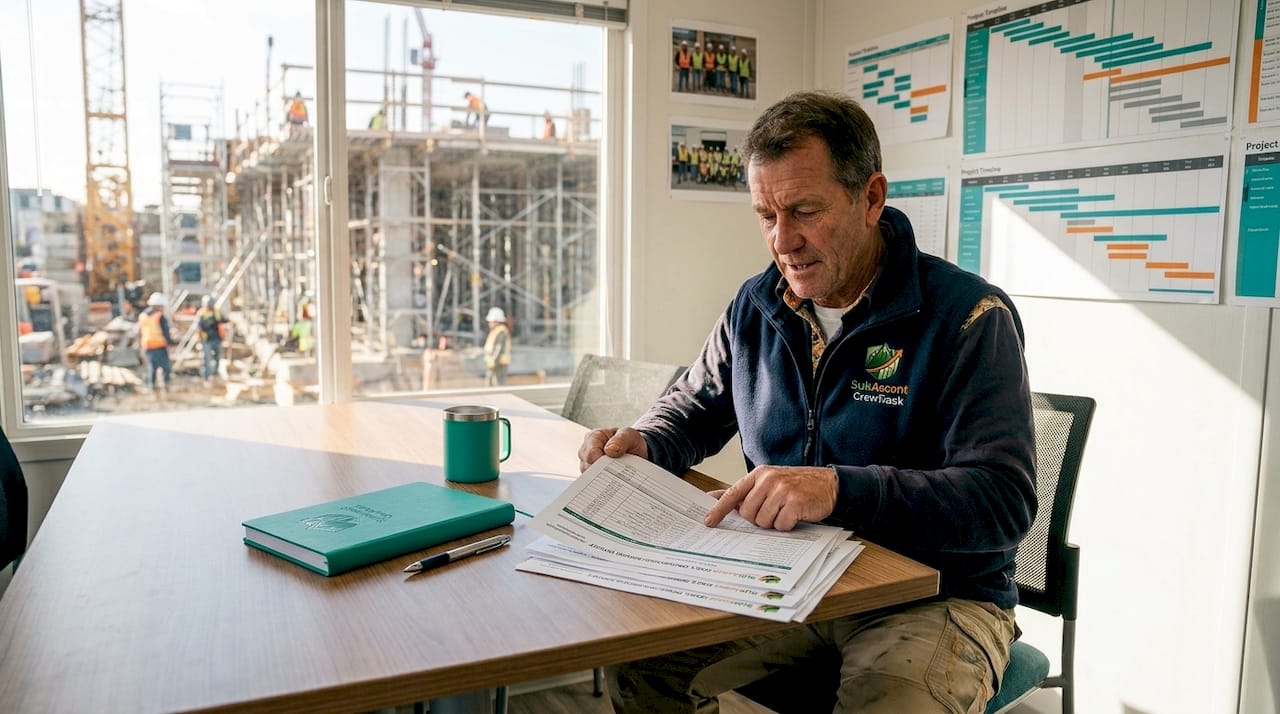
A detailed masonry subcontractor report is organized into distinct sections rather than a single narrative.
Section breakdown and what goes in each:
- Workforce section: Each worker listed by name, classification (mason, tender, foreman), and exact hours. Overtime flagged separately.
- Equipment section: Scaffold, lifts, mixers, and other equipment logged with hours on-site and any idle time noted with cause.
- Materials section: Every delivery ticket recorded. Quantities received vs. quantities used. Any rejected materials documented with photos.
- Work completed section: Broken into specific activities, each with measurable output. "East elevation, courses 12 to 18, 680 sq ft of brick veneer installed" beats "brick work continued."
- Delays and impacts: Cause identified, start and stop time recorded, schedule impact estimated in hours. Rain delay entries need precipitation amount, photos of conditions, and a summary of labor and equipment sitting idle.
- Safety and inspections: Any inspector visits, their observations, and sign-off status.
- Photos: Minimum three, preferably five. GPS-tagged. Captioned with location and activity.
| Feature | Simple log | Detailed template |
|---|---|---|
| Time to complete | 5 to 10 minutes | 20 to 30 minutes |
| Production rate tracking | Yes | Yes |
| Dispute-ready documentation | Limited | Strong |
| Delay claim support | Minimal | Comprehensive |
| Best for | Small crews, simple jobs | Large jobs, complex scopes |
On large projects, each trade foreman submits their own detailed log and a superintendent consolidates them. If you are the masonry sub on a project like that, your detailed report feeds into the GC's master log. The detail you include there protects your position, especially on delay claims.
4. Example 3: digital app workflow for masonry daily reports
Paper templates and spreadsheets have a built-in failure point: someone still has to fill them in. Usually at the end of a long day. Usually from memory. Logs written from memory consistently miss accuracy on weather events, inspection delays, and material issues, specifically the entries that matter most in a dispute.
A mobile app workflow fixes this by making it easy to log in real time.
Subascent's CrewTrack app is built specifically for masonry and specialty trade crews. Here is how the workflow runs:
- The foreman opens the app on site, not in the truck at 5 PM
- Crew time is tracked in the app as workers clock in and out
- Photos are snapped directly through the app, which stamps each image with GPS coordinates and time
- Daily numbers (quantities installed, locations, notes on delays) are entered as the work happens
- At the end of the week, the foreman forwards the full time report directly to payroll from the app, no paper, no separate timecards, no re-entry
The result is accurate, metadata-rich daily data that holds up in disputes because it was recorded at the point of work, not reconstructed afterward. For masonry subs tracking crew hours on the job site, this is the difference between a record that protects you and one that does not.
Pro Tip: Set a team standard that no one leaves the job without logging that day's quantities in the app. Pair it with the weekly payroll submission so foremen have a natural reason to keep it current.
5. Comparing masonry daily production report formats
Now that you have seen all three formats, here is how to choose the right one for your situation.
| Criteria | Simple log | Detailed template | App-based workflow |
|---|---|---|---|
| Setup time | Low | Medium | Medium (one-time) |
| Daily input time | 5 to 10 min | 20 to 30 min | 5 to 15 min (real-time) |
| Production rate tracking | Manual | Manual | Automatic |
| Photo documentation | Manual upload | Manual upload | In-app, GPS-stamped |
| Payroll integration | None | None | Direct forwarding |
| Dispute readiness | Low | High | High |
| Best crew size | 2 to 5 | 5 or more | Any size |
A few practical guidelines on choosing:
On a small repair or maintenance job running two weeks, the simple log is the right call. Get in, get out, do not create paperwork overhead that costs more than it saves. On any job over $100K or with a tight schedule, use the detailed template or the app workflow from day one. Contemporaneous digital records are treated as reliable by courts and arbitration panels. After-the-fact handwritten logs are not.
If you are running multiple crews at once, the app workflow is the only format that scales without a superintendent chasing paper. Each foreman logs independently, and you have consolidated visibility from the office without anyone having to call or text for updates.
The one universal rule: fill it out as events occur, not after. For delays, weather, and inspection events especially, the time-sensitivity of the entry is what makes it credible.
My take on masonry daily reporting after years in the field
I have looked at a lot of daily reports from masonry crews. Most of them were written from memory at the end of the day, and it shows. Vague quantities, no specific locations, no production rate, and a delay note that says "waiting on material" without a start time, duration, or anything tying it to a specific schedule impact.
Those logs are almost useless. They do not protect you, and they do not help you manage the job.
The reports that actually work share three things. They were filled in real time. They include a production rate number, even a rough one. And they have photos with timestamps. That combination is what turns a daily log into a management tool. Production rate measurement acts as an early warning system that spots productivity problems weeks before your cost-to-date analysis would catch them. I have seen masonry subs catch a labor overrun on week three of a twelve-week job because the foreman was logging 38 square feet per labor hour when the estimate was based on 52. That is a recoverable problem in week three. It is not recoverable in week ten.
The shift to app-based reporting is not about technology for its own sake. It is about removing the friction that causes foremen to skip logging or do it wrong. When the same tool tracks time, captures photos, and submits to payroll, the foreman has one less reason to put it off.
Treat your daily report as a profit protection tool, not a compliance task.
— Dave
Track every masonry job day with Subascent CrewTrack
If your foremen are still filling out paper logs or texting you photos from their personal phones, there is a simpler way to run daily reporting across your masonry crews.

Subascent's CrewTrack app was built for masonry and specialty trade subs who need daily production logging, crew time tracking, and photo documentation in a single tool, without the overhead of software designed for general contractors. Foremen log daily numbers and snap GPS-tagged photos on site. At the end of the week, they forward time reports directly to payroll from the app. No paper. No re-entry. No missing timecards.
For masonry subs who want tighter job control from day one, the CrewTrack app is the fastest way to get there. You can also explore the full range of Subascent tools for subs designed around how masonry and specialty trade businesses actually operate.
FAQ
What should a masonry crew daily report include?
A complete masonry crew daily report includes date, weather, workforce by trade, equipment on site, work completed with quantities and locations, materials received, safety observations, delays with duration, and two to three GPS-tagged photos.
How do I calculate production rate on a masonry job?
Divide total units installed by total crew labor hours for the day. For example, 1,280 square feet installed by a crew logging 24 total hours equals 53.3 square feet per labor hour.
What makes a daily report useful in a dispute?
Contemporaneous digital reports with GPS-tagged, timestamped photos are treated as reliable evidence. Logs written from memory after the fact carry significantly less weight in arbitration or court.
When should a masonry sub use a detailed report vs. a simple log?
Use a simple log for small crews on short, straightforward jobs. Switch to a detailed template or app-based workflow for any job over $100K, multi-crew setups, or projects with a realistic chance of delay or scope disputes.
Can an app replace a paper daily report for masonry crews?
Yes. App-based tools that capture time, photos with GPS metadata, and daily quantities in one place produce more accurate and defensible records than paper, because entries are made in real time at the point of work.