

If you run an electrical, plumbing, HVAC, or masonry business and your financials look fine but you cannot tell which jobs actually made money, you have a job costing problem. Job costing explained for trade contractors comes down to one idea: track every dollar spent on a specific project so you know the true profit or loss before the next bid goes out. Without it, you are flying blind. A few bad jobs buried in your overall revenue can quietly drain a profitable year. This article walks through the cost categories, cost code structures, tracking workflows, and the mistakes that kill margins.
Table of Contents
- Key takeaways
- Job costing explained: what trade contractors actually need to track
- How cost codes organize your job cost data
- Capturing and comparing estimated vs. actual costs
- Common job costing mistakes to avoid
- My take on why most job costing fails
- Put your job costing knowledge to work
- FAQ
Key takeaways
| Point | Details |
|---|---|
| Track costs by project, not company | Job-level data reveals which work is profitable, not just whether the company is making money. |
| Loaded labor rates change everything | A $38/hour electrician may cost $58/hour fully loaded, understating labor expense by 35%–50%. |
| Cost codes create reliable reports | Consistent codes across estimating, field, and accounting are the foundation of trustworthy job cost data. |
| Change orders must update the budget | Treating change orders as end-of-job adjustments distorts margins and WIP reports throughout the project. |
| Committed costs beat invoiced costs | Tracking subcontract commitments and POs gives a more accurate forecast than waiting for invoices. |
Job costing explained: what trade contractors actually need to track
Construction job costing tracks every dollar assigned to a specific project and compares those actual costs to your original estimate to identify profit or loss per job. That definition sounds simple. The execution is where most small to mid-sized trade businesses struggle.
Your company-wide profit and loss statement will not tell you whether your last drywall project made 12% or lost 4%. It will not tell you whether your roofing crew runs lean or burns hours on rework. Only job-level cost tracking gives you that clarity. And that clarity is exactly what makes your next estimate sharper.
Here is what you need to track across five core cost buckets.
Labor
Labor is the hardest cost to track and the easiest to underestimate. The number to use is not your base wage. It is the fully loaded labor rate, which includes base wage plus payroll taxes, workers' compensation, health insurance, and any other benefits. A carpenter earning $38/hour often costs closer to $58/hour fully loaded. That gap, 35% to 50% of base wages, means a job budgeted at $40,000 in labor can quietly turn into a $58,000 actual cost with no one noticing until it is too late.
Every hour your foremen work needs to be coded to a job and a phase. Timecards are the input. Without them coded correctly, your labor reports are noise.
Materials
Track materials at the invoice level, including freight charges and any waste factor built into your purchase. If you ordered 10% extra tile for a flooring job and used 8%, that unused material still cost you money on that job unless you return it. Many trade contractors book material purchases to a generic account and sort it out later. That approach guarantees inaccurate job costs.
Subcontractors
For many specialty trades, subcontractor costs represent 60%–75% of total job costs. The most common mistake is tracking only what has been invoiced. You need to track the original subcontract amount, approved change orders, invoices received, and retainage withheld. Viewing only invoiced amounts distorts your true cost exposure and makes your cost-to-complete forecasts unreliable.
Equipment
If your framing or concrete crew uses a piece of equipment on a job, that usage needs a cost assigned to it. Whether you own the equipment or rent it, the job should carry that cost. Assigning a realistic hourly or daily rate per piece of equipment based on actual usage logs is more accurate than a flat overhead allocation.

Overhead
Overhead allocation is where trade contractors most often get it wrong. A simple percentage applied to direct costs, say 8% of labor and materials, gets you started. But it understates the cost of jobs with heavy supervisory involvement or unusual equipment use. More accurate margin tracking comes from assigning supervisory time and equipment to jobs based on actual hours.
Pro Tip: Build your loaded labor rates once at the start of each year, update them when insurance rates change, and use them consistently across every estimate and job cost report. This single habit eliminates the most common source of labor cost errors.
How cost codes organize your job cost data
Cost codes are alphanumeric identifiers that categorize every expense by trade division, work section, and cost type. A structured cost code might look like 03-210-LAB for cast-in-place concrete labor, where "03" is the division, "210" is the section, and "LAB" is the cost type. When every purchase order, timecard, and vendor invoice uses the same code, your reports actually mean something.
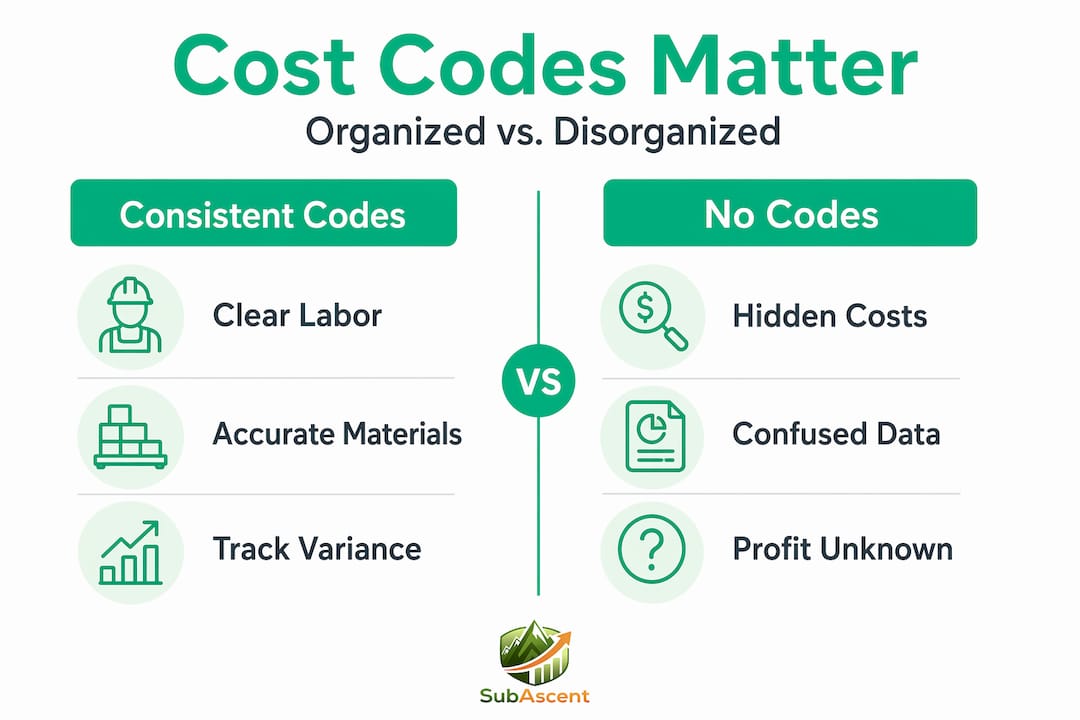
The table below shows the difference between a trade contractor using cost codes consistently versus one that is not.
| Scenario | With consistent cost codes | Without cost codes |
|---|---|---|
| Labor variance report | Shows overrun by phase, by trade | Shows total labor only, no drill-down |
| Estimating next bid | Pull actuals from similar past jobs | Guess based on memory or old quotes |
| Change order tracking | Coded to affected phase, margin visible | Lumped into a miscellaneous bucket |
| WIP / percent complete | Reliable cost-to-date by category | Manual spreadsheet reconciliation |
The problem most trade contractors run into is that their estimating spreadsheet uses different cost categories than their accounting software, and their foremen use different descriptions again on daily reports. That mismatch across systems produces confident-looking reports with unreliable numbers underneath. You can have great data entry discipline and still get misleading outputs if the codes do not match from estimate to field to accounting.
Building a cost code structure does not require a 500-line CSI master format list. For a roofing or insulation contractor, 20 to 30 codes covering your main phases, labor categories, and material types is enough to get real visibility. Start there and add codes only when you need them.
Pro Tip: Map your cost codes before you set up any software. Write them down, match them to your estimate line items, and confirm your field staff know what each code means. A code list that lives only in accounting is useless.
Capturing and comparing estimated vs. actual costs
The workflow for trade contractor job costing follows a consistent pattern whether you are a 5-person painting crew or a 40-person fire protection company.
- Load the estimate into your cost system before work starts. Every line item from your bid becomes a budget line with a cost code. This is your baseline. If you skip this step, you have nothing to compare against.
- Code costs as they occur. Timecards get coded daily or weekly. Material invoices get coded on receipt. Subcontractor invoices get coded against committed contract amounts, not just what has been invoiced.
- Track committed costs separately from posted costs. A signed subcontract of $45,000 is a commitment even if no invoice has arrived. Committed cost tracking gives you a far more accurate picture of cost-to-complete than waiting for invoices to land.
- Run variance reports weekly, not monthly. The earlier you spot an overrun in labor hours or material costs, the more options you have to respond. Monthly reviews on a 90-day job leave you almost no time to adjust.
- Update change orders as budget revisions, not footnotes. Every approved change order should adjust the budget for the affected cost code. Poor change order documentation is one of the top causes of margin erosion in trade contracting, and it also distorts your WIP reports.
- Use estimate-to-complete (EAC) to reforecast. An EAC takes your actual costs to date and adds your best estimate of remaining costs. EAC updates provide early warnings when a job is burning budget faster than expected. Combine this with your WIP schedule and you have a clear picture of revenue earned versus billed.
Your WIP report depends entirely on the accuracy of your job cost data. WIP reports reveal whether your estimating assumptions are holding and whether your change order control is working. If your cost-to-date numbers are unreliable, your WIP is unreliable, and your revenue recognition is off.
Pro Tip: Assign one person, whether it is your office manager, project manager, or estimator, to review cost-to-date against budget every Friday for every active job. A 30-minute weekly review catches problems that would otherwise surface as surprises at job close.
Common job costing mistakes to avoid
Most trade contractors do not have a bad system. They have no system, or an inconsistent one. Here are the mistakes that do the most damage.
- Using base wages instead of loaded rates. This understates your labor cost on every job and makes your margins look better than they are until you check the bank account.
- Inconsistent cost code use. When your estimator uses one set of categories and your accounting software uses another, your job cost data consistency breaks down. Reports look clean but the numbers cannot be trusted.
- Ignoring subcontract commitments. Only booking what has been invoiced means your cost-to-complete is always understated. This is especially dangerous for electrical and HVAC contractors with large subcontract or material supplier commitments.
- Catching change orders late. A change order approved in week 3 that does not hit your job cost system until week 10 makes every report between those dates wrong. Integrating change order tracking into your job costing process is not optional.
- Not reviewing data ownership in your software contracts. Some platforms make it difficult to export your own job cost history if you cancel. Contract terms governing data access matter more than most contractors realize until they try to switch tools.
Pro Tip: Before signing any software contract, ask specifically: "Can I export all job cost history in a standard format at any time?" If the answer is unclear, get it in writing.
My take on why most job costing fails
I have seen plenty of trade businesses where the owner knows the work cold but has no real idea which jobs are making money. The financials look okay, the bank account stays positive most months, and nobody panics. Then a bad year hits, two or three jobs run over, and suddenly there is a cash problem with no obvious cause.
What I have learned is that job costing failures are almost never a technology problem. They are a discipline problem. The software exists. The cost codes can be built in a weekend. What breaks down is the daily habit of coding costs correctly and the weekly habit of reviewing where you stand. Field teams skip timecards. Office staff batch-enter invoices at month-end. Nobody updates the change order log until the GC asks for a status call.
The contractors I have seen turn this around do one thing differently. They treat job cost reporting as a management tool, not an accounting chore. They use the data to challenge their own estimates: "We budgeted 400 labor hours for rough-in on this job type. We actually used 460. Why?" That question, asked consistently, makes every future estimate more accurate and cuts the risk of taking on a job that looks profitable but is not.
Modern tools can help automate this, but tools only accelerate what you are already doing. If your cost codes are messy and your foremen are not coding hours to jobs, a better software platform will just produce inaccurate data faster. Build the process first. The job costing for trades principles that work for a 5-person electrical crew also work for a 40-person mechanical contractor. The scale changes, the fundamentals do not.
— Dave
Put your job costing knowledge to work
Understanding job costing is one thing. Having a system that makes it practical every day is another. Subascent is built specifically for specialty trade contractors, not general contractors, not homebuilders. It handles bid tracking, job cost management, change order workflows, and crew hour tracking in one place, so your field data and your cost reports stay connected.

If you are tired of reconciling spreadsheets at month-end or finding out a job lost money after the crew has moved on, Subascent's trade contractor platform is worth a look. You can also explore how estimating software benefits translate directly into better job cost accuracy from the first number you put in a bid.
FAQ
What is job costing for trade contractors?
Job costing is the practice of tracking all labor, material, subcontractor, equipment, and overhead costs assigned to a specific project and comparing those totals to the original estimate. It tells you whether a job made or lost money.
How do you calculate loaded labor cost?
Add base wages plus payroll taxes, workers' compensation, health insurance, and other benefits. A worker earning $38/hour often has a fully loaded rate closer to $58/hour, understating labor cost by 35%–50% if you use base wages only.
What are cost codes and why do they matter?
Cost codes are alphanumeric identifiers that categorize expenses by work type across your estimate, field reports, and accounting. Consistent codes across all three systems are what make your job cost reports reliable and comparable across jobs.
How often should trade contractors review job costs?
Weekly reviews are the standard for active jobs. Monthly reviews on short-duration projects leave too little time to correct overruns. Running variance reports weekly gives you the lead time to adjust labor, materials, or scope before the damage compounds.
How do change orders affect job costing?
Every approved change order should update the affected budget line immediately. Delaying that update distorts your cost-to-complete estimates, your WIP reports, and your billed-versus-earned revenue calculations for the duration of the delay.