

Running a specialty trade business without a clear financial picture is like bidding a job without a takeoff. You might finish, but the odds of coming out ahead are not good. A subcontractor business financial dashboard gives electrical, plumbing, HVAC, roofing, and other trade owners a single view of cash flow, job margins, and billing status in real time. Without it, you are reacting to problems after they cost you money. This guide walks you through exactly what to build, how to build it, and how to read it so your numbers work for you instead of against you.
Table of Contents
- Key Takeaways
- What your financial dashboard needs before you build it
- How to design and build your dashboard step by step
- Common mistakes that sink subcontractor dashboards
- Reading your dashboard metrics to actually improve profitability
- My honest take on why most dashboards fail
- See your job financials in one place with Subascent
- FAQ
Key Takeaways
| Point | Details |
|---|---|
| Cash flow risk is real | 56% of subcontractors have turned down work because of payment delays, making cash visibility a survival tool. |
| Start with the right data | Connect your dashboard directly to job costing, billing, and payroll sources before designing a single chart. |
| Keep your KPIs tight | Focus on five to seven metrics that reveal cash position, job margin, and billing status. More than that causes analysis paralysis. |
| WIP tracking is non-negotiable | Work In Progress schedules show overbillings and underbillings that can quietly destroy your margin before a job closes. |
| Bad data kills good dashboards | Automate data feeds wherever possible. Manual entry introduces errors that make your dashboard misleading instead of helpful. |
What your financial dashboard needs before you build it
The industry term for what you are building is a financial management dashboard, sometimes called an executive KPI dashboard in construction accounting circles. "Subcontractor business financial dashboard" is the practical description that fits. Both names refer to the same thing: a live view of the numbers that run your trade business.
Before you touch a single spreadsheet or software setting, you need to know where your data lives and what you actually want to measure.
Data sources you must connect
Your dashboard is only as accurate as what feeds it. For a roofing or framing company, that means pulling from at least four sources.
Job costing records tell you what each project has spent versus what was estimated. Billing and invoice data show what you have earned, what is out for collection, and what has been paid. Payroll and labor records reveal your largest variable cost on any given week. Material purchase orders and vendor invoices complete the picture of job-level spending.
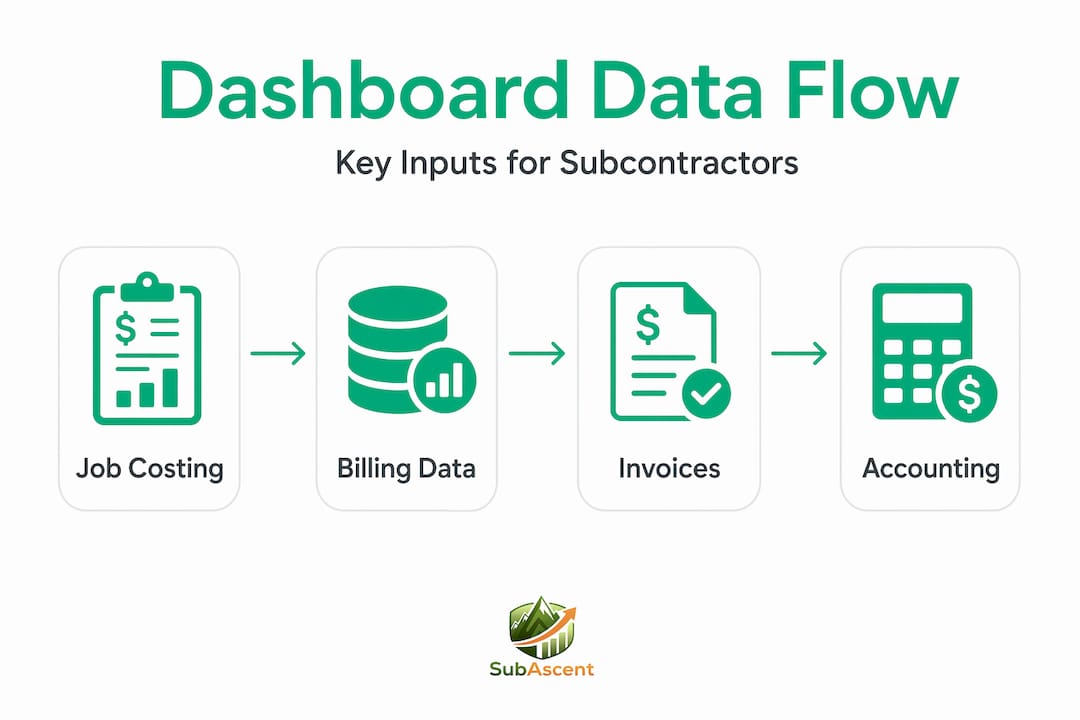
Most electrical and plumbing contractors already have this data sitting in QuickBooks or a similar accounting package. The challenge is getting it organized so a dashboard can read it without manual cleanup every week.
Tools that can power your dashboard
You have several options depending on your business size and how much you want to invest.
- QuickBooks Online or Desktop with a reporting layer handles the basics for companies under $2M in revenue
- Microsoft Power BI connects to most accounting systems and lets you build WIP schedule dashboards that update automatically
- Purpose-built subcontractor software like Subascent packages job management and financial tracking together so the data flow is built in
- Excel or Google Sheets templates work as a starting point but require discipline to keep current and are prone to formula errors as your job volume grows
Pro Tip: Before selecting a tool, list the five financial questions you ask yourself every Monday morning. Your dashboard should answer all five without you opening a single spreadsheet.
Key metrics to plan for from the start
| Metric | What it measures | Why it matters for subs |
|---|---|---|
| Days Sales Outstanding (DSO) | Average days to collect payment | Identifies slow-paying GCs before the problem compounds |
| Cash-to-Cash Cycle | Days from material purchase to payment received | 75% of subs fund materials from personal cash, so this gap is critical |
| WIP Overbilling/Underbilling | Revenue earned vs. billed | Prevents margin erosion on active jobs |
| Gross Profit by Job | Revenue minus direct costs per project | Shows which job types and GCs are worth pursuing |
| Backlog Value | Contracted work not yet billed | Tells you how much runway you have |
How to design and build your dashboard step by step
Construction finance complexity comes from decentralized production, fluctuating material costs, and payment timing that rarely aligns with your own cash obligations. A good dashboard cuts through that complexity. Here is how to build one that actually gets used.

Step 1: Define your objectives in one sentence. Write down what financial problem you are solving. For a drywall contractor, it might be: "I need to know every Friday which jobs are under-billed and which invoices are past 30 days." That sentence becomes the filter for every decision you make in steps two through five.
Step 2: Choose five to seven KPIs maximum. Resist the urge to track everything. Effective dashboards give you a 30-second snapshot of business performance, not a research project. For most trade contractors, the right set includes gross profit by job, cash on hand, DSO, WIP status, and backlog value.
Step 3: Connect your data sources directly. Do not copy and paste from QuickBooks into Excel. Set up a live connection or use software that syncs automatically. Dashboard accuracy depends entirely on live data feeds. Manual uploads introduce lag and errors that make your readings unreliable.
Step 4: Design for scanning, not studying. Use color to signal status. Green means on track. Yellow means watch it. Red means act now. A concrete or masonry foreman who glances at the job cost summary should know in five seconds whether the job is healthy. Use bar charts for budget versus actual comparisons. Use a table for billing status and AR aging. Avoid pie charts for financial data. They are harder to read under pressure.
Step 5: Run a two-week test before relying on it. Pull your dashboard numbers and then verify them manually against your source data. Look for gaps in your WIP schedule, invoices that did not sync, or labor costs assigned to the wrong job. Fix the data flow issues before you start making decisions based on what you see.
Step 6: Set a review routine. A dashboard you check once a month is not a management tool. It is a report. Assign a standing 20-minute review every Friday. Look at cash position, review AR aging, and check which jobs have crossed a billing threshold.
Pro Tip: If your dashboard requires explanation every time someone looks at it, redesign it. The goal is instant clarity, not impressive complexity.
Common mistakes that sink subcontractor dashboards
Getting the technical setup right is only half the battle. Most trade contractors who abandon their dashboards do so because of one of these problems.
- Garbage in, garbage out. If your field crews are coding labor to the wrong job number, your job cost data is wrong, and every margin figure your dashboard shows is fiction. Fix your timecard process before trusting any dashboard output. Subascent's approach to crew pay tracking addresses exactly this problem.
- Too many metrics. An HVAC owner who built a 40-metric dashboard told me he stopped looking at it within three weeks because it felt like more work than it saved. Pare it back ruthlessly.
- Stale data. A dashboard that updates weekly is better than nothing, but for billing and cash flow, daily updates are the standard worth targeting. Real-time dashboards catch issues that weekly snapshots miss entirely.
- No ownership. Someone has to be responsible for data quality. In a 10-person electrical shop, that is usually the office manager or the owner. Name the person. Make it their job.
- Wrong KPIs for your trade. A fire protection contractor billing on percentage of completion has different dashboard needs than a flooring contractor billing on square footage installed. Copy-paste templates from general contractors will not serve you well.
Pro Tip: Build a role-based view if you have a PM and an owner both using the dashboard. The PM needs job-level detail. The owner needs company-level cash and margin. One screen rarely serves both well.
Reading your dashboard metrics to actually improve profitability
Building the dashboard is the easy part. Knowing what to do with what you see is where most trade owners leave money on the table.
Understanding WIP and why it matters
WIP dashboards reveal overbillings, underbillings, earned revenue, and profit margins in real time. Underbilling means you have done work you have not yet invoiced. That is cash sitting in a project instead of your bank account. Overbilling means you have billed ahead of the work done, which creates a future liability. Both conditions affect your reported profit and your actual cash position.
For a low-voltage or glazing contractor managing five active jobs, underbilling of $80,000 across the portfolio is not unusual. But if you do not see it, you cannot act on it.
Benchmarks worth tracking
| Metric | Healthy range for specialty trade subs | Warning sign |
|---|---|---|
| Gross profit margin | 18%–28% depending on trade | Below 15% on any job warrants investigation |
| DSO | Under 45 days | Over 60 days signals a collections problem |
| Underbilling as % of backlog | Under 10% | Over 20% means you are financing your GC |
| Cash on hand | 60+ days of operating costs | Below 30 days creates serious cash flow risk |
Real-time budget versus actual tracking stops small cost overruns from eroding the margin on a job before you can react. When your dashboard shows that a roofing job has burned 70% of its labor budget at 50% completion, you have time to adjust crew deployment, tighten up material usage, or have a conversation with your GC about a change order. Without that visibility, you find out at job close, when nothing can be done.
Turning readings into decisions
Your dashboard should trigger specific decisions, not just observations. If DSO climbs past 50 days, that is a call to your GC's AP department. If a single job's gross profit drops below 12%, that is a conversation with your PM about what changed. If backlog value drops below two months of revenue, that is a signal to accelerate your bid pipeline. Automating data aggregation rather than relying on spreadsheets makes these trigger points visible in time to matter.
My honest take on why most dashboards fail
I have seen a lot of trade contractors build dashboards with real effort and genuine intent, then stop using them within 90 days. In my experience, the failure is almost never technical. It is behavioral.
The dashboard becomes one more thing to maintain. Data gets stale. The numbers stop matching what the owner knows in their gut, and trust breaks down. Once trust goes, the dashboard goes with it.
What I have learned is that the simplest version that answers your real Monday morning questions will outlast the elaborate version that answers every possible question. A painting contractor I know runs his entire financial oversight off a six-row Google Sheet that feeds from QuickBooks. It tells him cash on hand, total AR by age bucket, and margin on his three biggest active jobs. He checks it every single week. That consistency beats any sophisticated tool that gets abandoned.
The other lesson: your dashboard reflects your data discipline, not just your software choice. If field timecards are sloppy, if change orders are not logged promptly, if material receipts sit unprocessed for two weeks, your dashboard will lie to you. The financial insight you want starts with the habits of the people in the field and the office, not with the reporting layer on top.
Commit to the data hygiene first. Then the dashboard becomes genuinely useful.
— Dave
See your job financials in one place with Subascent
If you are an electrical, plumbing, HVAC, or other specialty trade owner who wants financial visibility without building a dashboard from scratch, Subascent was designed specifically for your situation.

Subascent connects your bid pipeline, job management, and financial tracking into a single platform built for subcontractors, not general contractors. You get real-time billing status, budget versus actual comparisons by job, and AR visibility without the manual data wrangling. No more hunting across QuickBooks, spreadsheets, and email threads to figure out where a job stands.
Visit Subascent to see how trade contractors are getting their financials under control without adding overhead. If you want to understand the cash flow piece in more depth before you commit to any tool, start with the cash flow breakdown on the Subascent blog.
FAQ
What is a subcontractor business financial dashboard?
A subcontractor business financial dashboard is a visual reporting tool that consolidates key financial metrics like cash flow, job margins, billing status, and accounts receivable into a single real-time view. It replaces manual spreadsheet reviews with live data drawn directly from your accounting and job costing systems.
What KPIs should a contractor dashboard include?
The most useful KPIs for specialty trade subs are gross profit by job, days sales outstanding, WIP overbilling and underbilling, cash on hand, and backlog value. Keeping the list to five to seven metrics prevents analysis paralysis and makes the dashboard something you actually use.
How often should subcontractors review their financial dashboard?
A weekly review cadence, typically on Fridays, is the practical standard for most trade contractors. Cash position and AR aging warrant daily attention during growth phases or tight cash periods.
Can I build a financial dashboard in Excel or QuickBooks?
Yes. QuickBooks has built-in reporting that covers the basics, and Excel templates can handle more detailed job cost tracking. The limitation is that both require manual data maintenance, which introduces errors and delays. Dedicated subcontractor software with live data connections is more reliable as your job volume grows.
Why do so many contractor dashboards get abandoned?
The most common reason is a breakdown in data quality, where field timecards, change orders, or material costs are not entered accurately or promptly. Once the numbers stop matching reality, trust in the dashboard breaks down. Building good data habits in the field and office is the prerequisite for any dashboard to deliver consistent value.