
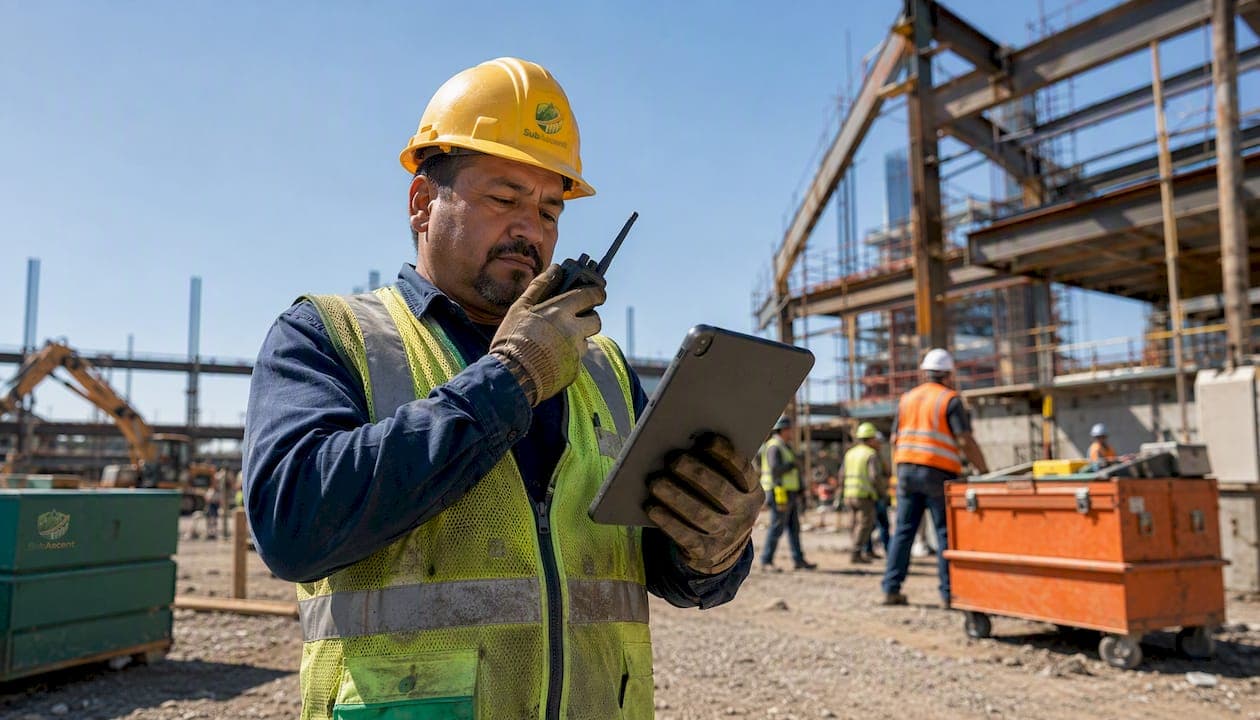
The most common foreman job site communication mistakes are using scattered channels instead of one confirmed line, skipping closed-loop confirmation on safety-critical tasks, leaving verbal agreements undocumented, running toolbox talks that lecture instead of engage, pushing schedule changes at the last minute, ignoring language and noise barriers, and letting fear of retaliation kill hazard reporting. Fix each one with a single channel, a repeat-back habit, and a one-line written outcome after every key decision.
Start here — three things to do in the next 24 hours:
- Pick one channel for urgent field messages and tell every crew member today (radio, group chat, or face-to-face, but only one).
- Run a 3-minute toolbox talk at the start of tomorrow's shift. Ask one question at the end; don't just talk at the crew.
- Require a verbal repeat-back on every safety-critical instruction before work begins.
These three habits alone will cut the most expensive foreman communication errors before your next shift ends.
Table of Contents
- What are the most common foreman job site communication mistakes?
- How do you implement these fixes without disrupting the crew?
- Which tool categories actually help foremen communicate better?
- Field-tested scripts and templates you can use today
- How do you know if your communication changes are working?
- Key Takeaways
- The fix most foremen skip
- Subascent CrewTrack makes the daily report habit stick
- Useful sources
What are the most common foreman job site communication mistakes?
Poor communication on a job site is not a soft problem. Industry estimates put poor communication behind roughly 48–52% of rework on construction projects, with avoidable costs estimated at about $31 billion annually. For a foreman running an electrical, plumbing, or framing crew, that translates directly into blown schedules, callback work, and safety incidents that were entirely preventable.
Here are the eight mistakes that show up most often, each with a one-sentence fix and a short example of what it looks like when it goes wrong.
1. Scattered channels with no single line for urgent messages
Why it happens: Crews drift toward whatever is most convenient — text, WhatsApp, radio, a shouted conversation across the floor. Within a week, critical messages are split across three platforms and nobody knows which one to check first.

Quick fix: Designate one channel for urgent field messages and one for non-urgent updates. Write it on the whiteboard at the trailer. Stick to it.
Example: A roofing foreman sends a weather-hold notice by text. Two crew members only monitor the group radio channel. They keep working, the storm rolls in, and now you have a safety incident and a half-day of lost productivity.
Job site communication issues caused by siloed channels are one of the most consistently cited problems in construction — and one of the easiest to fix with a single decision.
2. Not documenting verbal agreements
Why it happens: Verbal decisions are fast, which is why foremen make them constantly. The problem is that foreman communication is mostly verbal, and only a minority gets written down, which is what survives a dispute.
Quick fix: After any verbal decision, send a one-line message to the relevant channel: "Agreed with PM: pour delayed to Thursday, 7 AM. Photo of site condition attached."
Example: A concrete foreman verbally agrees with the GC's super to shift a pour. No note is made. Three days later, the GC's records show no change order. The sub eats the cost.
This is where the RFI submittal process becomes a foreman's best protection — even a short field note beats nothing.
3. Toolbox talks that lecture instead of engage
Why it happens: Foremen are busy. The toolbox talk becomes a five-minute monologue before work starts, nobody asks questions, and the crew nods along without retaining anything.
Quick fix: End every toolbox talk with one direct question: "What's the biggest hazard on today's task?" If nobody answers, call on someone by name.
Example: A drywall foreman runs the same generic fall-protection talk every Monday. On Wednesday, a crew member skips a guardrail step because he assumed it didn't apply to his specific task. It did.
Communication failures are a root cause in most serious safety incidents. A talk that generates no response is not a safety talk — it's a liability check.
4. Last-minute schedule changes with no heads-up
Why it happens: Foremen often receive schedule updates from the GC or PM late, then pass them to the crew even later. By the time the crew hears about it, there's no time to adjust.
Quick fix: Build a 15-minute buffer into your morning routine to check for schedule updates before the crew starts. Pass changes immediately, not when you get around to it.
Example: An HVAC foreman learns at 9 AM that a ceiling grid is being moved up two days. He tells the crew at lunch. Half the morning's rough-in work is now in the wrong sequence.
Coordinating across multiple subcontractors and tight deadlines is one of the central challenges foremen face — and schedule communication is where that pressure shows up first.
5. Language and noise barriers left unaddressed
Why it happens: Foremen assume crew members understood an instruction because nobody said otherwise. On a loud site with a multilingual crew, silence is not confirmation.
Quick fix: Use closed-loop confirmation — ask the worker to repeat the instruction back in their own words. For language gaps, use a bilingual crew member as a relay, and have them sign off that the message got through.
Example: A masonry foreman gives a load-bearing instruction in English to a crew member whose first language is Spanish. The worker nods, interprets the instruction differently, and sets the block course at the wrong height.
Language and cultural barriers are among the most consistently cited construction communication challenges. Noise compounds the problem — a shouted instruction across a concrete floor is not a confirmed instruction.
6. Fear of reporting hazards
Why it happens: Crew members have reported hazards before and seen nothing happen. Or they worry about being seen as a problem. Either way, they stop speaking up, and near-misses go unrecorded.
Quick fix: When someone reports a hazard, acknowledge it publicly and visibly fix it within 24 hours. Workers stop reporting when previous reports led to no action — so the fix is visible follow-through, not a poster on the wall.
Example: A fire protection foreman hears a crew member mention a slippery valve room floor in passing. He doesn't log it. Two days later, a different worker slips. The near-miss was already known.
7. Weak shift and crew handoffs
Why it happens: The outgoing crew tells the incoming crew what they remember, which is usually not everything. No written record, no photo, no list of open items.
Quick fix: Use a three-field handoff note: what was completed, what is open, and what the next crew needs to know before they touch anything. A photo of the work area takes 10 seconds and eliminates most disputes.
Example: A framing foreman ends his shift without noting that a header is temporarily braced and not yet fastened. The next crew assumes it's done and builds on it. The brace fails.
8. Unclear decision authority
Why it happens: On a busy site with multiple subs, nobody is sure who can approve a field change. Foremen either wait too long for approval or make calls they shouldn't.
Quick fix: At the start of each job, clarify in writing: what decisions the foreman can make in the field, what requires a PM call, and what requires a written change order. Post it in the trailer.
Pro Tip: When you're running a specialty-trade crew — electrical, plumbing, HVAC — the GC's super often assumes you have more authority than your PM has given you. Clarify your decision scope with your own PM before the job starts, not after the first dispute.
How do you implement these fixes without disrupting the crew?
The goal is not to overhaul everything at once. Crews resist change when it feels like extra work. The fixes below are sequenced so you can start today and build from there without needing office sign-off on every step.
Start within 24 hours
- Set one urgent channel. Tell every crew member face-to-face which channel to use for urgent messages. Write it on the whiteboard. If you use radios, assign one designated channel for site-critical calls.
- Run a 3-minute toolbox talk. Pick one hazard relevant to today's task. Ask one question at the end. Record who attended (name and date).
- Require repeat-back on safety-critical instructions. Before any worker starts a task with a fall, electrical, or structural risk, ask them to repeat the instruction back. If they can't, re-explain before they move.
- Start a handoff note template. Even a text message with three bullet points beats nothing. "Completed: [X]. Open: [Y]. Watch out for: [Z]."
7-day actions
- Standardize channels across the full crew. If you have subcontractors on site, confirm which channel they monitor.
- Assign a communication owner for each message type (schedule updates, safety alerts, material deliveries).
- Test your backup communication method. Radios die. Phones lose signal. Know the fallback before you need it.
- Run closed-loop confirmation training in a short crew meeting. Practice it on a non-critical task first so it feels natural before it matters.
Pro Tip: Get buy-in by framing the repeat-back as a protection for the worker, not a test of their competence. "I want to make sure I explained it clearly" lands better than "Tell me what I just said."
30/90-day plan
The 30-day mark is where habits either stick or fade. By day 30, you want a written site communication protocol — one page, posted in the trailer — that covers channels, decision authority, and handoff requirements. New hires get a 10-minute walkthrough of it on day one.
By day 90, your daily report format should be consistent enough that any PM can read it and know exactly what happened on site without calling you. That means three required fields every day: decisions made, who agreed, and a photo. Documenting material deliveries and field conditions with photos is a habit that pays off the first time a dispute hits.
Keep changes incremental. Pilot a new process on one crew before rolling it out to the full site. Measure before and after — even informally — so you can show the crew that the change is working.
Which tool categories actually help foremen communicate better?
The right tool for a foreman is the one the crew will actually use under pressure. That usually means simple, fast, and available offline. Here's how the main categories break down.
Two-way radios
What they fix: Instant voice communication across a noisy site without relying on cell signal.
Essential features: Push-to-talk, noise suppression, dedicated channels per crew or trade.
Common pitfall: Using a single channel for everything. When the electricians, plumbers, and GC super are all on the same channel, nobody hears anything useful.
Friction to expect: Batteries die. Radios get left in trucks. Build a charging and check-out habit into the morning routine.
Crew mobile apps with offline support
What they fix: Documented confirmations, daily reports, and photo capture that sync when signal returns.
Essential features: Offline sync, simple photo-plus-comment UI, task assignment with confirmation fields.
Common pitfall: Apps with complex admin interfaces that foremen abandon after the first week. If it takes more than three taps to log a field note, the crew won't use it.
Friction to expect: Adoption resistance from older crew members. Pair them with a younger crew member for the first two weeks.
Crew productivity tracking tools that include communication logs give you a built-in record of who confirmed what and when — useful the moment a dispute surfaces.
Photo and timestamp daily reports
What they fix: The undocumented verbal agreement problem. A photo with a timestamp and a one-line note is harder to dispute than a memory.
Essential features: Auto-timestamp, GPS tag, simple comment field, export to PDF.
Common pitfall: Foremen take photos but never add context. A photo of a concrete pour without a note about what was agreed is half a record.
Group chat with task assignment
What they fix: Non-urgent coordination across a crew without radio chatter.
Essential features: Thread-based messaging, task assignment with a due date, read receipts.
Common pitfall: Information overload from too many notifications. Set notification windows — urgent alerts always on, non-urgent messages checked twice a day.
Digital safety meeting tools
Structured toolbox talk software can record attendance, track action items, and keep a compliance log. Safety meeting software built for construction supports the documented 20% written trail while keeping the verbal-first approach intact. The key feature to look for: a simple sign-off field so you have a record that the talk happened and who was present.
Tool discipline rule: One channel per message type. Urgent safety alerts go on radio. Schedule updates go in the crew app. Non-urgent questions go in group chat. When everything goes everywhere, nothing gets read.
Field-tested scripts and templates you can use today
Copy these into your phone or print them for the trailer. They're short by design.
3-minute toolbox talk script
Opening (30 seconds): "Before we start — one hazard I want everyone thinking about today: [specific hazard]. Here's why it matters on this task: [one sentence]."
Hazard callout (90 seconds): "The specific risk is [X]. The control we're using is [Y]. If you see [warning sign], stop and call me."
Speak-up close (60 seconds): "What's the biggest hazard you're seeing on your task today? [Pause. Call on someone if no answer.] Good catch. If anything changes during the shift, tell me before you work around it."
Record: Name, date, topic, attendees. That's the full log.
Closed-loop confirmation script
Sender: "Before you start [task], I need you to repeat back the key step."
Worker repeat-back: "[Worker states the instruction in their own words.]"
Sender confirmation: "Correct. Go ahead." Or: "Not quite — here's the part to adjust: [correction]. Repeat it back again."
Record the outcome: One-line note in the crew app or group chat: "Confirmed [task] with [name] at [time]. Photo attached."
Active loopbacks replace passive check-ins and reduce misinterpretation in noisy or complex areas — the script above is the field version of that principle.
Shift handoff template
- Completed today: [List tasks finished, with photo reference if applicable.]
- Open items: [What's started but not done, and why.]
- Watch out for: [Anything the next crew needs to know before they touch anything — temporary bracing, wet concrete, live circuits, open trenches.]
- Decisions made: [Any field change agreed verbally, who agreed, and when.]
Incident and near-miss quick report
- Who: [Name of person involved or who reported it.]
- What: [What happened or almost happened — one sentence.]
- Where: [Exact location on site.]
- Immediate action taken: [What was done in the next 10 minutes.]
Sample entry: "Who: J. Rivera. What: Slip on wet valve room floor, no injury. Where: Mechanical room B, Level 2. Immediate action: Area coned off, floor dried, non-slip mat placed."
Pro Tip: Post the near-miss report format on the trailer wall and in the crew app. When the form is visible and simple, crew members fill it out. When they have to ask where to find it, they don't.
Foreman daily report — 3 required fields
- Decision made today: [What was decided in the field, even informally.]
- Who agreed: [Name and role of the person who confirmed it.]
- Photo: [One photo of the relevant work area or condition, timestamped.]
Everything else is optional. These three fields resolve most disputes before they escalate.
How do you know if your communication changes are working?
Gut feel is not a KPI. Track these metrics and you'll know within 30 days whether the changes are sticking.
- Near-miss reports filed per week. A rising number in the first 30 days is a good sign — it means crew members are speaking up, not that the site got more dangerous.
- Rework incidents per month. Track how many tasks had to be redone due to a miscommunication. Even informal tracking (a tally in the daily report) gives you a baseline.
- Average response time to urgent field queries. How long does it take from a field question to a confirmed answer? Under 15 minutes is a reasonable target for a well-run site.
- Percentage of safety-critical instructions confirmed with closed-loop. Spot-check this weekly. Ask a crew member to describe the last safety instruction they received. If they can't, the loop isn't closed.
| KPI | Baseline guidance | Target after 90 days | How to measure |
|---|---|---|---|
| Near-miss reports per week | under-reporting is the problem | 3–5 (crew is speaking up) | Daily report log |
| Rework incidents per month | Establish in first 30 days | 48–52% less rework | Supervisor tally |
| Urgent query response time | Often 30–60+ minutes | Under 15 minutes | Channel message timestamps |
| Closed-loop confirmation rate | Unknown at start | 90%+ on safety-critical tasks | Weekly spot-check |
One caution on reading early data: a spike in near-miss reports after you launch the speak-up culture does not mean communication got worse. It means it got honest. Treat the first 30 days as a baseline-building period, not a performance period. Rework reduction is the metric that tells you whether the fixes are working in practice.
Key Takeaways
The single highest-impact change a foreman can make is pairing one confirmed communication channel with a closed-loop confirmation habit on every safety-critical task — everything else builds on that foundation.
| Point | Details |
|---|---|
| Single channel first | Pick one urgent channel before anything else; scattered platforms are the root cause of most missed messages. |
| Document verbal decisions | A one-line note plus a photo after every key field decision prevents the disputes that cost subs real money. |
| Toolbox talks need a question | A talk with no crew response is not a safety talk; end every one with a direct question and call on someone if needed. |
| Track near-misses as a win | Rising near-miss reports in the first 30 days signal a speak-up culture forming, not a site getting more dangerous. |
| Subascent CrewTrack | Subascent's mobile app gives foremen a ready-made way to capture closed-loop confirmations, photos, and daily reports in the field. |
The fix most foremen skip
Here's what the communication guides usually miss: the problem is rarely that foremen don't know what good communication looks like. They know. The problem is that the job site creates constant pressure to skip the step — the pour is starting, the GC super is waiting, the crew is standing around. The repeat-back feels slow. The one-line note feels bureaucratic. So it gets skipped, and then it gets skipped again, until skipping it is the habit.
The foremen who actually fix their communication patterns are the ones who make the process so short that skipping it takes more effort than doing it. A one-line note in a crew app takes eight seconds. A photo takes three. A repeat-back takes fifteen. None of these are time problems. They're habit problems, and habits form when the behavior is easier than the alternative.
The other thing worth saying plainly: the speak-up culture piece is not a morale initiative. It's a safety and cost issue. Workers stop reporting hazards when nothing happens after they report. The fix is not a poster or a speech — it's a visible response within 24 hours, every time. One acknowledged near-miss, publicly fixed, does more for your reporting culture than a month of toolbox talks about psychological safety.
For specialty-trade foremen running electrical, plumbing, HVAC, or masonry crews, the stakes are higher than on a general labor site. The decisions are more technical, the consequences of a missed instruction are more severe, and the crew is often working across multiple GC environments with different communication norms. Keeping your own process consistent — same channel, same repeat-back, same daily report format — is what protects you when the GC's system is chaotic.
Subascent CrewTrack makes the daily report habit stick
Knowing the right habits is one thing. Having a place to capture them without adding friction is another. Subascent's CrewTrack mobile app is built specifically for specialty-trade foremen — electrical, plumbing, HVAC, framing, masonry, and more — who need to log field decisions, photos, and confirmations without stopping work to do it.

Three things CrewTrack handles that directly support the practices in this article:
- Closed-loop confirmation fields built into the daily report, so repeat-backs are logged automatically rather than remembered.
- Photo-plus-timestamp capture with a one-line comment field — the three-field daily report format described above, ready to go.
- Offline sync so the record saves even when the site has no signal, and uploads when connectivity returns.
CrewTrack is included with a Subascent subscription at no extra cost to foremen. If your crew is still logging decisions in a notebook or a group text thread, start a free trial and see how much faster the daily report gets when the format is already there.
Useful sources
The following resources informed this article. Each is worth reading for deeper context on the specific topic noted.
Safety and toolbox talks
- Communication Toolbox Talk — Safety Evolution: Practical guidance on structuring safety talks and building a speak-up culture on site.
- My Safety Solution — OSHA Compliance Meeting Software: Overview of how structured safety meeting software supports attendance tracking and documented action items.
Job site communication systems and barriers
- 7 Construction Site Communication Problems to Fix — Retevis: Covers noise, siloed channels, and language barriers with practical fixes for frontline supervisors.
- Effective Construction Site Communication Systems — Relay Pro: Industry estimates on rework costs tied to poor communication; useful for understanding the financial stakes.
- Optimizing Construction Communication for Project Success — Procore: Broad overview of communication types, protocols, and best practices across a construction project lifecycle.
Foreman and supervisor communication skills
- Effective Construction Communication: Why It Breaks Down and How to Fix It — Mastt: Source for the 80/20 verbal-to-written communication ratio and the importance of documenting outcomes.
- Communication Skills for Site Supervisors — CCM: Active loopbacks, visual cues, and practical techniques for reducing misinterpretation on complex sites.
- Common Challenges Faced by a Building Construction Foreman — ZipRecruiter: Context on the coordination pressures foremen face across subcontractors, deadlines, and compliance requirements.
Workplace communication principles
- Five Employee Communications Mistakes to Avoid — Reward Gateway: Covers information overload and audience-tailoring — principles that apply directly to crew messaging on site.