
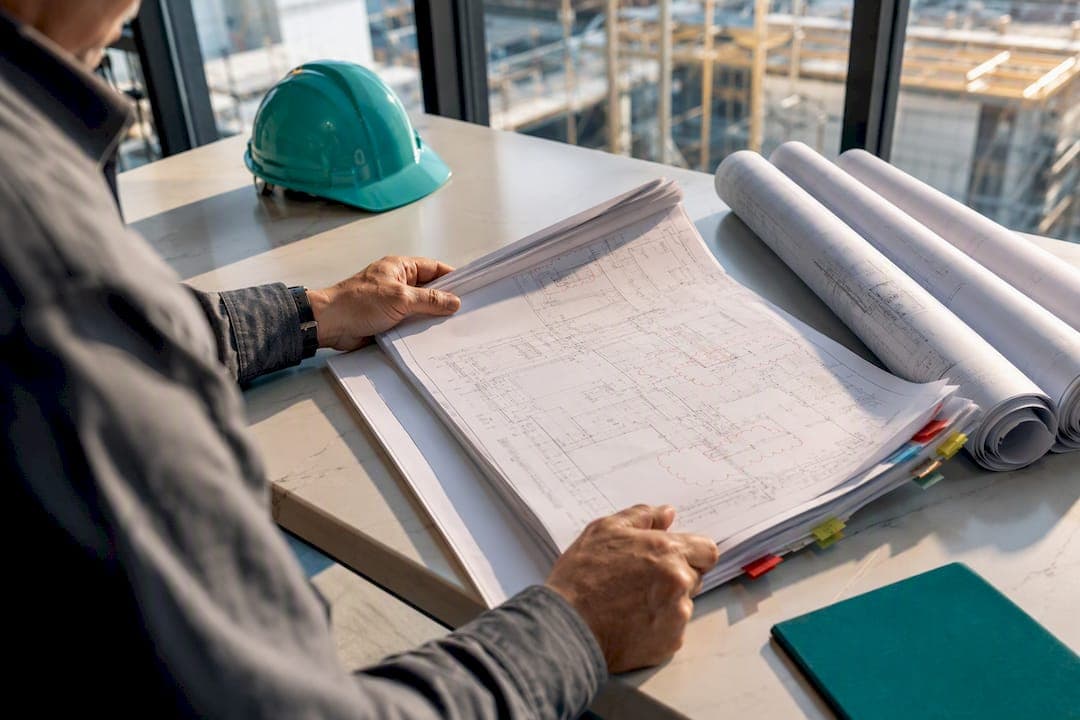
Construction document control is the discipline of tracking every plan, RFI, submittal, and change order so your crews always work from the current revision and your paperwork holds up when money is on the line. For specialty trade subs, the immediate fix is simple: centralize your project files in one place and lock down revision control so nobody in the field is ever guessing which drawing is right. Everything below is built for trades, not general contractors.
TL;DR:
- Specialty subcontractors need centralized files with strict revision control to prevent rework and ensure all team members work from the latest drawings.
- Tracking RFIs, change orders, and daily reports with clear logs, timestamps, and formal approvals creates documentation that can prove claims during disputes or payment issues.
- Implementing a four-stage document process—intake, review, distribution, and update—supports timely and reliable communication with designated owners and deadlines.
- Consistent naming, version conventions, and permission controls prevent confusion, with field crews needing offline-capable tools for real-time revision access.
- Regularly attaching evidence like photos, timecards, and written verbal approvals to specific locations or events reduces the risk of losing crucial records.
Table of Contents
- What Is Construction Document Control, and Why Do Subs Need It Differently?
- Which Documents Actually Matter for a Subcontractor?
- How Should a Sub's Document Workflow Actually Run?
- What Naming and Version Rules Actually Hold Up?
- How Do You Keep Field Crews on the Current Revision?
- How Do Job Records Actually Hold Up in a Dispute?
- How Should a Sub Build the Closeout Package Without a Scramble?
- What Are the Most Common Document Control Mistakes?
- What Do Years on Trade Jobs Teach You About Paperwork?
- Where Subascent Fits Into Your Document Control Workflow
- Sources
What Is Construction Document Control, and Why Do Subs Need It Differently?
Document control for a general contractor means managing hundreds of files across a dozen trades. For a specialty sub, it means something narrower and higher stakes: making sure your electricians, plumbers, or masons are always pulling from the current drawing set, and that every RFI, change order, and daily report can prove what happened and when. That distinction matters because most construction project documentation systems on the market are built for GC-scale complexity, not for a 15-person crew trying to avoid rework on a single job.
The financial exposure is real and specific. A framing crew that installs blocking based on a superseded drawing eats the labor twice. An HVAC sub who verbally agrees to relocate ductwork and never documents it often eats the change order cost, too, because verbal on-site approvals rarely hold up for payment claims unless someone wrote it down at the time.
Document control also creates the central log where correspondence gets tracked, and delays in processing those documents can push back the whole schedule and add cost. Watch for these warning signs that your current system is failing:
- Foremen texting photos of drawings instead of pulling from a shared source
- Change orders that exist only as email threads with no formal number
- Pay applications delayed because nobody can find the signed submittal
- Two people on the same crew working from two different drawing revisions
If your team manages more than about ten active jobs at once, or spends over a third of the week on non-productive paperwork, that's a practical signal you've outgrown spreadsheets and email.
Which Documents Actually Matter for a Subcontractor?
Not every piece of paper on a job carries equal weight in a dispute or a pay application; understanding what is a concrete specification can clarify how specification documents impact subcontract scope, especially in masonry and concrete work. Here's what to prioritize and what each one needs to prove:
- Drawings and revisions. Track the revision number, date issued, and who distributed it. Never let a crew reference a drawing without confirming it against the current issue log.
- RFIs. Log the question, the date asked, the date answered, and who answered it. An unanswered RFI is itself evidence if a delay claim comes up later.
- Submittals and shop drawings. Record submission date, reviewer, and approval status. A submittal stuck in review for three weeks is a schedule story you'll want documented, not remembered.
- Daily reports. Weather, crew count, work performed, and any deviations from plan. These become the backbone of delay and productivity claims.
- Timecards. Tied to specific cost codes and, ideally, to the foreman who logged them the same day.
- Delivery tickets. Material quantities, dates, and signatures. These protect you when a GC disputes material on site.
- Change orders. Scope, price, and a signature trail. Without this, you're relying on memory in a negotiation.
Each of these becomes part of your evidence file. The goal isn't paperwork for its own sake. It's building a record that speaks for itself months later when nobody remembers the details.
How Should a Sub's Document Workflow Actually Run?
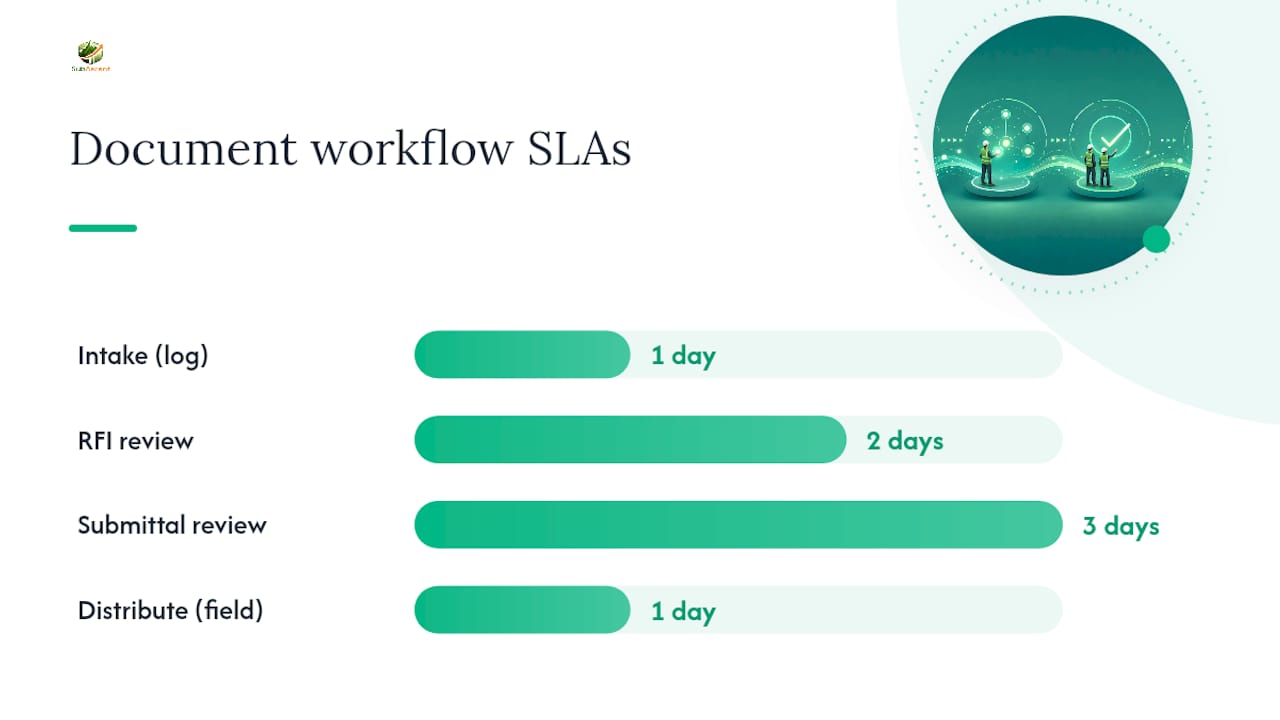
A working process needs four stages, and each one needs an owner and a time limit. Without a deadline attached to review, documents sit in inboxes until they become emergencies.
- Intake. Every incoming drawing, RFI response, or change order gets logged the day it arrives and attached to the relevant scope item or cost code. Don't let anything sit in a personal inbox. Assign one person, usually the PM or office admin, as the single point of intake.
- Review. Set a real SLA. Forty-eight hours for RFI responses, three business days for submittal review. If your reviewer can't hit that, you need a backup reviewer named in writing.
- Distribute. Push the current document to the field the same day it's approved, and get proof someone received it. A group text doesn't count as proof. A logged notification with a read receipt does.
- Update and archive. When a revision comes in, the old version gets marked superseded, not deleted. Keep it archived and clearly labeled so you can reconstruct the timeline if a dispute surfaces later.
Pro Tip: Assign document intake to one named person, not "whoever's in the office." The moment two people think it's the other person's job, things start falling through the cracks — usually the RFI that mattered most.
This four-step loop doesn't need software to start. But the moment your job count grows past a handful of active projects, manual tracking starts breaking down exactly where it matters most: revision control in the field.
What Naming and Version Rules Actually Hold Up?
Complicated naming standards fail because nobody follows them consistently. The fix isn't more rules. It's fewer rules that a small group of people actually enforces. A practical filename template needs five elements: project identifier, discipline code, document type, sequential number, and revision indicator. Something like PRJ204_ELEC_RFI_014_R2 tells anyone exactly what they're looking at without opening the file.
For revision notation, pick one convention and stick with it:
- Use decimal notation (1.0, 1.1, 1.2) for internal drafts and minor markups that haven't gone to the GC yet.
- Use R-notation (R0, R1, R2) for formally issued revisions that crews are meant to build from.
- Never mix the two conventions on the same document series. It confuses everyone within a week.
Permissions matter as much as naming. Field crews should have view-only access to current drawings, with edit rights locked to the PM or project engineer. Every change should log a timestamp and user ID automatically rather than relying on someone remembering to note it. This isn't a nice detail. Naming and revision discipline works best when it's deliberately simple and enforced by a handful of people rather than treated as a company-wide policy everyone has to memorize.
How Do You Keep Field Crews on the Current Revision?
The office can have perfect records and still lose the thread the moment a foreman is standing at a wall with a rolled-up printout from three revisions ago. Mobile access closes that gap, but only if it's built around how job sites actually work.
- Plan for offline sync. Most job sites have dead zones. Choose tools that let crews pull current drawings before heading out and sync updates automatically once they're back in signal.
- Pin photos and timecards to plan locations. A photo tagged to a specific wall section or duct run is worth more in a dispute than ten photos with no context.
- Log daily reports the same day, not the same week. A report written from memory on Friday about Monday's work loses credibility fast.
- Confirm distribution, don't assume it. If a revision goes out, someone in the office should see a confirmation that the foreman opened it.
Cloud-based platforms that sync field data in real time cut down on rework and give you a much stronger audit trail than a folder of scattered PDFs. The foreman who documents delay events as they happen rather than reconstructing them later is the one whose claims actually get paid.
How Do Job Records Actually Hold Up in a Dispute?
Records only help you if they're trustworthy enough to survive a challenge. Courts and arbitrators generally look for three things: was the record made during the normal course of business, was it created at or near the time of the event, and was it made by someone who was actually there.
The strongest audit trail comes from time-stamped digital records with user IDs and automated sync, prepared by someone present at the time, not reconstructed weeks later from memory. This is what separates a record that holds up from one that gets dismissed as an afterthought.
The single most common failure is the verbal-approval trap. A superintendent tells your foreman to add an outlet, or reroute a run, and nobody writes it down. If that verbal change turns into a payment dispute, you have nothing. Document the change immediately with an RFI, a signed field memo, or even a time-stamped photo with a note.
How Should a Sub Build the Closeout Package Without a Scramble?
Closeout goes wrong when everyone treats it as a final-week task instead of something you build all job long. The fix is progressive collection.
- Attach documentation to every pay application, not just the last one. Submittals, RFIs, and change orders tied to that billing period should go in the closeout folder immediately.
- Update as-builts weekly, not from memory two months after substantial completion.
- Name a closeout coordinator on jobs over a certain size, even if it's a part-time role for the PM.
- Write closeout requirements into your subcontract up front: warranty documents, O&M manuals, and lien waivers should be listed as deliverables, not surprises.
This progressive approach turns closeout into an assembly task instead of a scramble, which is exactly what protects your final payment. A ready-made closeout checklist makes this even easier to standardize across jobs.
What Are the Most Common Document Control Mistakes?
Five failures show up again and again on trade jobs, and all five have a straightforward fix: inconsistent file naming, no locked revision control, no defined reviewer or SLA, a hard gap between field and office, and closeout treated as an afterthought.
Here's a ten-point checklist you can start using today:
- Name one person as document intake owner.
- Set a written SLA for RFI and submittal review.
- Adopt one filename template and one revision notation.
- Lock edit permissions to the PM or engineer.
- Confirm every distribution with a receipt or read log.
- Mark superseded drawings clearly and archive them.
- Log daily reports the same day work happens.
- Attach photos and timecards to specific plan locations.
- Document every verbal change in writing as soon as possible after it occurs.
- Collect closeout documents with every pay application.
What Do Years on Trade Jobs Teach You About Paperwork?
Every electrical foreman I've talked to has a story about pulling wire through a wall based on a drawing that got superseded the week before. Every plumbing PM has a story about a verbal change from a super that turned into a six-week payment fight because nobody wrote it down. HVAC crews lose the most time to submittal delays because the review sits in someone's inbox with no deadline attached.
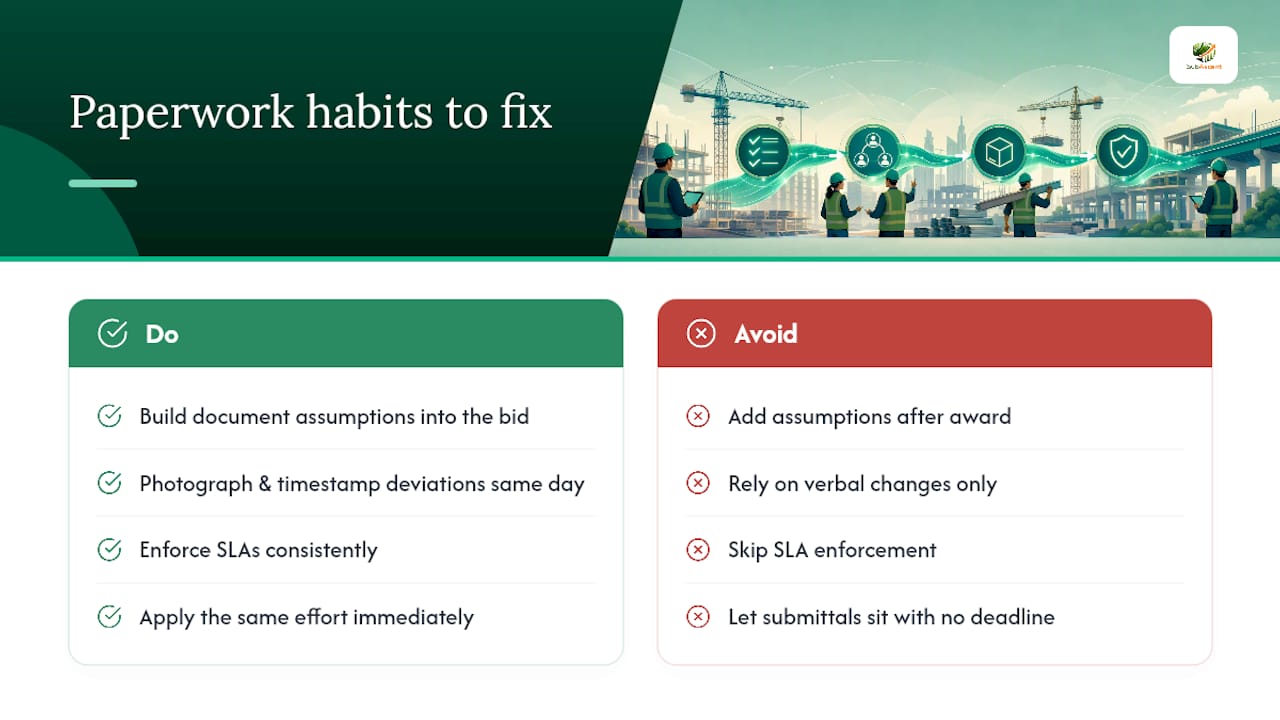
The role-based fix is simple. Estimators: build document assumptions into the bid, not after award. Foremen: photograph and timestamp anything that deviates from plan the same day. Project managers: enforce the SLA even when it's inconvenient, because the one time you skip it is the time it costs you.
None of this requires more effort. It requires the same effort, applied consistently, starting now instead of after the next dispute.
— Dave
Where Subascent Fits Into Your Document Control Workflow
Subascent is built around the exact workflow this article just walked through, not a scaled-down version of software made for general contractors. Submittals, RFIs, and change orders live in one tracked system tied to your actual jobs, so revision history and approval trails stay intact without a separate spreadsheet to maintain.

The mobile crew app syncs offline, so foremen working in dead zones can still pull the current drawing set and attach photos or timecards to the right job the moment signal returns. During a trial, test three things specifically: whether revision locking actually stops crews from opening outdated drawings, whether RFI responses stay traceable end to end, and whether PDF takeoff and QuickBooks sync hold up on a real bid. Start a trial through Subascent's subcontractor software or look at the CrewTrack mobile workflow if field documentation is your biggest gap right now.
Sources
For deeper background on the principles covered here, these sources are worth bookmarking:
- 21. Documentation and Records – Construction Contracting
- 16.5 Construction document control | Los Angeles Bureau of Engineering Project Delivery Manual
- Construction documentation | Procore