

Construction software built for subs is defined as project management and field operations technology designed specifically around the workflows of specialty trade subcontractors, not general contractors. Electrical, plumbing, HVAC, drywall, and roofing crews face a different set of daily problems than the GC sitting in the site trailer. They need bid tracking, PDF takeoff, plan distribution, QuickBooks sync, and real-time job costing in one place. Generic platforms built for GCs leave subs doing double data entry, chasing foremen for timecards, and guessing at job profitability until it is too late. The right subcontractor management software fixes all of that.
What features define construction software built for subs?
The three core problems that specialty trade software must solve are plan distribution, workflow tracking, and multi-project management from a single interface. Every other feature is secondary to those three. If a platform cannot get the current plan set into a foreman's hands on a Tuesday morning and let an estimator track progress against bid quantities from the office, it is not built for subs.
Here are the features that separate purpose-built subcontractor software from generic tools:
- Offline-capable mobile access. Foremen work in basements, mechanical rooms, and concrete structures with no signal. Mobile-first design with offline capability is the single biggest driver of field adoption.
- Plan distribution with version control. Subs receive revised drawings constantly. The software must flag superseded sheets and push current versions automatically.
- Task tracking tied to plan locations. A masonry crew needs to mark which wall sections are complete, not just check off a generic task. Location-linked tasks reduce disputes with GCs.
- Estimating integrated with project management. When your bid quantities live in the same system as your field progress, you can track installed versus bid daily without rebuilding a spreadsheet.
- QuickBooks and accounting integration. Failure to integrate accounting systems results in duplicate data entry and kills the efficiency gains you bought the software for.
- Customizable workflows for your trade. A fire protection sub tracking sprinkler head counts needs different digital forms than a flooring crew tracking square footage. The best platforms let you configure both.
- Multi-project dashboard. Electrical and HVAC subs often run 10 to 20 active jobs. A single-project view is useless at that scale.
Over 70% of specialty trade platform features are shaped directly by trade-user feedback. That number tells you which vendors are actually listening to subs versus building for GCs and calling it "subcontractor-friendly."
Pro Tip: Before you demo any platform, ask the vendor to show you offline mode on a phone with airplane mode turned on. If the demo falls apart, the foreman adoption will too.
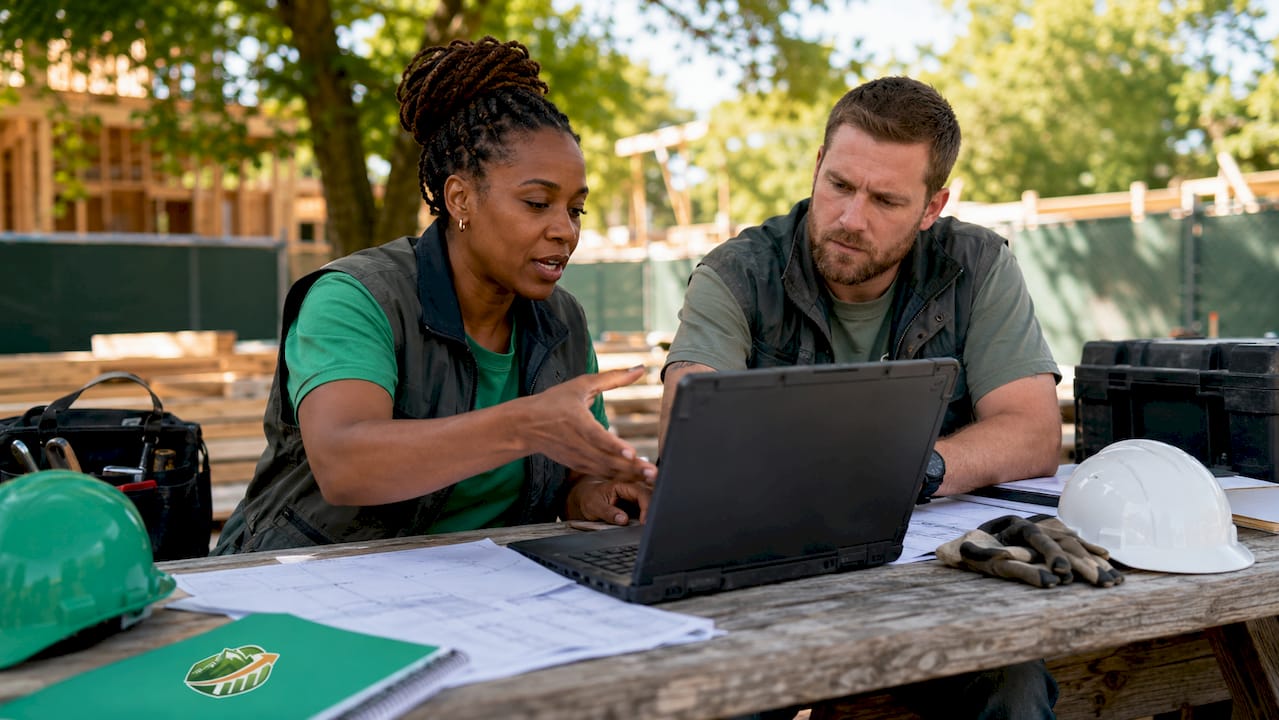
What do you need before adopting subcontractor management software?
Preparation determines whether a software rollout succeeds or stalls after two weeks. Most failed implementations come from skipping the groundwork, not from picking the wrong product.
Start with a workflow audit. Write down every step from bid invitation to final invoice. Identify where data is currently captured: paper timecards, text messages, email threads, or spreadsheets. That list tells you exactly which software modules you need on day one versus which ones can wait.
- Accounting compatibility check. Confirm the platform integrates with your current accounting software. QuickBooks Desktop and QuickBooks Online have different API connections. Verify which version your chosen platform supports before signing a contract.
- Hardware inventory. Field teams need Android or iOS devices capable of running the app. Older tablets with outdated operating systems will cause sync failures. Budget for hardware if your crew is still using devices more than four years old.
- Connectivity plan. Map your typical jobsite conditions. If you work in hospitals, data centers, or underground, offline mode is not optional. It is the baseline requirement.
- Training plan. Identify one champion per crew, typically a lead foreman or senior estimator, who learns the platform first and trains the rest. Top-down mandates without peer champions fail consistently.
Software shaped by trade-user feedback tends to have shorter learning curves because the interface matches how field teams already think about their work. Prioritize platforms with that track record.
Pro Tip: Run a two-week pilot on one active job before rolling out company-wide. Pick a job with a cooperative foreman. The lessons from that pilot will save you three months of company-wide headaches.
How to implement construction project management for subs: step by step
A structured rollout takes four to six weeks for a specialty trade company with 10 to 50 employees. Rushing it compresses the learning curve into a crisis.
- Set up your project structure. Create your first project in the platform. Enter the contract value, start date, and key milestones. Import your existing schedule if you have one in Excel or PDF format.
- Configure user roles and permissions. Estimators, project managers, foremen, and office admins need different access levels. A foreman should not be able to edit bid quantities. An estimator should not be able to approve invoices. Set these boundaries before anyone logs in.
- Upload plans with version control active. Upload your current plan set and label each sheet with the revision date. Enable automatic notifications so field users are alerted when a new revision arrives. This single step eliminates the "wrong plans" problem that causes rework on framing, drywall, and low-voltage jobs.
- Assign field tasks linked to plan locations. Pin tasks to specific areas on the drawings. A concrete crew can mark a pour complete with a photo attached. That photo becomes your progress documentation for the GC and your billing backup.
- Connect your estimating and billing workflow. Import your bid quantities into the project. Tracking actual installed quantities daily versus bid quantities protects your margins and tells you whether a job is profitable before it closes.
- Integrate with QuickBooks or your accounting platform. Map your cost codes in the construction software to your chart of accounts. Test the sync with one invoice before processing a full billing cycle.
- Generate your first progress report. Run an automated report at the end of week one. Share it with your project manager and one foreman. Get their feedback on what is missing before you standardize the format.
The table below shows a realistic rollout timeline for a roofing or insulation sub with 15 field employees.
| Week | Activity | Owner |
|---|---|---|
| 1 | Workflow audit and software setup | Office admin or PM |
| 2 | User accounts, roles, and first project upload | PM |
| 3 | Pilot job goes live with one foreman | Foreman champion |
| 4 | Estimating and QuickBooks integration tested | Estimator or owner |
| 5 | Full crew onboarded, daily task tracking begins | All field leads |
| 6 | First billing cycle run through integrated workflow | PM and office admin |
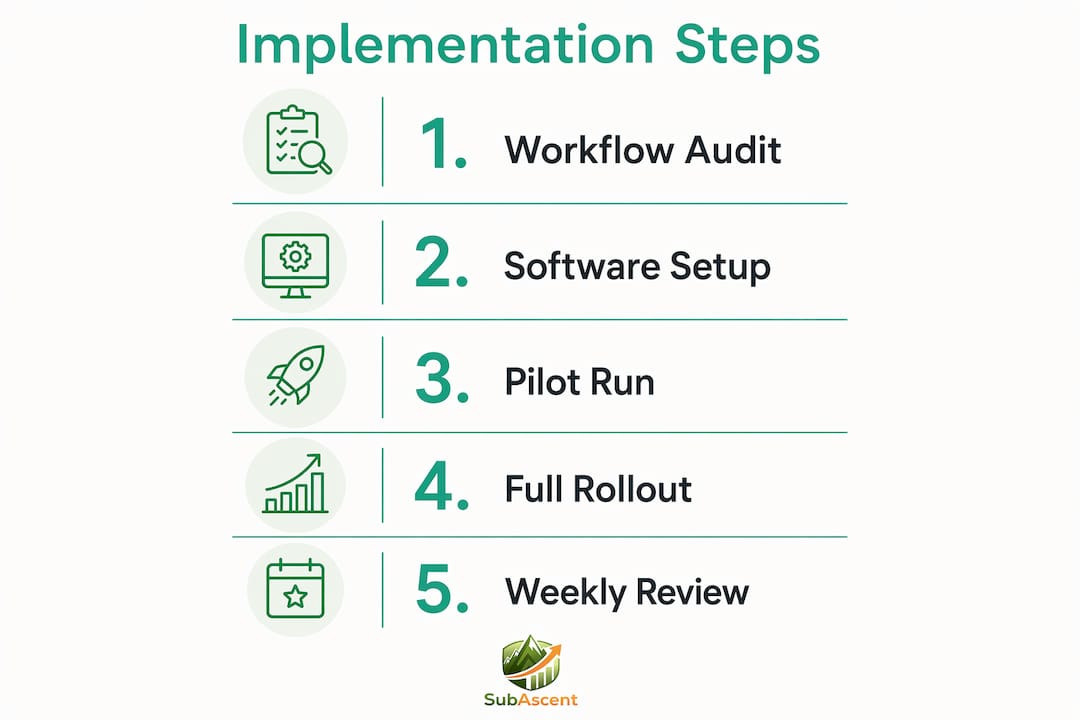
Construction cost tracking best practices recommend locking in your cost code structure before the first invoice runs. Changing codes mid-project creates reconciliation problems that take hours to untangle.
What mistakes do subs make when adopting construction software?
The most common mistake is skipping accounting integration and treating the software as a field-only tool. Generic ERP systems fail to track site-level progress or link bid quantities to actual labor costs. The same problem appears when subs buy purpose-built software and then refuse to connect it to QuickBooks. You end up with two sources of truth and neither one is right.
Watch for these specific pitfalls:
- Choosing software without offline functionality. A glazing or steel crew that loses access to plans because of a dead signal will stop using the app within a week. Offline mode is not a premium feature. It is a baseline requirement for field adoption.
- Overloading foremen with admin work. Foremen resist software that adds admin burden. If logging a daily report takes 15 minutes of typing, it will not happen. Look for platforms where a foreman can submit a report with three taps and a photo.
- Failing to customize for your trade. A painting sub tracking gallons per coat needs different fields than a plumbing sub tracking rough-in inspections. Using default templates without customization produces data that nobody trusts.
- Ignoring the reporting tools. Most subs set up the software, use it for task tracking, and never open the reports tab. Subcontractor management software centralizes work orders, progress validation, billing approval, and retention tracking. That data is only useful if someone reads it weekly.
- No foreman champion. Rolling out software by email announcement fails every time. Assign one experienced foreman to own the field rollout. Their credibility with the crew matters more than any training video.
Pro Tip: Set a weekly 15-minute review where your PM pulls the job cost report and compares installed quantities to bid. That habit catches margin problems four to six weeks before they become losses.
Key takeaways
Construction software built for subs protects margins by connecting field progress, bid quantities, and accounting into one system that field teams will actually use.
| Point | Details |
|---|---|
| Mobile offline access is non-negotiable | Field teams in low-signal environments will abandon any app that fails without connectivity. |
| Accounting integration prevents double entry | Connect your platform to QuickBooks before your first billing cycle to avoid manual reconciliation. |
| Daily quantity tracking protects margins | Comparing installed versus bid quantities each day catches cost overruns before a job closes. |
| Foreman champions drive adoption | Assign one experienced field lead to own the rollout and train peers rather than relying on top-down mandates. |
| Customization beats feature count | A platform configured for your specific trade delivers more value than a feature-heavy generic tool. |
Why I think most subs are still leaving money on the table
The real role of project management software in a trade business is not task tracking. It is margin protection. Most subs I talk to think of software as a way to organize paperwork. The ones running the most profitable jobs use it to know, every single day, whether they are ahead or behind on installed quantities versus what they bid.
That shift in thinking changes everything. When a drywall PM checks the job cost report on wednesday morning and sees the crew is 12% behind on board footage, they can adjust crew size or flag a scope change before the GC meeting. Without that data, they find out at closeout when it is too late to do anything.
Field adoption is the other piece that most owners underestimate. The best software in the world fails if foremen will not use it. Mobile-first design with minimal data entry is not a nice-to-have. It is the reason a platform succeeds or gets abandoned. I have seen companies buy expensive platforms and watch them die because the daily report took too long to fill out on a phone.
My advice: pick the platform your foremen will actually use over the one with the longest feature list. Then connect it to your accounting system on day one. Those two decisions determine whether the software pays for itself.
— Dave
How Subascent supports specialty trade subcontractors
Subascent is built specifically for specialty trade subcontractors, from electrical and HVAC to roofing and fire protection. It covers the full workflow from bid tracking and estimating through field task management, daily reports, and QuickBooks sync.
The platform is designed around the way subs actually work, not the way GCs want to manage them. Foremen get a mobile app that works offline. Estimators get bid quantities that connect directly to field progress. Office admins get invoices that sync without manual entry. If you want to see how it fits your trade, visit Subascent to learn more or request a demo.
FAQ
What is construction software built for subs?
Construction software built for subs is project management and field operations technology designed around specialty trade workflows, including bid tracking, PDF takeoff, plan distribution, and accounting integration. It differs from GC-focused platforms by prioritizing field usability and trade-specific cost tracking.
Why do generic platforms fail specialty subcontractors?
Generic ERP and GC-built platforms fail to track site-level progress or link bid quantities to actual labor costs, which are the two metrics subs need most to protect margins.
How important is offline mode for subcontractor field apps?
Offline capability is critical. Field teams working in hospitals, concrete structures, or underground environments cannot rely on connectivity, and mobile-first design with offline access is the primary driver of foreman adoption.
How does subcontractor software connect to QuickBooks?
Most purpose-built platforms offer a direct API sync with QuickBooks Online or Desktop. You map your construction cost codes to your chart of accounts once, and invoices, payments, and job costs flow automatically without manual entry.
What trades benefit most from purpose-built construction software?
Electrical, plumbing, HVAC, drywall, roofing, masonry, fire protection, and low-voltage trades benefit most because they run multiple concurrent jobs with frequent plan revisions and need task completion tracking tied to specific plan locations.