
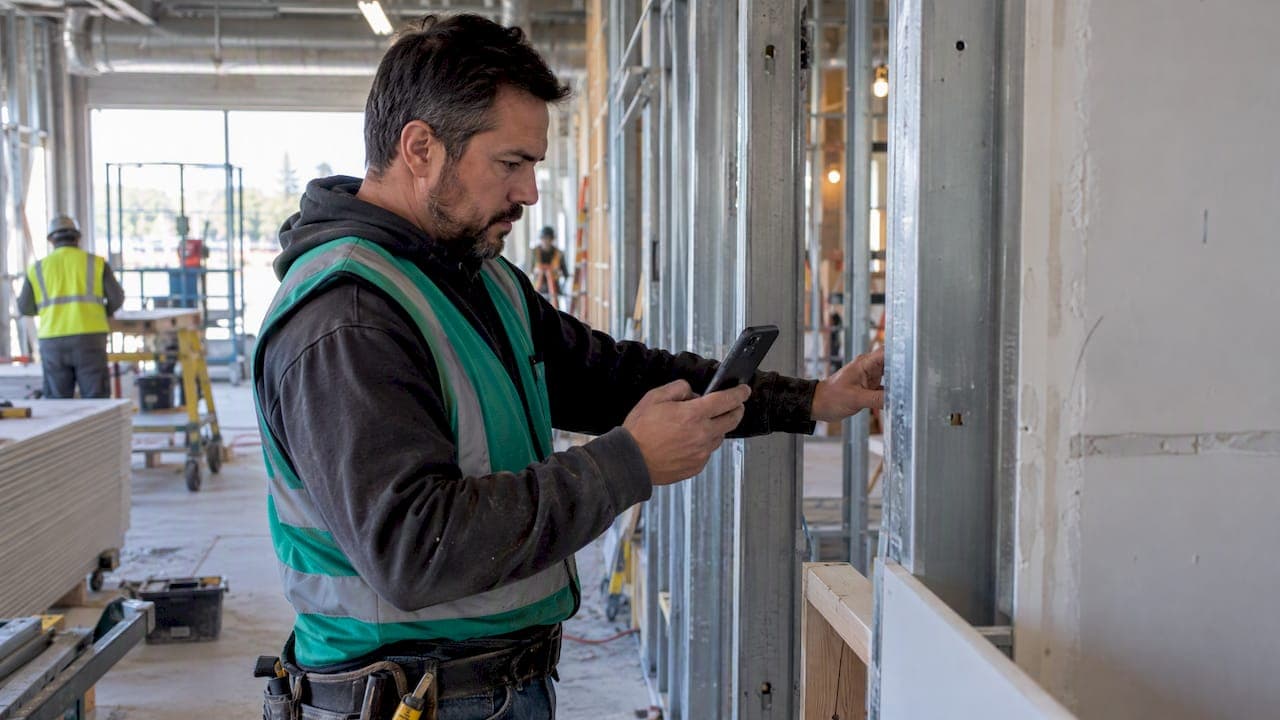
Daily quantities tracking means recording installed linear feet, square feet, cubic yards, or counts each day and tying those entries to your schedule of values so you can bill, support change orders, and update WIP. The single best practice is simple: foremen capture quantities on a phone against a specific SOV line, and the office verifies and locks those entries before the billing cutoff. Do that consistently and your pay applications get faster, your change orders get harder to dispute, and your job cost reports stop lying to you.
TL;DR:
- Bookmark daily quantities against specific schedule of values lines to ensure accurate progress tracking and valid billing reports.
- Use a short, mandatory data entry form that includes the date, crew, SOV line, unit, quantity, photo, and foreman initials for quick, reliable updates.
- Consistently review and lock daily entries within a day or two to prevent post-approval modifications that could cause disputes or errors.
- Match units of measurement precisely to contract scope, whether linear feet, square footage, or cubic yards, to maintain consistency and accuracy.
- Employ mobile apps with automatic timestamps and geotags to streamline field capture, reduce manual input, and improve data security and traceability.
Table of Contents
- Field capture workflow: who records what, when, and how
- Measurement formats, units, and trade-specific examples
- Turning daily quantities into billable progress, change orders, and WIP
- Tools and templates: what to require, what to avoid
- Daily verification checklist and best practices for small specialty trades
- Privacy and security considerations for digital daily quantities data
- Author perspective: practical notes from Dave
- How SubAscent can help implement this workflow
- Sources
- FAQ
Field capture workflow: who records what, when, and how
The workflow has two halves: a fast field step and a short office step. Both need to happen the same day, not three weeks later when nobody remembers what actually got installed.
- Foreman records quantities at the end of each shift, before leaving the job site.
- Entry includes the SOV line it maps to, the unit of measure, and the quantity installed that day.
- A single photo gets attached as visual backup, timestamped automatically.
- The entry gets submitted through a mobile app or a shared form, not a paper notebook that sits in a truck.
- Office staff reviews entries against the schedule of values within a day or two, not at month end.
- Once verified, entries get locked for the billing period so nobody edits history after the invoice goes out.
The minimum field set that works across trades is date, crew name or ID, SOV line number, unit (LF, SF, CY, or each), quantity, one photo filename, job code, and foreman initials. That list reliably supports both billing and change order backup while keeping entry time under 10 minutes a day, according to industry reporting on digital field capture.
Most contracts set a billing cycle with a documentation window attached. Many standard payment schedules call for progress data within 15 days of the billing period ending, so your daily capture needs to be current well before that deadline, not scrambled together the night before the pay app is due.
- Keep the field list short: five or six fields beats a fifteen-field form nobody fills out correctly.
- Train foremen once, then spot-check for a month until the habit sticks.
- Make photo capture mandatory, even when the day's work seems unremarkable.
Pro Tip: Set a daily phone reminder for foremen at quitting time. The habit breaks the moment it becomes something they remember to do "later."
Measurement formats, units, and trade-specific examples
Daily quantities only mean something when the unit matches how the SOV line is priced. Electrical and low-voltage work is usually counted in feet of conduit or cable and device counts. Masonry and concrete get measured in square feet of wall or cubic yards poured. Flooring, drywall, and insulation run on square footage. Steel and rebar often track by linear foot or by tonnage depending on the contract.
A few copy-ready examples:
- Electrical: "180 LF of 3/4-inch EMT installed, SOV line 4.2, Building A corridor."
- Plumbing: "12 fixture connections roughed in, SOV line 6.1, third floor restrooms."
- HVAC/mechanical: "340 LF of ductwork hung, SOV line 3.3, mechanical room and shaft."
- Masonry: "1,200 SF of CMU wall laid, SOV line 2.4, north elevation."
- Concrete: "48 CY placed, SOV line 1.1, slab on grade, pour 3 of 6."
- Framing: "2,100 SF of wall framing complete, SOV line 5.2, levels 2 to 4."
- Drywall: "3,400 SF hung and taped, SOV line 7.1, east wing."
- Roofing: "900 SF of membrane installed, SOV line 8.1, low roof section."
- Fire protection: "220 LF of sprinkler main installed, SOV line 9.2, basement level."
- Painting, glazing, and low-voltage follow the same pattern: unit, quantity, SOV line, location.
Prefabricated assemblies need a note on what counts as "installed." If a panel was built off site and only set in place that day, log the set, not the fabrication, unless your contract separates the two.
Turning daily quantities into billable progress, change orders, and WIP
Daily entries are only useful if they map cleanly to the schedule of values on your payment application. Standard forms used across the industry, including ConsensusDocs 292 for lump sum work and ConsensusDocs 291 for GMP contracts, require substantiating data behind every line item, along with retainage treatment and certification. Your daily quantities are that substantiating data.
- Sum daily quantities by SOV line for the billing period.
- Compare the total against the line's contract quantity to calculate percent complete.
- Attach photo backup, relevant RFIs, and meeting minutes where the work touched a disputed scope item.
- Submit the pay application with the schedule of values itemized, matching the recorded quantities exactly.
For change orders and disputes, the same daily records become your defense. A subcontractor change order guide and an RFI workflow resource both cover this: the quantity you logged on the day, tied to the RFI that changed the scope, is worth more than a recollection weeks later. Linking field reports to schedule updates creates an evidence record that helps defend against change order disputes and delay claims.
For WIP, the math is the same quantities run a different direction. Installed quantity divided by contracted quantity gives percent complete, which gives earned value. Compare earned value to what you have billed, and you know in minutes whether a job is under-billed or over-billed, which is the number that actually tells you if a job is making money before it closes.
Tools and templates: what to require, what to avoid
You do not need a complicated system. You need a few specific capabilities and the discipline to use them every day.
- SOV line mapping built into the entry form, not a separate spreadsheet lookup.
- Mobile photo attachment that timestamps and geotags automatically.
- Job code and location tagging so multi-job crews don't cross-contaminate entries.
- One-tap QuickBooks export so office staff isn't retyping quantities into accounting software.
- API-style connection between estimating and field actuals, so historical production rates from past jobs improve future bids.
Avoid tools that force foremen through more than six or seven fields, require a desktop login to submit, or store entries in a format the office has to manually re-key into billing software. A daily production report that creates office work instead of removing it will get abandoned within a month.
Pro Tip: If a foreman can't finish the daily entry before starting the truck, the form has too many fields.
Daily verification checklist and best practices for small specialty trades
Run this checklist before every invoice goes out, not after a dispute forces you to reconstruct it.
- Match every SOV line's billed quantity to summed daily entries for the period.
- Confirm photo evidence exists for each line with a material quantity change.
- Cross-reference any disputed scope against its RFI number.
- Get crew sign-off or foreman initials on the final daily total for the week.
- Attach material receipts where quantities depend on delivered stock.
- Lock the period for billing so entries can't shift after the invoice is sent.
Train foremen with a short walkthrough, then audit. One practical method borrowed from industry risk guidance: spot-check two daily entries per active job each week against an independent measurement or quick takeoff, and retrain when the variance exceeds an agreed tolerance such as 10%.
Reconciling field capture against original takeoff quantities is where most surprises show up. A crew productivity guide and masonry-specific examples both show the same pattern: small daily gaps compound fast on a long job, so weekly reconciliation catches problems while they're still cheap to fix.
Pro Tip: A metal roofing or materials calculator, like the one from MidAtlantic Metal Panels, is a fast way to cross-check a reported quantity against a rough material estimate before you sign off on an invoice.
Privacy and security considerations for digital daily quantities data
Daily quantities data includes job locations, crew identities, photos of active work sites, and sometimes client-specific pricing tied to SOV lines. Treat it with the same care you'd give payroll data, because in a dispute it functions as a legal record.
Keep access role-based: foremen submit, office staff review and lock, and only people who need pay application data should see cost-linked SOV figures. Photos taken on-site can inadvertently capture other contractors' work or proprietary client information, so review what gets attached before it leaves the job.
Store data with a provider that encrypts in transit and at rest, and keep records retained for as long as your state's lien and claim deadlines require. Recording and retention windows vary by jurisdiction, and some states enforce strict filing deadlines on construction liens, so daily records tied to disputed work may need to be kept well past job closeout. Insurers and claims reviewers also weigh how complete your documentation is when a dispute reaches that stage, which is one more reason a locked, timestamped daily record beats a loose folder of notes.

Author perspective: practical notes from Dave
The single biggest change I've seen on real jobs is moving quantity capture off paper and onto a phone, submitted the same day. Paper daily reports get lost, guessed at, or written from memory a week later, and memory rounds numbers in the foreman's favor or the office's, rarely the correct one.
The most common mistake is skipping photos on "normal" days. The disputed day is never the day you expected.
— Dave
How SubAscent can help implement this workflow
Running this workflow by hand with spreadsheets and texted photos works for a while, until a job gets busy and entries start slipping. There are systems available that combine daily field capture, PDF takeoff, and job-cost tracking into a unified platform tailored to specialty trade subcontractors rather than general contractors.

- Mobile apps exist that enable foremen to capture quantities, photos and schedule of values mapping directly in the field.
- Some software solutions provide synchronization of daily entries to job cost reports and accounting software to reduce manual data entry.
- PDF takeoff tools can help estimators relate contract quantities to schedule of values lines for accurate reporting.
If your daily reporting still runs on paper or scattered text messages, visit Subascent to start a trial or request a demo.
Sources
- Schedule of Values for Construction Projects | ConsensusDocs 293
- Innovation & technology driving better collaboration between field and office (DBIA blog)
- Improving communications with the field improves project management - Construction Executive
FAQ
What counts as a daily installed quantity?
It's the measurable amount of work completed that day in the unit your contract uses, such as linear feet of conduit, square feet of drywall, or cubic yards of concrete poured. Each entry should tie to a specific schedule of values line so it can be summed for billing later.
How often should daily quantities be submitted?
Quantities should be logged the same day the work happens, with office review following within a day or two. Standard payment schedules often require updated progress data within 15 days of the billing period, so same-day capture keeps you well ahead of that deadline.
How do daily quantities support a change order?
A daily entry tied to an RFI number and a photo gives you a timestamped record of exactly what was installed and when the scope changed. That combination, as outlined in ConsensusDocs 291 guidance on documenting actual work performed, is far stronger than a verbal recollection during a dispute.
What's the fastest way to catch bad data before billing?
Spot-check a couple of entries per active job each week against an independent measurement, and lock each billing period once it's verified so nothing changes after the invoice goes out. Catching a variance early, before it compounds across a multi-month job, is far cheaper than disputing it after the fact.
Do I need special software to track daily quantities, or can I use spreadsheets?
Spreadsheets work for very small crews, but they break down once multiple foremen or jobs are involved because entries get delayed, duplicated, or lost. A mobile-first daily reporting tool with built-in SOV mapping keeps entry time low and reduces the office work of reconciling scattered data.