

Painting subcontractor field photo best practices are defined as a repeatable, metadata-rich documentation routine that protects your projects, supports dispute resolution, and builds client trust. Construction disputes cost over $48 billion annually, and a daily 20–30 minute photo routine can prevent up to 90% of them by creating defensible records. The industry term for this practice is construction photo documentation, and painting subs who treat it as a daily discipline gain a measurable edge in GC communication, payment disputes, and local marketing. A structured five-stage workflow, visible metadata overlays, and consistent framing are the three pillars that separate professional documentation from a folder of random job-site snapshots.
1. Painting subcontractor field photo best practices: the five-stage workflow
The most reliable subcontractor field photography system follows five defined stages: arrival and setup, before-condition, in-progress milestones, after-completion, and customer walkthrough. Each stage captures a distinct phase of the job and prevents the uneven photo coverage that leaves you exposed when a GC or homeowner disputes your work.
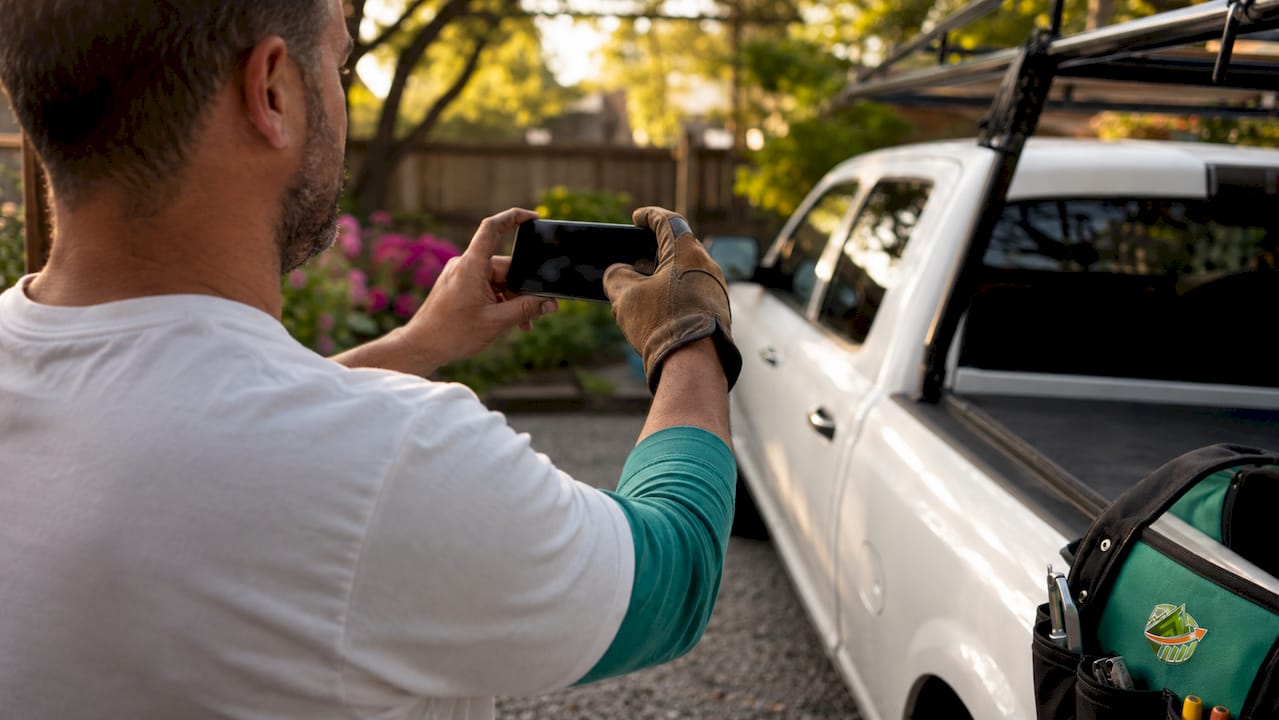
Stage 1: Arrival and setup. Photograph your truck on the driveway or in front of the building before you unload a single drop cloth. This shot proves site presence, timestamps your arrival, and doubles as marketing content for your Google Business Profile.
Stage 2: Before-condition. Walk the entire work area and photograph every surface you will touch. Shoot multiple angles. Document existing damage, staining, or surface defects before your crew applies a drop cloth or primer. These photos are your primary defense if a client claims your crew caused pre-existing damage.
Stage 3: In-progress milestones. Capture photos at natural transition points: after surface prep, after the first coat, and after any significant change in scope. Include workers in frame occasionally. These shots prove process and workmanship, not just outcome.
Stage 4: After-completion. Match your before-condition angles exactly. A side-by-side comparison at the same viewpoint is the clearest proof of quality work. It also creates ready-to-use before-and-after content for proposals and social media.
Stage 5: Customer walkthrough. Photograph the client reviewing the finished work. A photo of a satisfied customer standing in front of a freshly painted surface is stronger than any written sign-off for payment disputes and online reviews.
Pro Tip: Set a phone alarm labeled "5-stage photos" at the start of every job. The alarm forces the habit until it becomes automatic for every crew member.
2. Which metadata elements make field photos legally defensible
Visible metadata overlays are the difference between a photo that holds up in a dispute and one that gets dismissed. Defensible construction photo documentation requires seven elements: a visible date and time stamp, GPS coordinates, a project or job identifier tag, atomic clock sync, original unedited file preservation, dual cloud backup, and weekly index audits.
The most overlooked detail is the difference between visible overlays and EXIF data. Photos with visible date, GPS, and project tag overlays survive the metadata stripping that happens when files are shared through email and messaging apps. EXIF data disappears the moment a GC's project manager forwards your photo through a standard email client. Visible overlays burned into the image itself do not.
- Date and time stamp: Visible on the image face, synced to an atomic clock source.
- GPS coordinates and address: Human-readable address overlay confirms the job site location.
- Project or job tag: Links the photo to a specific contract, scope, or work order.
- Original file preservation: Never edit or crop the primary file. Save edits as copies.
- Dual cloud backup: Store photos in at least two locations simultaneously.
- Weekly index audit: Review your photo log weekly to catch gaps before the job closes.
- Atomic clock sync: Prevents timestamp disputes caused by incorrect phone clock settings.
Pro Tip: Use a dedicated timestamping camera app that burns overlays directly into the JPEG at capture. Do not rely on your phone's native camera and add metadata later.
3. How viewpoint consistency improves documentation and marketing
Fixed viewpoints are the single most underused technique in painting contractor photo guidelines. Establishing 1–5 marked viewpoints per site creates reliable, comparable progress photos and enables time-lapse comparisons that demonstrate workmanship clearly to GCs and clients.
The practical method is simple. On your first site visit, identify the corners and center positions that capture the full scope of each room or exterior face. Mark each spot with a small piece of painter's tape on the floor or ground. Every crew member shoots from those exact spots at every stage.
Orientation and framing
Landscape orientation is the standard for all field documentation photos. Websites, Google Business Profiles, and sales proposals display horizontal images correctly. Vertical shots get cropped, lose context, and look unprofessional in every marketing channel.
| Orientation | Documentation use | Marketing use |
|---|---|---|
| Landscape (horizontal) | Full wall coverage, before/after comparison | Websites, GBP, proposals |
| Portrait (vertical) | Detail close-ups only | Social media stories only |
Additional framing techniques that improve photo quality:
- Rule of thirds: Place the main surface or focal point along the grid lines, not dead center.
- Focus lock: Tap the phone screen on the surface you are documenting to lock focus before shooting. This reduces blur and discard rates from 25% to under 5%.
- No flash: Natural or ambient light produces accurate color representation. Flash creates harsh shadows and washes out paint sheen.
- Clean lens: Wipe the camera lens before every shoot. Job-site dust is the most common cause of hazy photos.
4. What types of photos painting subs should capture on every job
A complete photo record for a painting job covers six distinct photo types. Missing any one of them creates a gap that a dispute can exploit.
- Truck-on-driveway shot. This photo provides the highest SEO leverage for local Google Business Profile visibility and proves service area to potential clients. Most painting subs skip it entirely.
- Wide-angle before and after. Full-room or full-facade shots at matching angles. These are your primary evidence of scope completion.
- Detail close-ups. Photograph nameplates, trim edges, and any surface defect with a common object in frame for scale. A paint can lid next to a crack gives the viewer an immediate size reference.
- In-progress milestone photos. Capture surface prep, primer application, and first coat separately. These prove process, not just outcome, and support change order claims when scope expands.
- Incident and weather photos. Any unexpected event, including rain damage, substrate failure, or third-party interference, requires immediate documentation. Timestamp and GPS are critical for these shots.
- Customer walkthrough photos. Photograph the client reviewing the finished work in person. This single photo type resolves more payment disputes than any other documentation because it shows the client accepted the work.
5. How to organize and store field photos for fast retrieval
A photo taken but not retrievable is worthless. The organization system matters as much as the capture routine itself.
Tag every photo at the time of capture with the job number, stage name, and date. A consistent naming convention such as "JobNumber_Stage_Date" makes searching a folder of 200 photos take seconds instead of minutes. Batch uploads at the end of each day prevent the backlog that builds when crews wait until the job closes to organize their shots.
Dual cloud backup means two separate services, not two folders in the same account. A weekly index audit, as required by the seven-element defensibility standard, means reviewing that every stage is represented for every active job. Gaps found mid-job can still be filled. Gaps found after a dispute cannot.
Connect your photo storage to your submittals workflow with GCs so that photo evidence is attached directly to the relevant submittal or RFI. This eliminates the back-and-forth of hunting for photos when a GC requests documentation.
6. Common field photo mistakes that cost painting subs money
The most expensive photo mistakes are not technical. They are procedural.
Relying on EXIF data alone is the most common error. As noted above, EXIF strips out during file sharing. The second most common mistake is shooting only after completion and skipping the before-condition stage. Without before photos, any pre-existing damage becomes your liability by default.
Shooting in portrait orientation for marketing use is a close third. A vertical before-and-after photo cannot be used on a website, a Google Business Profile, or a printed proposal without cropping that destroys the comparison. Landscape orientation from the start avoids this entirely.
Skipping the customer walkthrough photo is the mistake that costs the most money. A client who disputes final payment almost never does so when there is a timestamped photo of them standing in the finished space. The walkthrough photo is the fastest return on any investment in your photo documentation routine.
Consistent field RFI documentation paired with strong photo records gives your foremen the evidence they need to support change orders and protect your margin on every job.
Key takeaways
Painting subcontractors who follow a five-stage photo workflow with visible metadata overlays prevent the majority of disputes and build a stronger marketing portfolio with zero additional cost.
| Point | Details |
|---|---|
| Five-stage workflow | Capture arrival, before-condition, in-progress, after-completion, and walkthrough photos on every job. |
| Visible metadata overlays | Burn date, GPS, and job tag into the image face so overlays survive email and app sharing. |
| Fixed viewpoints | Mark 1–5 spots per site and shoot from the same positions at every stage for reliable comparisons. |
| Landscape orientation | Shoot horizontal for all documentation and marketing photos; use portrait only for detail close-ups. |
| Walkthrough photo | Photograph the client reviewing finished work to resolve payment disputes before they start. |
What I've learned from watching painting subs get burned on disputes
The painting subs I've seen lose disputes almost never lost because their work was bad. They lost because they could not prove their work was good. A GC's project manager sends one email claiming the trim was never painted, and without a timestamped after-completion photo from the right angle, you are arguing your word against theirs.
The truck-on-driveway shot is the one I push hardest because it does double duty. It proves you showed up, and it feeds your Google Business Profile with geotagged content that improves local search visibility. Most subs treat it as optional. It is not optional. It takes ten seconds and it pays back every time.
The focus-lock habit is the other one that separates professional documentation from amateur snapshots. Phone cameras default to the brightest point in the frame, which on a job site is usually a window or a light fixture behind the wall you are trying to document. Tap the wall. Lock the focus. Every photo comes out sharp. That one habit drops your discard rate from roughly one in four photos to nearly zero.
The discipline piece is the hardest part. The five-stage workflow only works if every crew member follows it on every job, not just when they remember. Build it into your daily report requirement. No daily report closes without confirmation that all five stages are photographed. That one rule changes the behavior faster than any training session.
— Dave
How Subascent supports painting subs with field photo management
Painting subs who want their photo documentation connected to their job management workflow use Subascent to tag photos directly to jobs, store them in a searchable cloud repository, and attach them to submittals and change orders without hunting through phone camera rolls.

Subascent is built for specialty trade subs, not general contractors, so the workflow fits how painting crews actually operate in the field. Job tagging at capture, dual cloud backup, and direct integration with bid and project management mean your photo records are organized from day one. When a GC questions scope or a client disputes payment, your evidence is one search away. Visit Subascent's job management tools to see how painting subs use it to protect their margins and close jobs faster.
FAQ
What is the five-stage photo workflow for painting subs?
The five-stage workflow covers arrival and setup, before-condition, in-progress milestones, after-completion, and customer walkthrough. Following all five stages prevents uneven photo coverage and creates a complete, defensible project record.
Why do visible metadata overlays matter more than EXIF data?
EXIF data is stripped when photos are shared through email or messaging apps. Visible overlays burned into the image preserve date, GPS, and job tag information regardless of how the file is transferred.
How many fixed viewpoints should I mark per job site?
Mark 1–5 fixed viewpoints per site depending on the scope of work. Consistent positions at each stage enable direct before-and-after comparisons and reliable time-lapse progress documentation.
What orientation should field photos use?
Landscape orientation is the standard for all documentation and marketing photos. Vertical shots get cropped on websites, Google Business Profiles, and proposals, which destroys the context needed for before-and-after comparisons.
How do field photos reduce payment disputes?
A timestamped customer walkthrough photo showing the client reviewing the finished work is the most effective single document for resolving payment disputes. Combined with before-condition photos, it removes the ambiguity that most disputes depend on.