
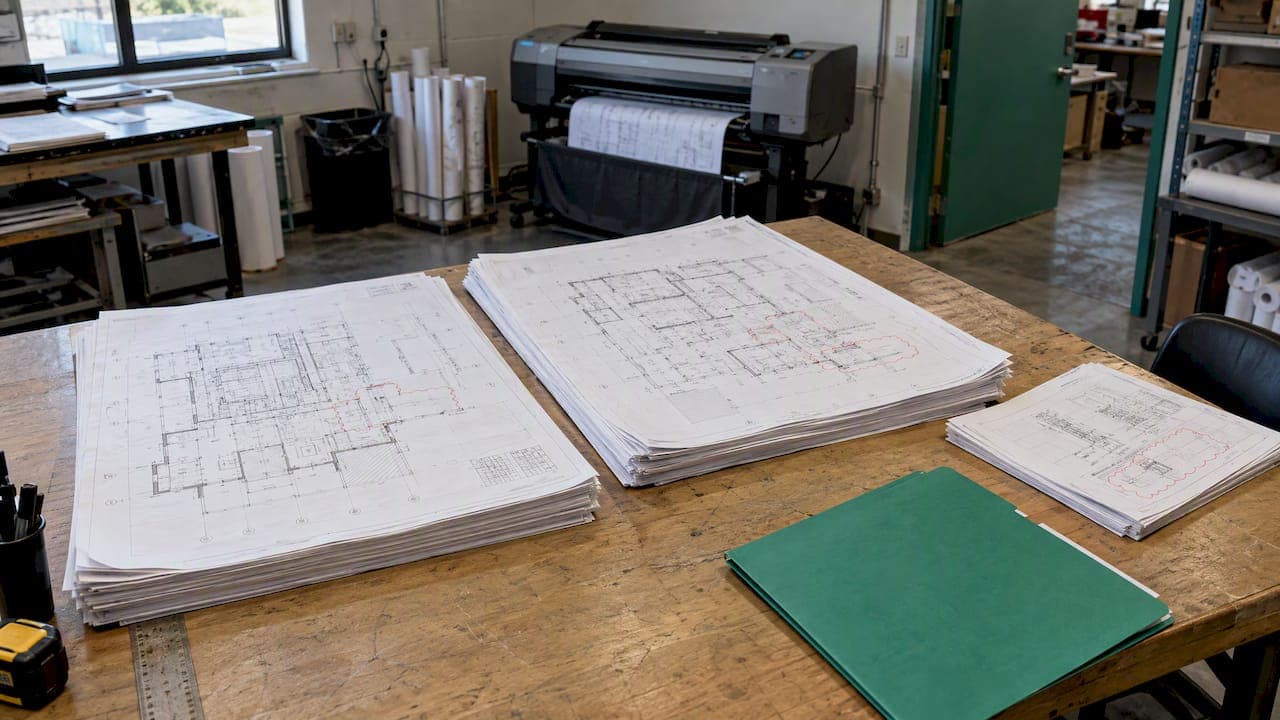
An addendum is a change to the bid package issued after you got the invitation and before the contract is signed. A good addenda review process does four things for every one that lands: logs it, compares it against what you already priced, reprices what changed, and acknowledges it on the bid form. Skip any of the four and you either bid old scope or hand the GC a reason to throw your number out.
This is the workflow we would hand an estimator at an electrical, mechanical, drywall or masonry shop. It works with a spreadsheet and a shared folder. It works better when the log lives next to the bid.
TL;DR
- Log every addendum the day it arrives: number, dates, affected sheets and specs, which trades it touches, and a status (read, priced, acknowledged).
- Compare the new set against the full prior set, not just the clouds. One change usually ripples into schedules, details and spec sections.
- Triage by impact, then re-run the takeoff on anything that moves quantities instead of patching numbers.
- Acknowledge every addendum on the bid form, and do a final sweep of the log before you submit.
- Archive the full set at each addendum so you can defend your number after bid day.
Table of Contents
- What an addendum is and when it shows up
- The addenda review process, step by step
- What to check for by trade
- The log: what it should hold
- When an addendum is unclear, conflicting or late
- Acknowledge every addendum and run the final sweep
- Document the bid so you can defend it
- Our perspective
- Keep addenda next to the bid
- FAQ
- Sources
What an addendum is and when it shows up
An addendum usually modifies the drawings and specifications, and it is issued during the bid period, before the contract is executed. The same source says addenda come out when the documents have omissions or contradictions, need clarification, when alternatives are approved, or when the owner wants minor project changes.
That is different from a change order, which changes a contract that already exists. An addendum changes what everyone is pricing. If you price from the wrong set, there is no change order to rescue you later.
Timing is the problem for subs. The AIA-MBA Joint Committee says addenda should go out at least four working days before bids are received, and that bidders should send requests for interpretation no later than seven days before. In practice, plenty of addenda arrive tighter than that. You plan for the late one, not the polite one.
The GC forwards addenda to you. The AGC, ASA and ASC guidelines say addenda information should be promptly distributed to bidding specialty trade firms. Do not assume that happened. Check the plan room, the GC's portal and your email, and treat a missing addendum number as a question to ask.

The addenda review process, step by step

1. Log it the moment it arrives
Open the bid's log before you open the PDF. Record the addendum number, the date issued, the date you received it, and your name. One log per bid is the rule that holds up: number, issue and receipt dates, affected sheets and trades, price impact, and status, including whether it was read, priced or acknowledged.
If you track bids in more than one place, you will miss one. Our guide to GC addendum tracking covers how a missed acknowledgment sinks an otherwise good bid, and bid invitation tracking covers keeping the invitations themselves from slipping.
2. Pull the complete set, not only the changed sheets
Download the whole addendum package and the full updated drawing and spec set. Save it in a folder named by addendum number. Comparing complete matched document sets rather than clouded sheets alone is the safer habit, because clouds get missed, and some revisions are never clouded at all.
Name files so the order is obvious. If your folder has "Plans final" and "Plans final v2," fix that first. Our document version control steps show a naming and filing pattern that holds up under bid pressure.
3. Read the addendum text first
The narrative part of an addendum is short and it tells you where to look. Read every item once, straight through. Then mark each item against your trades:
- Does it name your trade's spec section?
- Does it reference a sheet you took off?
- Does it add, delete or replace a sheet?
- Does it change a bid date, a bid form, an alternate or an allowance?
Delete the items that clearly do not touch you, but write "no impact" in the log with the reason. A documented no-impact decision is part of the record. A blank is not.
4. Compare against the prior set and trace the ripple
Put the revised sheet next to the version you priced. Then go sideways. Compare each addendum with the drawings and specifications it references and the neighboring documents, looking for mismatches, conflicts and later revisions to referenced sheets.
The ripple is real. WSDOT's plans manual notes that one minor change can create effects on other sheets, and it distinguishes deleted, added or replacement, and revised sheets. That is a highway agency's guidance for designers, but the lesson carries over to your bid: treat an addendum as a change to a document set, not a list of clouded spots.
Trace each change through:
- Details and enlarged plans
- Schedules and legends
- General notes and keynotes
- The spec section, including related sections that cross-reference your work
Watch deletions across successive addenda. Ferra's guidance is to track deletions so they are not counted twice. If Addendum 2 deletes a wall and Addendum 4 revises the same wall, you do not take credit twice.
5. Triage by impact
Not every item deserves an hour. Estimators are advised to triage addenda by impact and spend the heavy review time on items that affect quantities or scope, not minor clarifications.
A simple three-bucket sort works:
- No impact. A clarification of a dimension you already had, a date change on a different trade, a revised cover sheet.
- Pricing impact, small. A product substitution, a note change, an extra fixture count you can adjust by line.
- Scope or quantity impact. New or deleted areas, changed assemblies, new alternates, revised specs that change labor or material.
Bucket 3 gets a full re-takeoff on the affected area.
6. Re-run the takeoff, do not patch it
When an addendum changes quantities, re-run the takeoff for the affected scope instead of patching numbers. Patching feels fast and it is how a plus-or-minus error survives into the final number. Ferra suggests rerunning quantities to isolate the current addendum's delta, which gives you a clean "this addendum adds X" figure for your notes.
A quick example. You priced 18,400 square feet of 5/8-inch Type X board on a medical office. Addendum 3 revises two corridor sheets and adds a rated shaft wall. You re-run the takeoff for those areas only, compare to the original, and log the delta: board, studs, framing hours, fire caulk, and the change in labor productivity for the shaft. The original total stays in a saved copy.
7. Push the change to suppliers and lower-tier subs
This is the quiet loss. Deirdre Pearson at ConstructConnect notes that failing to pass revised scope to subs and suppliers is a frequent source of losses, because bids look low only when priced to outdated documents. If a supplier quoted your glazing, rebar or insulation off the base set, send them the addendum with the affected sheets and ask for a written confirmation or updated quote. Then level the quotes again; our piece on bid leveling for trade subs covers how.
8. Tie every change to a priced line or a no-impact note
Tribuild Resources recommends tying every revision to a priced estimate line, allowance, alternate, vendor quote, or documented no-impact decision. Put that column in your log. When the bid is ready, no addendum item should have an empty cell.
What to check for by trade
The generic question is "did the scope change?" The trade question is narrower. WSDOT's contract guidance lists the kinds of changes that matter for accurate bidding: material-specification changes, new bid items, substantial quantity revisions (generally 25% or greater), legal-requirement changes, revised special provisions, and errors or omissions. The 25% figure is that agency's threshold, not a rule for private work, but it is a useful gut check. Here is how the same categories look in the shops we write for.
| Trade | Addendum items that move the number |
|---|---|
| Electrical | Fixture type swaps, panel schedule revisions, new lighting controls sections, added or deleted circuits, revised one-line diagrams |
| Plumbing | Fixture schedule changes, pipe material changes, added floor drains, new backflow or water heater requirements |
| HVAC/mechanical | Equipment schedule changes, duct material or insulation changes, controls spec rewrites, added air devices. See our HVAC estimating workflow |
| Masonry | Unit size or type changes, added veneer elevations, reinforcement or grout spec changes, new mockup requirements. See our masonry scope review |
| Drywall and framing | Added rated assemblies, gauge changes, ceiling height revisions, new level of finish |
| Roofing | Insulation R-value or thickness changes, new warranty terms, added tapered areas |
| Fire protection | Hazard classification changes, added coverage areas, revised hydraulic design criteria |
| Glazing | Glass type or performance changes, revised storefront elevations, new testing or mockup requirements |
Also look for the non-drawing changes. Bid date and time moves, new bid form pages, changed alternates, new insurance or bonding language, and revised schedule or phasing all hit your price without touching a single sheet. Our CSI spec reading approach shows how to keep a scope log against spec sections so these changes stand out.
The log: what it should hold
Keep it simple enough that people use it at 4:30 on bid day.
| Field | Why it matters |
|---|---|
| Addendum number | Matches what the bid form asks you to acknowledge |
| Date issued and date received | Shows what you had time to price |
| Sheets and spec sections affected | Your starting point for comparison |
| Trades or scopes touched | Tells you who to forward it to |
| Impact bucket (none, small, scope) | Drives how much time it gets |
| Price impact | The delta you carried |
| Status: read, priced, acknowledged | Feeds the final sweep |
| Reviewer and date | Accountability |
Addendum management comes down to logging each document's number, dates and key changes, then assessing scope, material, schedule and pricing impacts. Anything beyond that is for your own convenience.
When an addendum is unclear, conflicting or late
Unclear or conflicting: record the documents involved, quote the exact sheet and spec references, and submit a written question through the specified channel. Phone calls to the GC's project engineer are fine for a heads-up. They are not an answer you can rely on.
If the answer will not arrive before the bid is due, state an assumption in your qualifications where the bid rules allow it. Read the instructions to bidders first; some owners reject qualified bids. Our guide to bid proposal exclusions shows how to word assumptions and exclusions so they are clear and not combative.
Late addenda: the schedule is yours to manage. When one arrives the day before, triage hard. Go straight to bucket 3, price the delta, and write down in the log what you did not have time to check. If the change is large enough that you cannot price it responsibly, ask the GC in writing whether the bid date will move. Owners do move dates, and some public agencies need time to process. For example, the Los Angeles Bureau of Engineering says addenda should reach its processing center at least 15 days before bid opening. Many private jobs have no such cushion.
Acknowledge every addendum and run the final sweep
Acknowledging is not a formality. Acknowledge every addendum on the bid form, complete all required fields, and deliver the bid by the stated time and method. Failing to acknowledge an addendum can make a bid non-responsive.
Federal work spells it out. FAR 52.214-3 says bidders must acknowledge each amendment, by signed return, amendment number and date on the bid form, letter, or an authorized electronic method, by the bid deadline. It also says terms not modified by an amendment stay unchanged, which is a good reminder to read what the addendum does not touch. Private and local jobs vary, so read the bid form.
Then do the final sweep on bid day. Open the log and confirm every addendum is logged, read, priced if applicable, and properly acknowledged on the final bid form. Check the count against the GC's portal one more time. Then submit.
Document the bid so you can defend it
Your estimate is a record of what you assumed. The basis of estimate should identify the drawings, specifications, narratives and addenda used, along with allowances, alternates, exclusions and qualifications. WSDOT's estimating manual makes the same point from the owner's side: the basis of estimate documents the project's history and backs up its assumptions, quantities and costs.
Three habits make this cheap:
- Archive the full drawing set at each addendum milestone, so you have a clear audit trail for post-bid negotiations or change order reviews.
- If you send a revised proposal, state its document basis and keep the earlier proposal with its original estimate basis.
- Keep related drawings together. Even a fabricator's package, such as fabrication-ready window shop drawings, only holds up later if you can show which revision it was built from.
See our four-step construction document control approach for how this carries from bid into the job.
Our perspective
We built Subascent for specialty trade subs, and the addendum is where the gap between a GC's tools and a sub's tools shows up most. A GC issues the addendum. You absorb it, usually with three other bids due the same week and a small team.
The mistakes we see are rarely about skill. They are about where the information lives. The addendum is in one inbox, the takeoff is in a PDF tool, the supplier quote is in someone's text messages, and the bid form is in the GC's portal. Nobody is looking at all four at once.
Our view: the addendum log belongs next to the bid, with the due date, the status and the documents. If your estimator can see "Addendum 3 received, not priced, bid due tomorrow 2 p.m." on one screen, the miss does not happen. That is a workflow point, not a software point. You can do it with a spreadsheet if you are disciplined. Most shops are disciplined until the week they are not.
— Dave
Keep addenda next to the bid
Subascent tracks incoming bid invitations, due dates, addenda and review status in one place, with estimating, PDF takeoff (a paid add-on), submittals, RFIs and QuickBooks sync behind it. If your addenda log lives in three places today, see how Subascent works for specialty trade subs.
FAQ
How many days before the bid should I expect the last addendum?
The AIA-MBA Joint Committee recommends addenda be issued at least four working days before bids are received. Many arrive later than that, so build a bid-day sweep into your schedule and ask the GC in writing if a late one makes pricing unreasonable.
What happens if I forget to acknowledge an addendum?
The bid can be deemed non-responsive, meaning the owner may refuse to consider it. On federal work, FAR 52.214-3 requires acknowledgment by the bid deadline. Check the bid form's acknowledgment lines last, before submitting.
Do I need to re-do my whole estimate for every addendum?
No. Triage first. Clarifications and unrelated changes get a log entry with a no-impact note. Items that change quantities or scope get a re-run takeoff for the affected area, and the delta goes in the log.
Who should review addenda in a small shop?
The estimator who owns the bid reviews and prices it, and a second person, often the owner or PM, checks the log against the GC's list before submission. Two sets of eyes on the final sweep catches most misses.
Sources
- Chapter 6.5, RAIC
- Bidding, AIA-MBA Joint Committee
- Guidelines for a Successful Construction Project
- How to Track Addenda Without Losing a Bid to a Missed Revision, ConstructConnect
- How do you compare two drawing revisions?
- Appendix 5, Addendum Preparation, WSDOT
- How to Track Construction Addenda, Tribuild
- Pre-Bid Process: Checklist and Steps
- Division 7, WSDOT
- Construction Bid Addendum Management Guide
- Responding to Inquiries and Issuing Addenda, LA Bureau of Engineering
- FAR 52.214-3
- Commercial Construction Estimate: Scope, Methods and Review
- Cost Estimating Manual, WSDOT
- How Estimators Handle Drawing Revisions
- Plan Addendum Checklist
- Fabrication-ready window shop drawings