
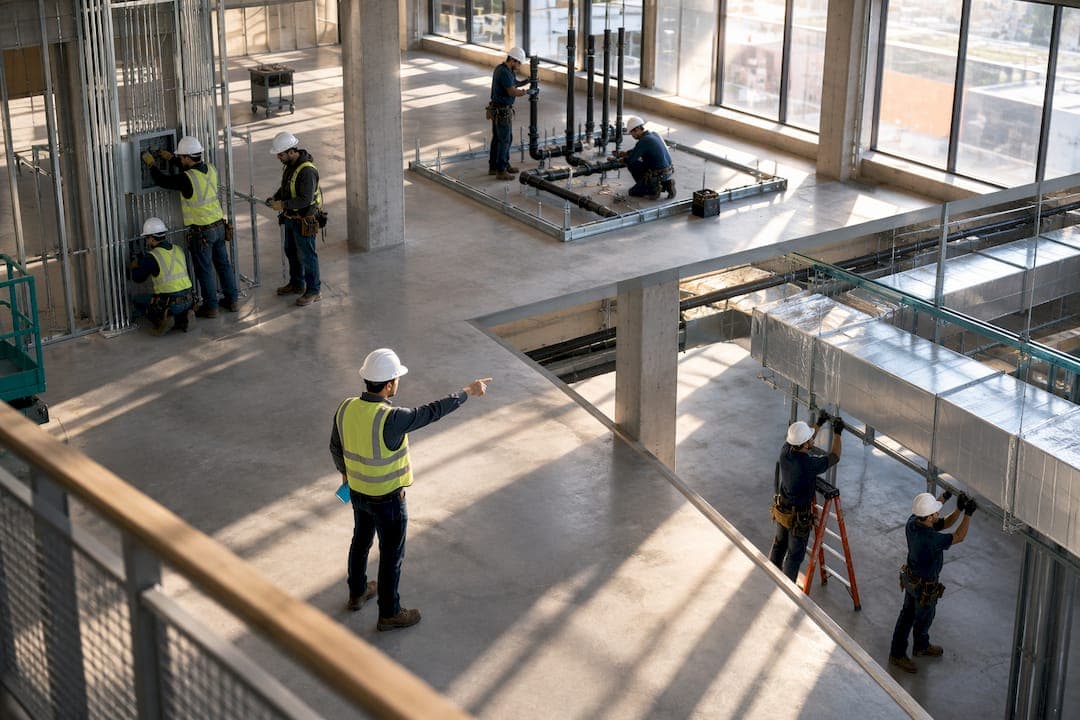
The fastest way to stop schedule-driven margin loss is a two-layer system: strategic capacity planning three to nine months out, paired with 24 to 72-hour tactical field schedules. Add zone-based sequencing to keep crews from tripping over each other, and connect the schedule to payroll and job costing so overtime shows up before it wrecks the job, not after.
TL;DR:
- Strategic capacity planning should be done three to nine months in advance to align workforce needs with project pipelines.
- Tactical field scheduling must focus on 24 to 72-hour plans managed by foremen to adjust for weather, delays, and inspections.
- Zone-based scheduling minimizes spatial conflicts by assigning exclusive access windows within defined areas, reducing interior finishing delays by around two-thirds.
- Connecting scheduling with payroll and job costing systems reduces overruns and ensures overtime is identified before it impacts profitability.
- Dedicated crews are ideal for highly repetitive tasks to prevent productivity loss from relapsing into relearning, while routing is suitable for low-repetition or short-duration jobs.
Table of Contents
- What Is Crew Scheduling Construction and Why Most Subs Get It Wrong
- Which Scheduling Method Fits Your Job Type?
- How Do You Set Up Zone-Based Scheduling on Site?
- Crew Routing vs. Dedicated Crews: What the Learning Curve Costs You
- Connect Scheduling to Payroll and Job Costing to Protect Your Margin
- Build a Weekly Rhythm: Look-Ahead and 72-Hour Plans
- What KPIs Actually Tell You Your Schedule Is Working?
- Communication and Coordination Between Crews and Supervisors
- How to Handle Delays and Disruptions Without Blowing Up the Schedule
- Why Training and Onboarding Pace Drives Your Schedule
- Best Practices for Scheduling Multi-Skilled Crews
- Workforce Shortages: Building Contingency Into Your Capacity Plan
- Legal and Safety Compliance in Crew Scheduling
- Software Tools and Technologies for Crew Scheduling
- A Plainspoken Checklist From Dave: Fix Your Scheduling This Week
- How Sub Ascent Helps: Integrated Scheduling, Takeoff, and QuickBooks Sync
- Sources
- FAQ
What Is Crew Scheduling Construction and Why Most Subs Get It Wrong
Crew scheduling construction, in the way most specialty trade subcontractors practice it, means deciding who works where, when, and for how long across every active job. Most subs run one calendar for everything. That's the mistake. Bidding on the next quarter's work and figuring out where Tuesday's framing crew goes are two completely different problems, and they need different owners, different time horizons, and different tools.
Industry terminology splits this into strategic workforce planning and tactical field scheduling. Confusing the two is why so many trade contractors feel like they're constantly firefighting. You can't hire your way out of a labor shortage by Thursday, and you can't plan next quarter's crew mix by staring at tomorrow's weather forecast.
The two-horizon structure
- Strategic capacity planning (3 to 9 months): Owners and PMs forecast crew needs against the pipeline, decide when to hire or subcontract overflow, and plan training around upcoming certifications or new equipment.
- Tactical field scheduling (24 to 72 hours): Foremen and superintendents own the daily assignment of crews to tasks, adjusting for weather, material delays, and inspection timing.
- Process flow: a rolling 6-week outlook feeds a 2-week look-ahead, which feeds the 72-hour tactical plan foremen actually execute.
Ownership matters here. When the owner or estimator tries to micromanage next Tuesday's crew split, and the foreman is left guessing about next quarter's headcount, both jobs suffer. Assign the 6-week outlook to whoever runs operations, and let field leadership own the 72-hour plan. That handoff, done weekly, is what keeps the office and the jobsite speaking the same language.
Which Scheduling Method Fits Your Job Type?
No single method works for every trade or every job. Picking the wrong one is why some subs feel like their schedule fights them.
- Critical Path Method (CPM): Best for complex, multi-phase jobs with heavy trade dependencies, like a commercial mechanical rough-in that can't start until framing and electrical rough clear inspection.
- Line-of-Balance (LOB) or Linear Scheduling Method: Fits repetitive work, such as a multi-unit residential drywall package where crews move floor to floor and productivity improves with repetition.
- Last Planner System (LPS): Suited to finish trades and GC-driven handoffs, since it forces weekly commitment planning around what's actually ready, not what the master schedule assumes.
- Resource-oriented scheduling: Use this when a specific crew or piece of equipment, not the calendar, is the real constraint, common in fire protection and low-voltage work with limited certified techs.
A contractor's guide to the scheduling process walks through the work breakdown structure and resource allocation steps that make any of these methods usable in the field, not just on paper.
How Do You Set Up Zone-Based Scheduling on Site?
Zone-based scheduling divides a floor or area into defined sections and assigns each trade exclusive access windows instead of letting three crews compete for the same 20 feet of hallway. A peer-reviewed study on spatial conflicts in construction found that defining work zones and optimizing crew starting positions cut spatial conflicts by about two-thirds in interior finishing scenarios, with sharp drops in resulting delays.
- Split the floor plan into zones based on natural boundaries: room clusters, corridors, or mechanical rooms.
- Assign each trade an exclusive-access window per zone, sized to their actual task duration plus a buffer.
- Build a handoff checklist for each zone transition: inspection sign-off, materials staged, access cleared, debris removed.
- Add a half-day buffer between trade windows in high-conflict zones like electrical-to-drywall handoffs.
Pro Tip: Post the zone map and handoff checklist at the jobsite trailer, not buried in a project management app nobody checks before 6 a.m.
Crew Routing vs. Dedicated Crews: What the Learning Curve Costs You
Switching a crew between task types kills productivity for longer than most PMs assume. This is the "forgetting effect": every time a crew stops one task type and picks up another, they lose speed re-learning the rhythm, even if it's a task they've done before. Repetitive work, like framing identical townhome units or hanging drywall across matching floors, rewards keeping the same crew on the same task type because their per-unit time keeps dropping.
Routing crews between jobs to fill gaps saves on idle labor cost but resets that learning curve every time. Decide with a simple checklist:
- Repetition level: High repetition (10+ similar units) favors dedicated crews.
- Crew cost structure: If idle time costs more than the learning-curve loss, route the crew.
- Project duration: Short jobs rarely earn back the re-learning cost of routing.
- Equipment needs: Specialized gear (welding rigs, glazing lifts) favors keeping a dedicated crew that already knows the equipment.
Connect Scheduling to Payroll and Job Costing to Protect Your Margin
This is the integration most subs skip, and it's the one costing them the most money. When scheduling lives in one spreadsheet, timecards live in a foreman's notebook, and job costing gets updated once a month, overruns surface weeks after they happened. By then the job is already unprofitable and nobody caught it in time to fix it.
According to a construction workforce scheduling guide from Jonas Construction, when scheduling, field time entry, payroll, and job costing run in one connected system, the variance between estimated and actual labor narrows and payroll reconciliation time drops substantially compared to manual reconciliation.
The data flow that matters:
- Scheduled hours set the baseline against the budget for each task or phase.
- Actual timecards from mobile time entry compare directly against those scheduled hours, daily, not monthly.
- Payroll processing picks up the same numbers, so certified payroll and overtime calculations match what the field actually reported.
- Job cost variance updates automatically instead of waiting for someone to re-key hours into a spreadsheet.
Three integration priorities pay off fastest: mobile time entry that foremen can actually use in the field, certified payroll exports for prevailing wage work, and a direct job cost sync to QuickBooks so nothing gets entered twice.
Build a Weekly Rhythm: Look-Ahead and 72-Hour Plans
A schedule only works if somebody checks it against reality every few days. The rhythm that keeps trade crews on track has three layers, and skipping any one of them is how schedules drift.
- Weekly coordination meeting: Publish a rolling 2-week look-ahead alongside a 6-week outlook, so foremen see both what's coming next and what's coming after that.
- 72-hour tactical checklist: Confirm materials are on site, inspections are booked, the foreman has confirmed crew availability, and someone has made the weather call before Monday morning, not during it.
- Daily start-of-day brief: A five-minute huddle covering the crew list for the day, mobilization order, and who backs up if someone calls out.
Practitioner guidance on construction crew scheduling consistently points to this same combination: look-ahead visibility plus daily field confirmation, layered on top of whatever CPM or LOB schedule you built at the estimate stage.
What KPIs Actually Tell You Your Schedule Is Working?
Four numbers tell you whether your scheduling system is protecting margin or quietly eroding it.
- Direct-work rate: The percentage of paid hours crews spend on actual installation versus waiting, moving materials, or rework. Below 40 percent on a finish trade crew is a red flag worth investigating.
- Percent Plan Complete (PPC): The share of tasks committed in the weekly look-ahead that actually got done. Consistent PPC below 80 percent signals your look-ahead process needs work, not your crews.
- Labor variance: Budgeted hours minus actual hours per task, tracked weekly against the job cost report.
- Overtime risk: Hours trending past 40 per crew member before the job is even at the halfway mark.
Research on AWP and WorkFace Planning found projects using structured work-face planning post significantly higher direct-work rates than projects run without it, largely because crews spend less time waiting on materials, access, or information. Track these four numbers weekly, not monthly, and bring them into the same coordination meeting where you review the look-ahead.
Communication and Coordination Between Crews and Supervisors
Scheduling systems fail quietly when the information in them never reaches the people executing the work. A perfect 2-week look-ahead is worthless if the foreman finds out about a zone change by walking into a room another crew is already tiling.
Three coordination habits fix most of this. First, put the schedule where foremen actually look: a shared phone app or job board at the trailer beats an email nobody opens before sunrise. Second, make schedule changes a two-way conversation, not a broadcast. Foremen see conflicts office staff never will, like a materials delivery blocking the only access point to a zone. A quick call before the day starts catches that; a schedule pushed out Sunday night without field input does not.
Third, standardize how crews report problems back up the chain. If a foreman hits a snag, the report needs to say what happened, what it's blocking, and what they need to keep moving, not just "we're behind." Structured daily reports, even a five-line text template, get PMs the information they need to adjust the next day's plan instead of finding out three days later when the whole schedule has slipped.

Cross-crew coordination matters just as much within a single site. When electrical, plumbing, and HVAC crews are all staged in the same building, a shared radio channel or group chat for foremen prevents the kind of collisions that zone-based scheduling is supposed to eliminate in the first place. The scheduling conflict resolution steps that work best treat coordination as a daily habit, not a one-time meeting at kickoff.
How to Handle Delays and Disruptions Without Blowing Up the Schedule
Every schedule breaks eventually. Weather, material delays, a failed inspection, a crew member who calls out. The difference between a sub that absorbs disruption and one that spirals into overtime chaos is how fast the disruption gets surfaced and reassigned.
Build slack into the 72-hour plan, not the 6-week outlook. A schedule with zero buffer at the tactical level means every rain day or late delivery cascades directly into the next crew's window. Even a half-day buffer at key handoff points, especially between trades sharing a zone, absorbs small delays before they become large ones.
When a real disruption hits, the fastest recovery move is almost always reallocation, not rescheduling everything from scratch. If a materials delay stops the framing crew, can that crew shift into a different zone that's ready for them, rather than sitting idle for two days? This is where zone-based scheduling earns its keep twice: it prevents conflicts, and it gives you pre-built alternative work areas to shift crews into when the primary plan stalls.
Document the disruption and the fix immediately, even informally. A quick note on what caused the delay and how it was resolved becomes the data that improves next quarter's estimates. Subs who track this over multiple jobs start to see patterns, certain material suppliers always run late, certain inspectors always take an extra day, and they build that knowledge into future schedules instead of getting surprised by the same problem every time.
The weather call deserves its own rule: make it by a fixed time the night before or early morning, communicated the same way every time, so crews aren't waiting on a text that might not come until they're already halfway to the job site.

Why Training and Onboarding Pace Drives Your Schedule
A new hire on the crew is a scheduling variable, not just a headcount number. Onboarding speed directly affects how reliable your 72-hour plan can be, because a crew with an unproven new member needs either lighter task assignments or a paired mentor, both of which change the math on how fast that zone actually clears.
Fast, structured onboarding shortens the window where a new crew member is a scheduling liability. Trades with clear certification paths, like fire protection or low-voltage, benefit from mapping onboarding milestones directly onto the strategic capacity plan: know in advance when a trainee becomes independently assignable, and schedule around that date rather than guessing.
Cross-training pays off here too. A crew where two or three members can competently handle adjacent tasks gives foremen flexibility during the daily brief, someone calls out, and there's already a backup who knows the work instead of a scramble to borrow a body from another crew. That flexibility shows up directly in fewer schedule disruptions and lower overtime, because you're not paying premium rates to cover a gap a trained backup could have filled at regular time.
The strategic layer of your scheduling system should track training status the same way it tracks project pipeline. Who's certified, who's in progress, who's ready for lead roles. Treat it as a capacity input, not an HR afterthought, and your 6-week outlook gets a lot more accurate.
Best Practices for Scheduling Multi-Skilled Crews
Multi-skilled crews, common in smaller specialty trade shops where a five-person team handles rough-in through finish, need a different scheduling logic than single-task crews. The scheduling question isn't just "when do they work," it's "which skill are they using today, and does that match what the job actually needs right now."
Sequence tasks by skill demand, not just by trade phase. A multi-skilled electrical crew capable of both rough-in and finish work should be scheduled so the highest-value, most time-sensitive skill gets priority when two tasks compete for the same crew day. Rough-in that's blocking three other trades usually outranks finish work with more schedule slack.
Track skill utilization the same way you'd track direct-work rate. If your most experienced multi-skilled lead is spending half the week on tasks a junior crew member could handle, that's a scheduling inefficiency even if the crew looks fully booked on paper. Reassign the lower-skill tasks and free up the higher-value skill for where it actually moves the schedule.
Build the zone-based approach around skill windows too. If a multi-skilled crew needs to finish rough-in in Zone A before moving to trim work in Zone B, don't schedule another trade into Zone A's trim phase until the rough-in crew has actually cleared and signed off. The handoff checklist matters even more here, because a multi-skilled crew moving between task types inside the same zone creates its own version of the switching cost that dedicated crews avoid.
Workforce Shortages: Building Contingency Into Your Capacity Plan
Labor shortages aren't a temporary problem to schedule around. Tight labor conditions remain a primary driver of project delays, and contractors are responding by raising pay and investing more heavily in training and recruiting.pdf). If your strategic capacity plan assumes you can hire qualified crew on short notice, you're planning against a labor market that doesn't cooperate.
Build contingency directly into the 6-week outlook. That means identifying which trades on your team are hardest to backfill, electrical journeymen and certified welders top most lists, and building recruiting and training pipelines months ahead of when you'll actually need the headcount, not when a project is already behind.
Three contingency levers matter most:
- Pay adjustments targeted at retention for your highest-skill, hardest-to-replace crew members, not just across-the-board raises.
- Structured training pipelines that move apprentices or junior crew toward independent assignability on a known timeline, feeding directly into your capacity forecast.
- Recruiting relationships built before you're desperate, whether that's trade schools, union halls, or a standing referral incentive for current crew.
The AGC workforce survey also found firms increasingly expect AI and automation tools to ease scheduling and planning pressure, a sign that software-assisted scheduling is becoming a standard response to a labor market that isn't loosening up on its own.
Legal and Safety Compliance in Crew Scheduling
Scheduling decisions carry legal weight, and getting them wrong costs more than a bad day on site. Overtime calculations under the Fair Labor Standards Act depend on accurate hour tracking. If your schedule says one thing and your timecards say another, you're exposed on wage claims, not just budget overruns.
Certified payroll requirements on prevailing wage jobs add another layer. Scheduled hours need to match what gets reported, and any gap between the tactical schedule and actual field time creates compliance risk on top of the cost risk. This is another reason connecting scheduling to time entry and payroll matters beyond margin protection, it's also your audit trail.
Safety compliance ties directly into how zones and handoffs get scheduled. OSHA rules around fall protection, confined space entry, and multi-employer worksites mean your zone-based scheduling needs to account for who's certified for what task, not just who's available. Scheduling an uncertified crew member into a confined space task because they were the only one free that day isn't a scheduling shortcut, it's a liability.
Build compliance checks into the same handoff checklist you use for zone transitions: confirm the assigned crew holds the required certifications for that zone's tasks before the window opens, not after someone's already working.
Software Tools and Technologies for Crew Scheduling
Spreadsheets get most trade subs from startup to maybe ten employees before they break down. Beyond that, manual scheduling can't keep pace with multiple active jobs, shifting crew assignments, and the payroll reconciliation that has to happen every week regardless of how organized the schedule looks.
The tools that actually move the needle share a few characteristics: mobile time entry crews will actually use in the field, a direct sync to job costing so labor hours update the budget automatically, and look-ahead views that foremen and office staff can both see without a phone call. Platforms built specifically for specialty trades tend to fit better than general contractor-oriented project management tools, because the workflows around bid tracking, takeoff, and job costing are fundamentally different for a sub than for a GC managing multiple trades.
Sub Ascent is built around that gap, connecting scheduling, field time entry, and job costing in one system rather than three disconnected tools a PM has to reconcile by hand every Friday.
A Plainspoken Checklist From Dave: Fix Your Scheduling This Week
Most subs don't need a new system, they need three fixes. Split strategic from tactical scheduling and publish an actual 72-hour plan this week. Zone your next active area and enforce one handoff checklist across every trade using it. Turn on at least one direct flow from field time entry into job costing or payroll so overtime surprises stop showing up after the job's already unprofitable.
— Dave
How Sub Ascent Helps: Integrated Scheduling, Takeoff, and QuickBooks Sync
This guide focuses on the disconnect between what is scheduled, what is actually worked, and what shows up in the job cost report too late. Sub Ascent connects bid tracking, PDF takeoff, field time entry, and job-cost sync in one platform built specifically for specialty trade subcontractors, not adapted from general contractor software that was never built around how subs actually estimate and staff jobs.

That integration is what closes the loop this article covers section by section. Scheduled hours flow into the CrewTrack mobile app foremen use in the field, actual hours sync to job costing without anyone re-keying a timecard, and QuickBooks stays current without a month-end scramble. If your current setup means checking three systems to answer "is this job still making money," that's the exact problem worth fixing before your next bid cycle. Start a free trial at Sub Ascent and see how the scheduling-to-job-cost flow works for your trade.
Sources
- Illustrating the impact of work zones and optimized starting positions on spatial conflicts (ECAM, 2025)
- Construction Workforce Scheduling Guide - Jonas Construction
- The Construction Scheduling Process: A Contractor's Guide for 2026
FAQ
What Is the Difference Between Strategic and Tactical Crew Scheduling?
Strategic scheduling covers 3 to 9 months and focuses on hiring, training, and multi-project capacity. Tactical scheduling covers 24 to 72 hours and is owned by foremen adjusting daily crew assignments for weather, materials, and inspections.
How Does Zone-Based Scheduling Reduce Job Site Conflicts?
Zone-based scheduling assigns each trade an exclusive access window within a defined area, preventing crews from competing for the same space. A published study found this approach cut spatial conflicts by roughly 68 percent in interior finishing scenarios.
Should I Use Dedicated Crews or Route Crews Between Jobs?
Dedicated crews work better for highly repetitive tasks because they avoid the productivity loss from relearning a new task type. Routing crews between jobs saves on idle labor cost but resets that learning curve every time, so it fits better for short jobs or low-repetition work.
What KPIs Should I Track to Know If My Scheduling Is Working?
Track direct-work rate, Percent Plan Complete, labor variance against budget, and overtime risk weekly. A direct-work rate below 40 percent or PPC below 80 percent signals your look-ahead process needs adjustment.
How Much Does Sub Ascent Cost?
Sub Ascent's current pricing plans, including the Starter and Scale tiers, are listed directly on the Sub Ascent website. Plans are sold as flat-rate monthly or annual subscriptions with an optional PDF takeoff add-on.