
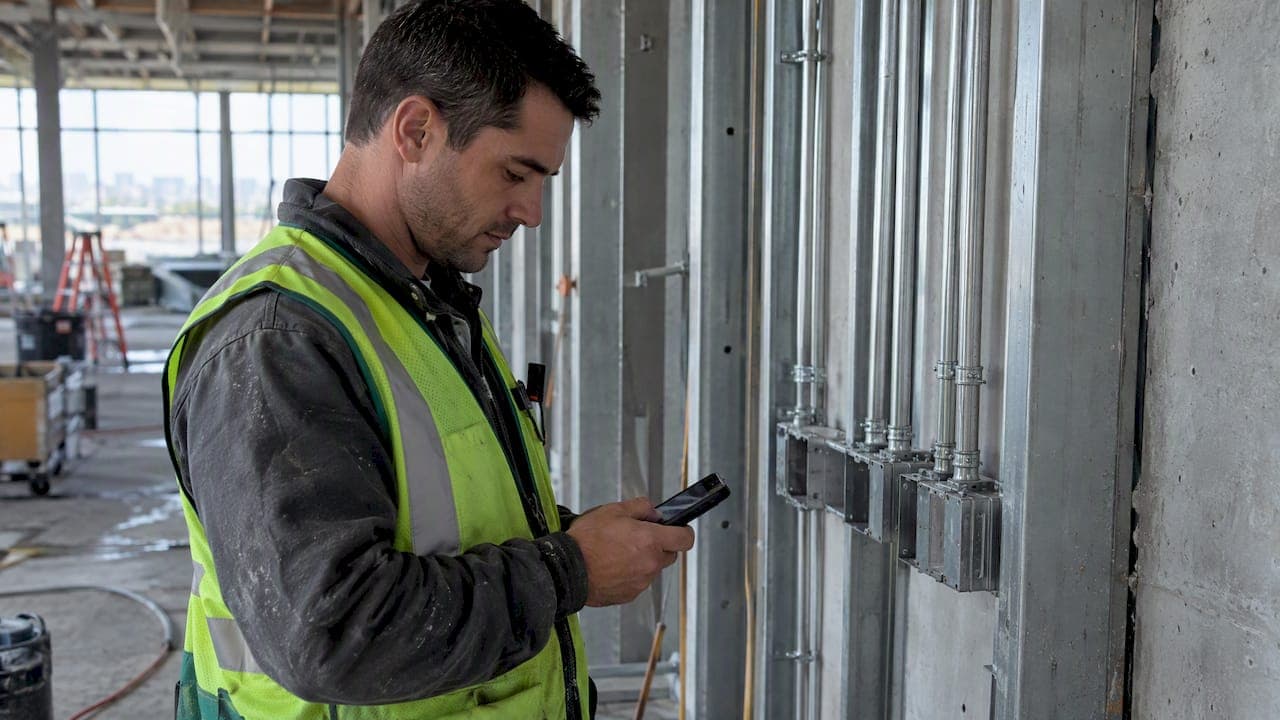
A mobile timesheet rollout works best as a phased project: analyze your crews, run a short pilot, deploy in waves, then support adoption. Put the priorities first: foreman buy-in, FLSA-compliant hours records, and a tested handoff to payroll and QuickBooks. This playbook is written for electrical, plumbing, HVAC, masonry, and other specialty trade subcontractors.
TL;DR:
- Run a pilot lasting several weeks with crews representing both strong and weak signal, including a skeptical foreman, and continue through one full payroll cycle.
- Keep records of actual hours, allow rounding only when it is consistent and never underpays workers, and retain an audit trail of every edit.
- Require offline capture and automatic syncing at dead zones, keep paper backups for device failures, and limit GPS to clock in and clock out.
- Map job and cost codes, test overtime across two jobs and differential pay, then compare exports with the old process for one full pay cycle.
- Train foremen on crew starts, missed punches, and job codes; assign a respected crew member as a peer contact and schedule refresher support after rollout.
Table of Contents
- What does a rollout checklist look like from analysis to full deployment?
- How do you run a low-risk field pilot?
- How should you train foremen and crews?
- What do FLSA recordkeeping rules require?
- What technical setup keeps mobile timesheets reliable on site?
- How do you connect timesheets to payroll and QuickBooks?
- How do you measure whether the rollout worked?
- What problems come up during rollout, and how do you fix them?
- What an owner learns from the rollout
- How we can support your rollout
- FAQ
- Sources
What does a rollout checklist look like from analysis to full deployment?
The phases below follow the sequence that field service case research identifies as central to success: analysis, concept, pilot, roll-out, and adoption. Skipping the early phases can cause rollouts to stall.
- Map the work. List every crew, active job, foreman, and office admin who touches hours. Note which sites have weak signal, which crews share trucks, and where hours currently get lost (paper cards, texts, end-of-week guesses).
- Set device and data policy. Choose company-issued phones or bring-your-own-device, and budget for data plans if you issue them. Decide whether GPS records only at clock-in and clock-out or continuously. Clock-in-only is easier to defend with crews.
- Define offline needs. If your concrete or roofing crews work where signal drops, require offline capture with automatic sync later.
- Write the deliverables. A pilot script, one-page training cards, a fallback plan (spare devices and paper backup), and written success criteria.
- Run the pilot. A short pilot with a small group (see the next section).
- Hold a go/no-go review. Proceed only if clock-in success is high, sync failures are rare, and foremen say it saves them time.
- Deploy in waves. Add crews in small waves so your helpdesk stays ahead of questions.
- Verify payroll. Run one full pay cycle with timesheet exports compared against your old process before you retire it.
- Review after the rollout. Hold a refresher session and retire the fallback.
A sample timeline: allow time for analysis and setup, run a pilot, then deploy in waves. A crew base can be fully live after the rollout phases are complete.
How do you run a low-risk field pilot?
Pick pilot crews that represent your real operation. Include at least one foreman who is skeptical or who runs a demanding schedule, because if the tool works for him, it will work for everyone. Mix a crew with good signal and one without, so offline behavior gets tested early.
Run the pilot for several weeks, long enough to cover a full payroll cycle. Check these items every few days:
- Usability: can a foreman clock in a crew quickly?
- Sync success: do offline entries appear in the office once the phone reconnects?
- Data integrity: do hours, job codes, and cost codes match what the foreman reports?
- Time to submit: how long after the shift do hours reach the office?
- Foreman satisfaction: a brief check-in each Friday.
Change one thing at a time, such as a setting, a reminder message, or a training card, and watch whether the numbers move. Research on a large mobile health rollout found that iterative feedback and quick fixes to technical issues raised satisfaction and usage over time, and the same loop applies in the field.
Pro Tip: Ask each pilot foreman to name the one thing that annoyed him most, and fix that before anything else.
How should you train foremen and crews?
Train by role, not by headcount. Foremen need operational skills: starting a crew, fixing a missed punch, adding a job code. Office admins need reconciliation and approval workflows. Owners and estimators need reporting views, such as hours by job against budget.
- Keep sessions short and on site. A short session at the tailgate beats a long session in the office. Our guide on how foremen track crew hours on the job site covers the habits worth building on.
- Leave reference material behind. A printed card in the truck and a short phone video for each task.
- Name key users. One respected crew member per team who answers peer questions fast. Case research lists key-user support and timely problem resolution among the factors that predict success.
- Plan ongoing support. Set helpdesk hours, an escalation path for dead devices, and a refresher session after the initial rollout.
- Frame it honestly. Adoption research on field crews finds success when the app is positioned as protecting workers' hours rather than monitoring performance.
What do FLSA recordkeeping rules require?
Under the FLSA, employers must record the actual hours employees work. The Department of Labor's recordkeeping guidance accepts app-based timekeeping as long as it produces accurate and complete records, and expects employers to use reasonable diligence in tracking time.
Employers must exercise reasonable diligence to track the hours of employees who work remotely, provide reasonable procedures for reporting unscheduled work, and compensate the hours reported.
That is the substance of the Wage and Hour Division's 2020 Field Assistance Bulletin on teleworking and remote employees, which applies naturally to crews working away from the office.
Rounding is allowed only if it is consistent and never shorts employees. The federal rule on recording working time says practices are acceptable when applied consistently and not used to undercompensate workers.
Practical policies: GPS at clock-in and clock-out only, a clear way to report unscheduled hours, and retained audit logs of every edit. This is general information, not legal advice, so check your policies with an employment attorney.

What technical setup keeps mobile timesheets reliable on site?
Crews will forgive a new app. They will not forgive losing a day of hours. Reliability planning is what protects trust.
- Map connectivity first. Note dead zones at every active site and require offline capture with automatic sync when signal returns. A case study of a mobile app rollout found that stable internet access and sufficient mobile data predicted active use, and that poor connectivity was a common barrier.
- Keep spare devices. Wireless field force studies stress helpdesk support, fleet management, and rapid device replacement so a cracked screen does not become a missing day.
- Set charging routines. A truck charger and a daily habit prevent most dead-phone punches.
- Watch data caps. Check usage monthly if you issue plans.
- Write a fallback. If a phone fails, the foreman records hours on paper and enters them the same day.
How do you connect timesheets to payroll and QuickBooks?
Choose your handoff method before launch: a CSV export, a direct QuickBooks sync, or a payroll provider import. Then test it with real pay rules, not clean sample data.
- Map job and cost codes between the timesheet tool and your accounting setup.
- Test overtime with a week that crosses 40 hours across two jobs.
- Test differential pay such as prevailing wage or shift premiums.
- Compare one full cycle of exports against your old payroll numbers line by line.
- Confirm approvals flow from foreman to office before payroll closes.
Clean, same-week hours also speed billing. When time and job costs arrive on time, your invoices go out sooner, which shortens the wait on receivables.
How do you measure whether the rollout worked?
Track a short list of numbers regularly during the rollout, then continue reviewing them. Assign one owner, usually the office manager, and review results with the owner or operations lead.
| KPI | What it shows | Review cadence |
|---|---|---|
| Time to submit | Days between shift and approved hours | Weekly |
| Payroll error rate | Corrections per pay run | Every pay cycle |
| Recovered hours | Hours previously missed or rounded away | Monthly |
| Invoice cycle time | Days from work done to invoice sent | Monthly |
| Job-cost variance accuracy | Gap between reported and actual labor cost | Monthly |
For a simple ROI, multiply payroll hours saved by your fully loaded hourly rate, then add the cost of fewer payroll corrections. Say an office admin saves 5 hours a week at $40 an hour (an illustration, not market data): that is $200 a week, or $10,400 over 52 weeks, before counting recovered hours. Our analysis of mobile timecard savings for trade subcontractors walks through a fuller version, and our crew productivity tracking guide covers the field-side metrics.
What problems come up during rollout, and how do you fix them?
- Adoption lag: show foremen their own numbers, offer a small incentive for on-time submissions, and retrain briefly at the tailgate.
- Missing entries or sync gaps: have the office run a daily verification checklist and swap in a spare device when a phone misbehaves.
- Privacy objections: say plainly that GPS records only at clock-in and clock-out, and put consent and policy language in writing.
- Shared devices: assign one device per crew with named log-ins.
- Sub-tier crews: set the same clock-in rules for every worker on your payroll, and handle outside labor separately in your agreements.
Trade specifics matter too. Our look at steel contractor timecard collection methods shows how one trade adapts the rules. Coordination across trades on one site also shapes how crews clock in, and this advice on coordinating flooring trades on schedule is a useful reference for sequencing crews.
What an owner learns from the rollout
Timesheet software rarely fails because of the software. It fails because the foreman was never asked what would make his day easier. The best rollouts I have seen treated the pilot as a conversation: the office changed its process as much as the crews changed theirs. As an illustration, a shop that moves from paper cards to same-day entries may be able to close payroll and send invoices sooner. Most owners underestimate how much that cash timing is worth. Our guide on how foremen track crew hours is a good next read.
— Dave
How we can support your rollout
We built our tools for specialty trade subcontractors, so the rollout priorities above map directly to what we offer:
- A free CrewTrack mobile app for foremen, included with your subscription.
- QuickBooks sync to move approved hours into your accounting.
- Owner and estimator reporting on labor against budget.

Run your pilot on one or two crews. See how we work for trades like yours on our CrewTrack landing page, or book a demo through Subascent.
FAQ
How long should a mobile timesheet pilot last?
Plan on several weeks, long enough to cover a full payroll cycle. That gives you real data on sync failures, submission speed, and payroll accuracy before you commit every crew.
Are mobile apps acceptable for FLSA timekeeping?
Yes, as long as the app produces accurate and complete records of actual hours worked. The Department of Labor's recordkeeping guidance also expects employers to use reasonable diligence in tracking time.
Can I round employee time on a mobile timesheet?
Rounding, such as to the nearest 15 minutes, is permitted when applied consistently and not used to systematically underpay employees. The DOL hours worked fact sheet explains the rule.
What if crews work where there is no signal?
Choose an app with offline capture that syncs automatically when the phone reconnects. Also give foremen a paper fallback for the day a device fails.
Should GPS track crews all day?
Clock-in-only GPS is the easier policy to defend and to explain to crews. It verifies job-site presence without raising the privacy concerns of continuous tracking.
Sources
- Recordkeeping | U.S. Department of Labor
- UNITED STATES DEPARTMENT OF LABOR WAGE AND HOUR DIVISION Washington, DC 20210
- eCFR :: 29 CFR Part 785 Subpart D -- Recording Working Time
- Critical success factors for mobile field service applications: A case research